Denna tråd har arkiverats.
Ställ en ny fråga om du behöver hjälp.

Arkiverad
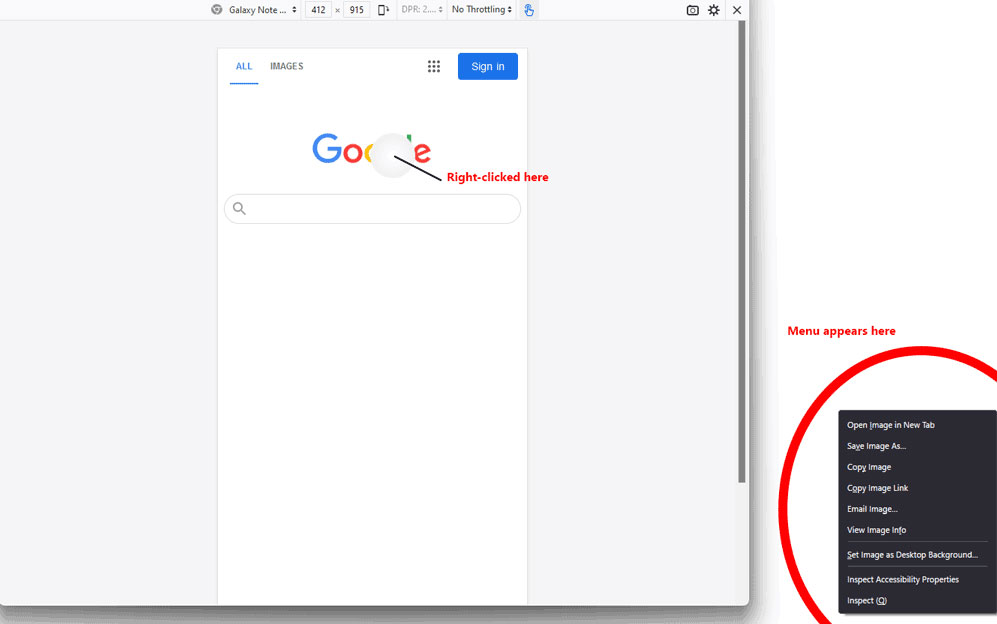
Devtools context menu opens in lower right of screen
With Devtools open and Responsive Design Mode active, selecting a device from the Device list and then right-clicking causes the context menu to appear in the lower right of the screen (figure-1 or first image if filenames aren't shown).
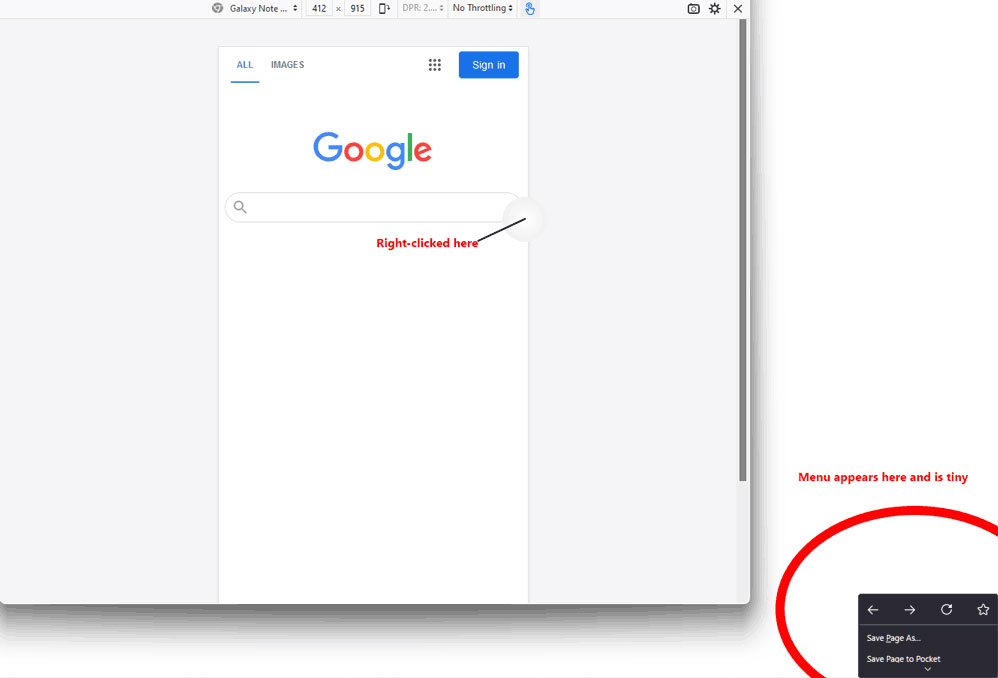
Depending on where I click, the menu shrinks (figure-2, second image).
Using the same device, if I type, "412" in the width box, it changes to Responsive Design Mode. After that, it works as it should (figure-3, last image). Notice that I clicked in the exact same spot as the first image.
I've tried safe mode; deleting all my profiles; none of those worked.



Alla svar (1)
I guess gifs aren't allowed? Here's the images.