


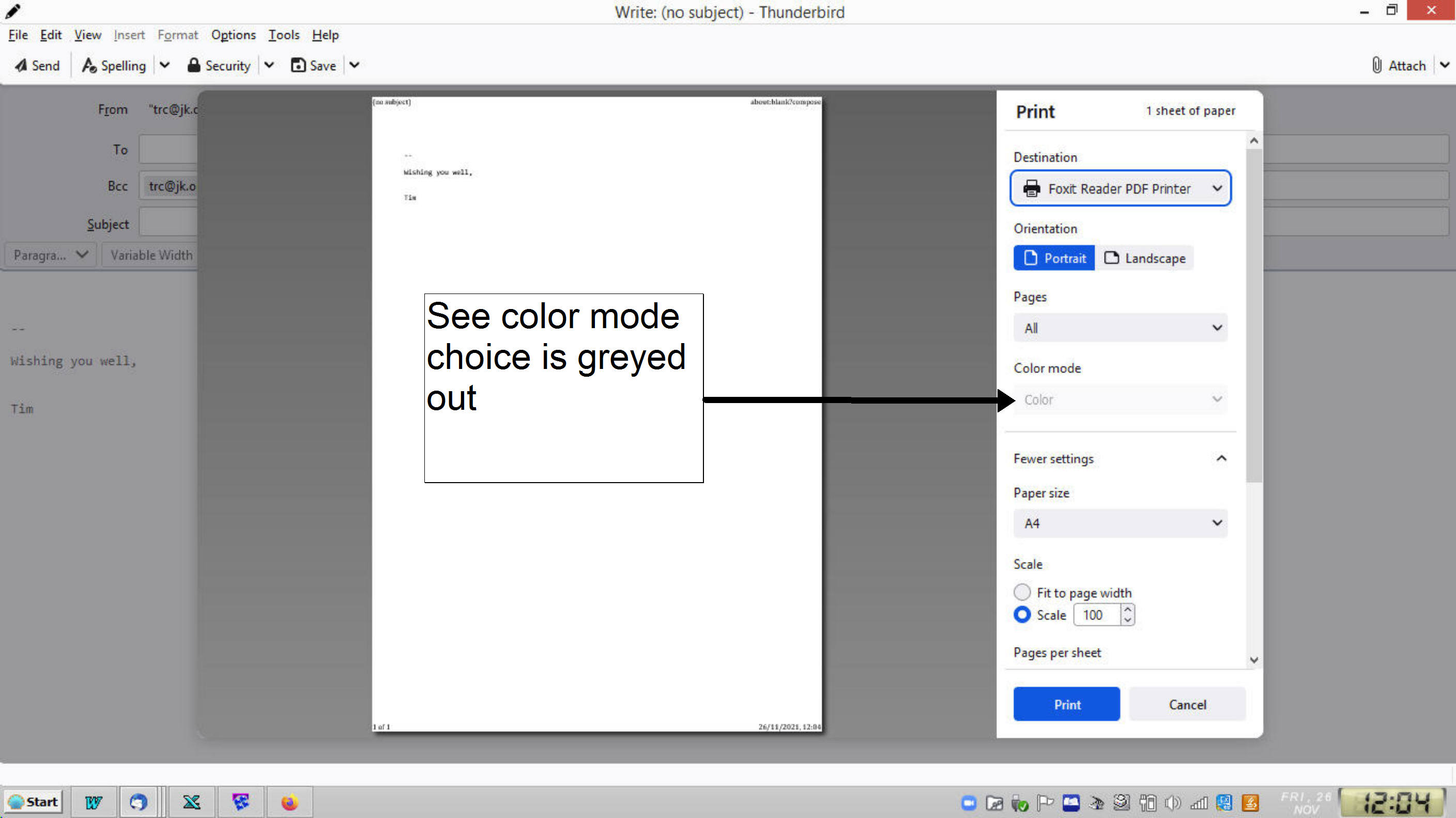
Print Preview won't allow me to choose a color mode

I want to print in Black & White. How please do I enable the "color mode" selection under print preview?
Vald lösning
I just installed the cutepdf software and it offers a black and white option. So I think it is the foxit pdf software that is your issue.
Alla svar (4)
Seems like it would be straightforward, but apparently is not. On W10, I set Microsoft Print to PDF as the printer, but the color mode is not available (but is if 'OneNote for Windows' is the printer). As a workaround, I save to pdf with MS Print to PDF, with full color, then open in my pdf viewer (PDF-XChange Viewer), and printing from that app has a 'Print to greyscale' option.
Thanks but 5 minutes 20 times a day is more than 1 and a half hours.
Vald lösning
I just installed the cutepdf software and it offers a black and white option. So I think it is the foxit pdf software that is your issue.
What I hear you say is that 94.0.2 is incompatible with Foxit. That is a pity. Thank you. Does anyone have a solution that doesn't require me to download yet more sofware?