


EDIT My Signature Help
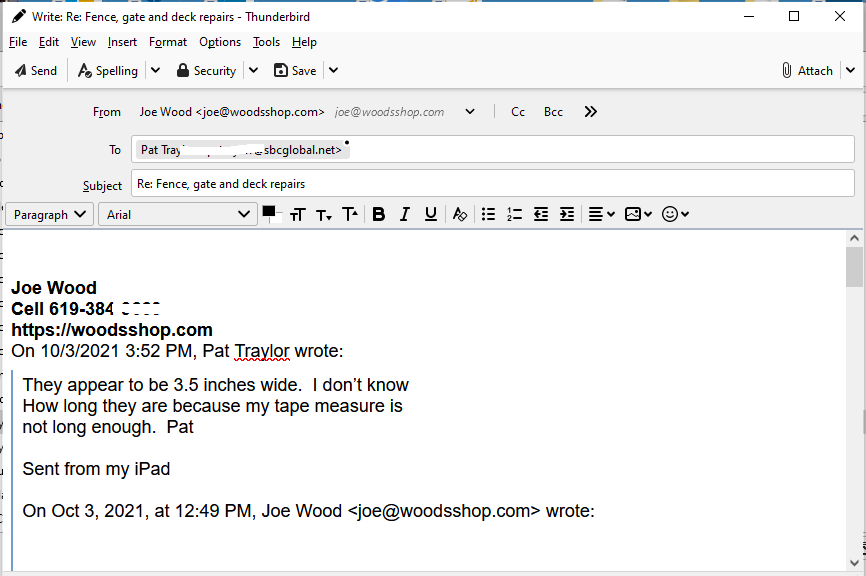
When I Reply to an email my sig is right above the section (not sure what that's called) from the last email, this image shows what I mean.
how do I Edit it so there's a space under the signature??
Vald lösning
Add < br > tags to make spaces at the bottom, as in my picture.
Läs svaret i sitt sammanhang 👍 1Alla svar (10)
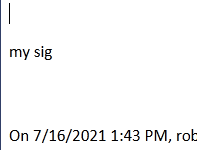
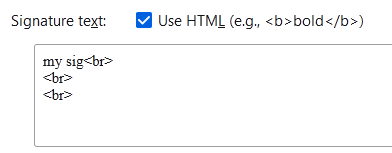
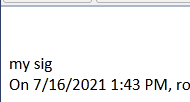
The first picture shows a signature inserted below my reply, but above the quote. The signature has two extra line breaks (second picture). If the 2 extra line breaks are removed, the signature looks like the 3rd picture.
OK SF, I put two linebreaks (Enter?) below my sig, but there's nowhere I can see to do a Apply, or Save that new sig? I just closed that page and my sig hadn't changed?
Ändrad av JoeFromSD
Is the sig. entered in Account Settings as in my 2nd picture, or attached as a text or html file? Post a screenshot if you can. Enter might just separate paragraphs, while a space is created with the break tag.
yeah I don't know anything about tags and such, here's what I'm doing.
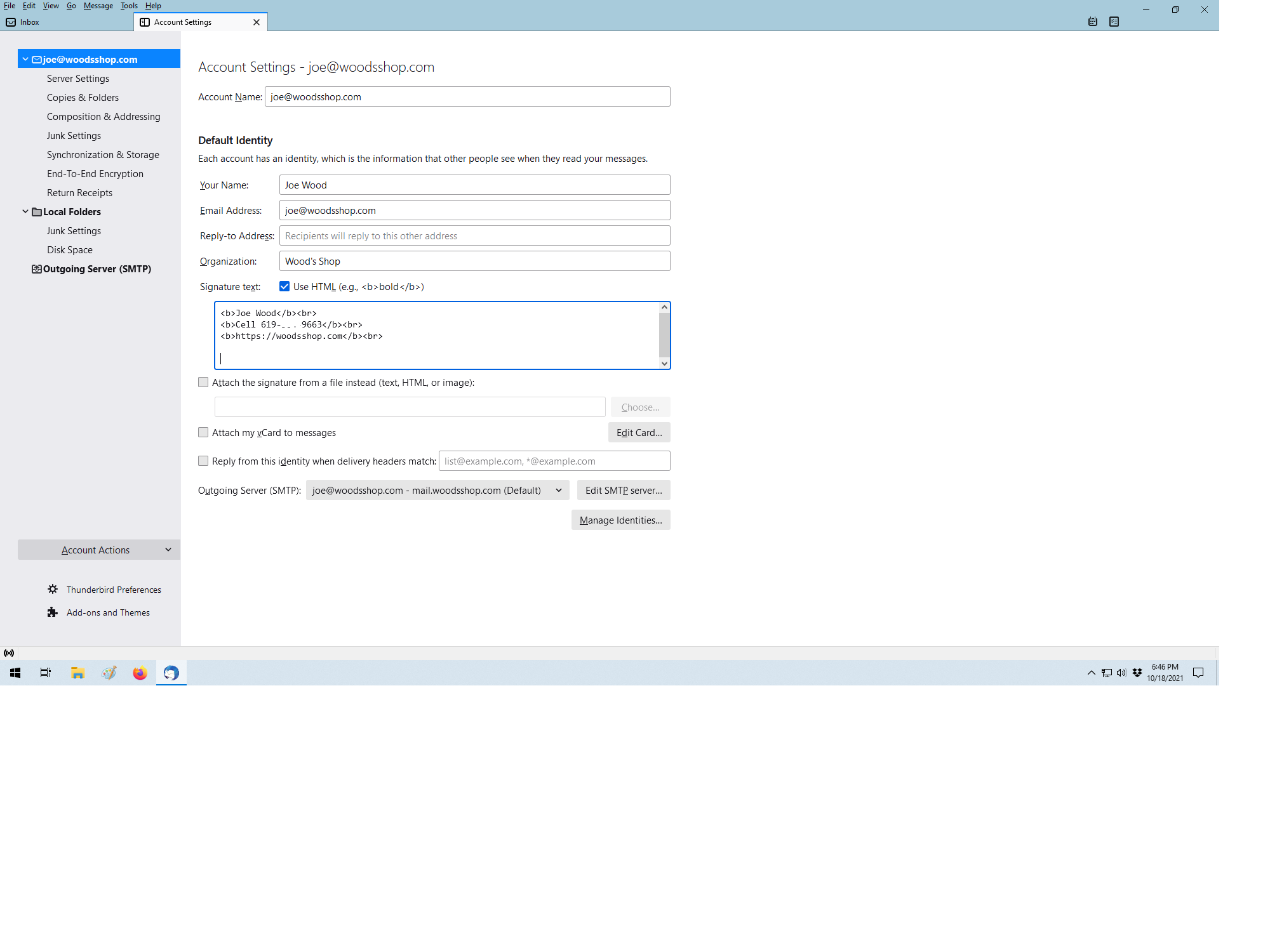
Vald lösning
Add < br > tags to make spaces at the bottom, as in my picture.
That did it, thanks SF!!
Darn, now it's messed up even more. There's now a big space at the top where I can't put the cursor.
The images
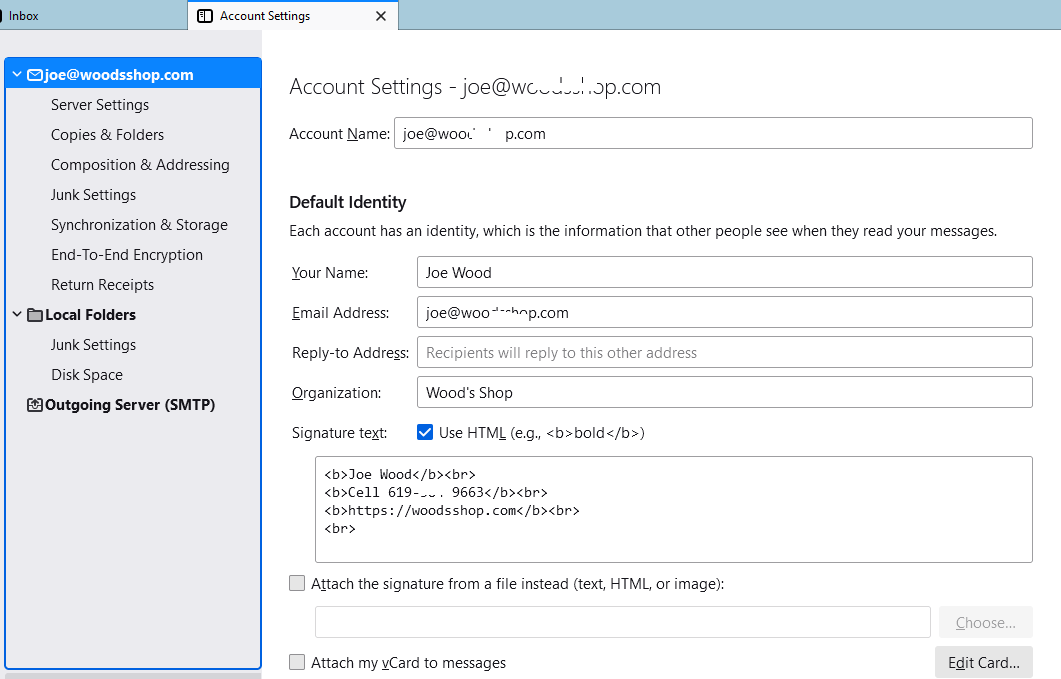
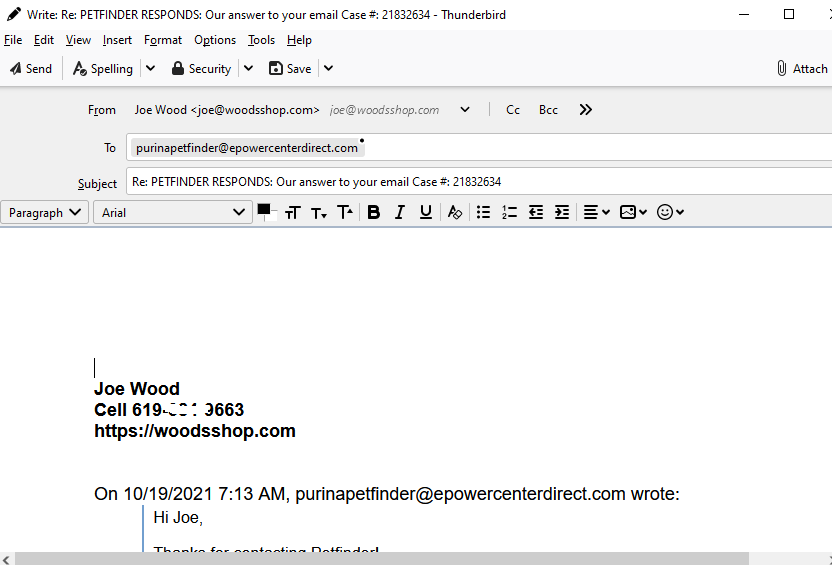
It works OK here. The cursor is visible in your picture. Does it work in safe/troubleshoot mode (hold Shift when launching TB)?
yeah for some reason it's working as it should now.