


Windows 10 reached EOS (end of support) on October 14, 2025. If you are on Windows 10, see this article.

Sök i support

Akta dig för supportbedrägerier: Vi kommer aldrig att be dig att ringa eller skicka ett sms till ett telefonnummer eller dela personlig information. Rapportera misstänkt aktivitet med alternativet "Rapportera missbruk".

Läs mer
Denna tråd har arkiverats. Ställ en ny fråga om du behöver hjälp.
Arkiverad

Why do I have to ALWAYS manually clear Cached Web Content?

cor-el besvarat
reg0mm17

Firefox 86.0.1 on macOS 11.2.3

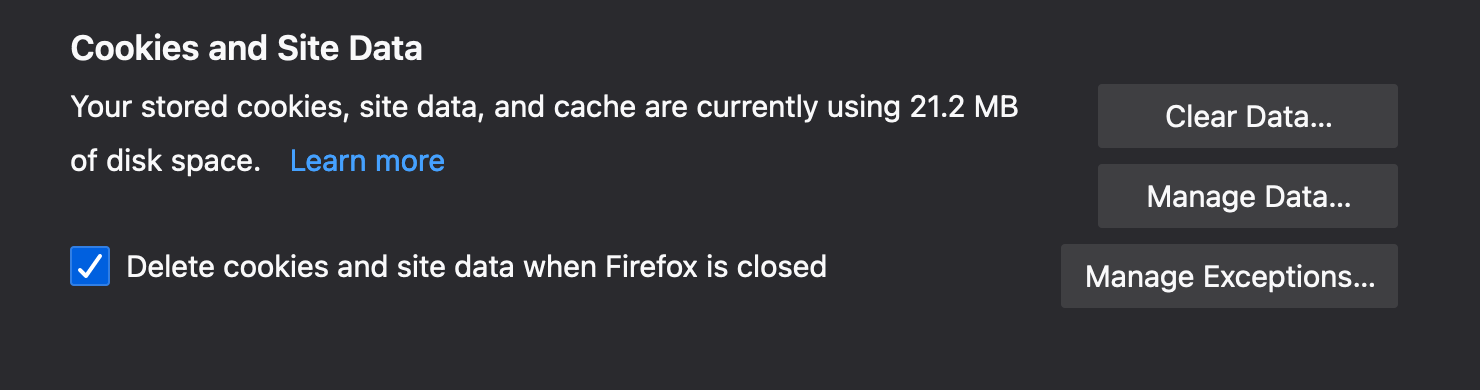
I always use Private Browsing Mode so.....Why do I have to ALWAYS manually clear Cached Web Content?

I have tried all >Preferences Options

I have tried >"Never Remember History" setting.. Cached Web Content does not automatically clear on Firefox Quit

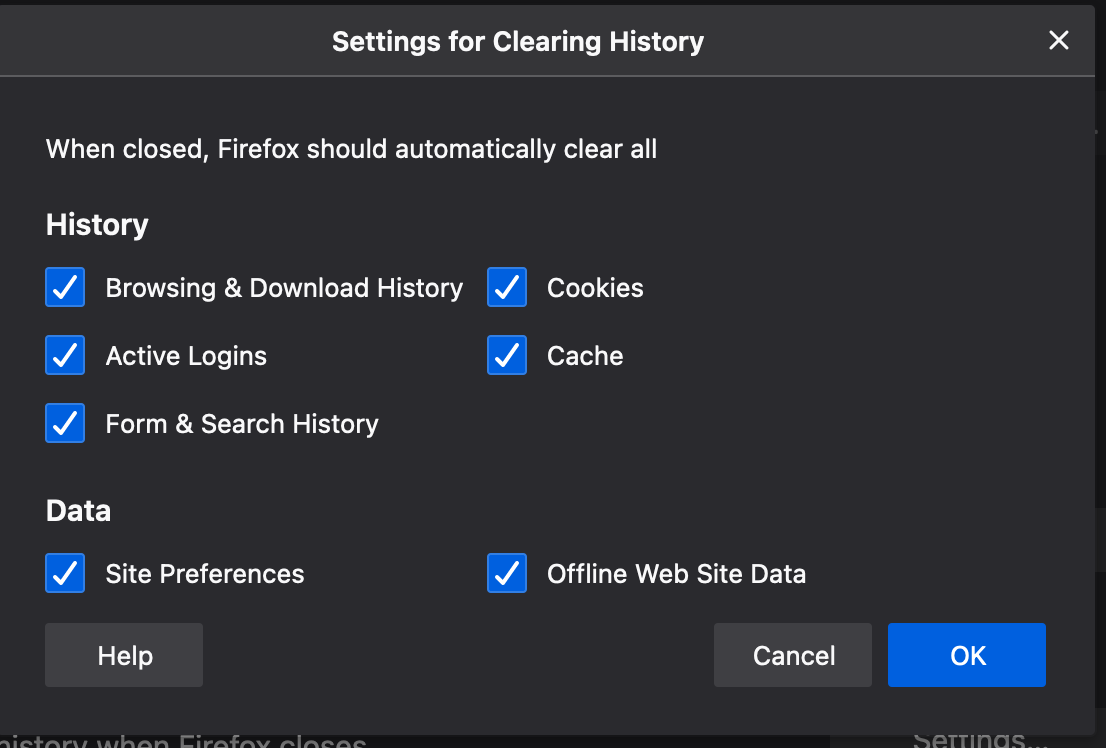
I have tried> "Use custom settings for history" with all options selected.. Cached Web Content does not automatically clear on Firefox Quit

Help would be appreciated
reg0mm17@mcdonagh.biz

'''Firefox 86.0.1 on macOS 11.2.3''' I always use Private Browsing Mode so.....Why do I have to ALWAYS manually clear Cached Web Content? I have tried all >Preferences Options I have tried >"Never Remember History" setting.. Cached Web Content does not automatically clear on Firefox Quit I have tried> "Use custom settings for history" with all options selected.. Cached Web Content does not automatically clear on Firefox Quit Help would be appreciated reg0mm17@mcdonagh.biz
Bifogade skärmdumpar

Alla svar (1)

In Private Browsing Mode all session data is kept in memory, so no need to clear this data manually or when you close Firefox and "Clear Recent History" probably doesn't work. What Firefox shows in the first screenshot is probably data from a previous regular session that is still stored in the profile folder. Try to start Firefox once in regular mode and see if that allows to clear this data.