

Denna tråd har arkiverats.
Ställ en ny fråga om du behöver hjälp.

Löst
Arkiverad
Location of Open a New Tab icon
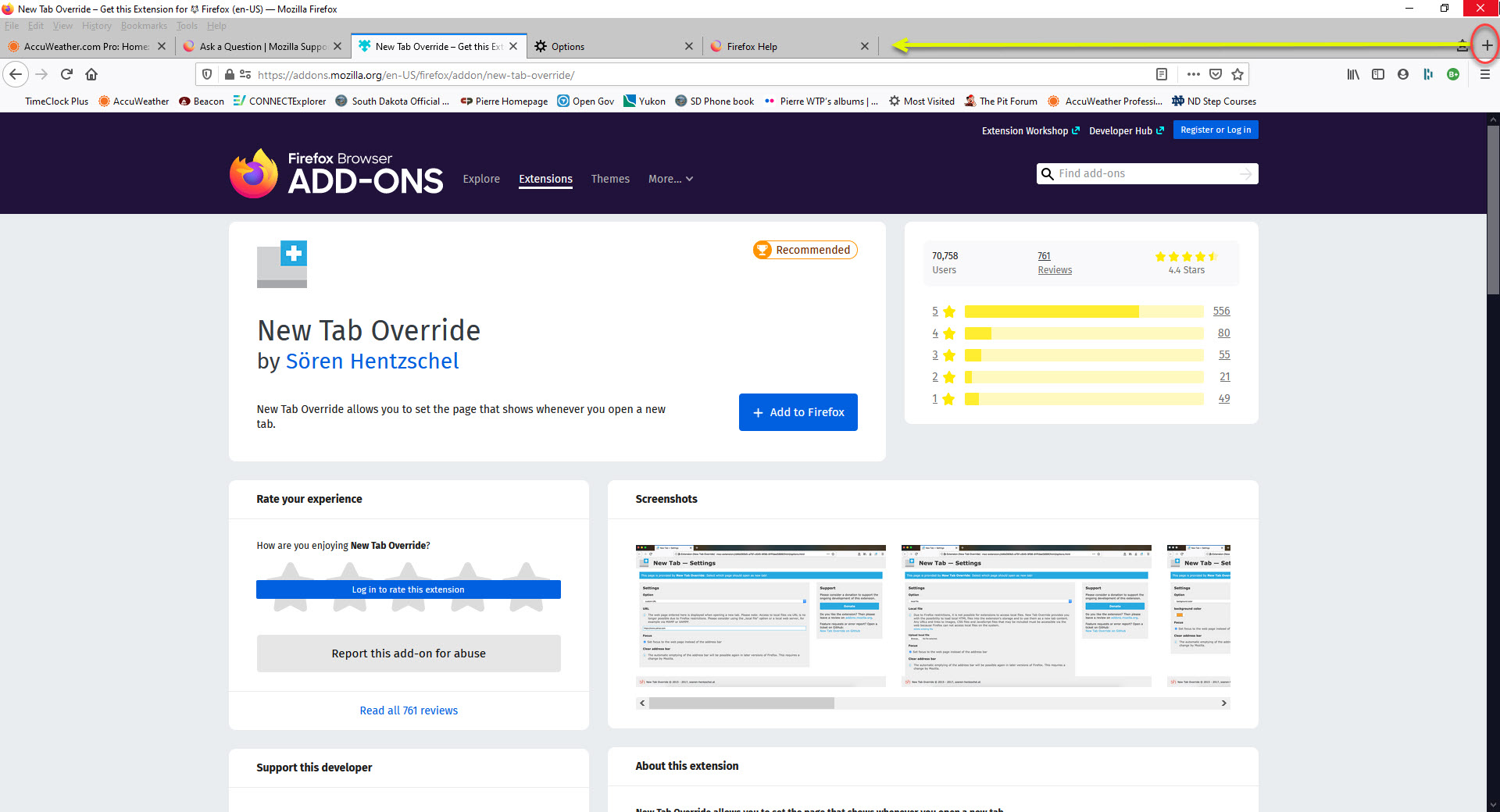
The + for adding a new tab is located at the upper right hand corner of my Firefox screen. Is there a way to have it show up next to the last tab that was opened? My Firefox at home has the + next to the last new tab. My Firefox at work has it on the upper right hand corner. The attached file shows what I am talking about with the + circled in red and the yellow arrow showing where I would like it to be if this is possible. Thanks.
The + for adding a new tab is located at the upper right hand corner of my Firefox screen. Is there a way to have it show up next to the last tab that was opened? My Firefox at home has the + next to the last new tab. My Firefox at work has it on the upper right hand corner. The attached file shows what I am talking about with the + circled in red and the yellow arrow showing where I would like it to be if this is possible. Thanks.
Alla svar (1)
Vald lösning
Just go to menu ≡ -> Customize and move the plus sign before the bookmars icon.