


Question: How-To put add-on's on toolbar in Firefox Portable
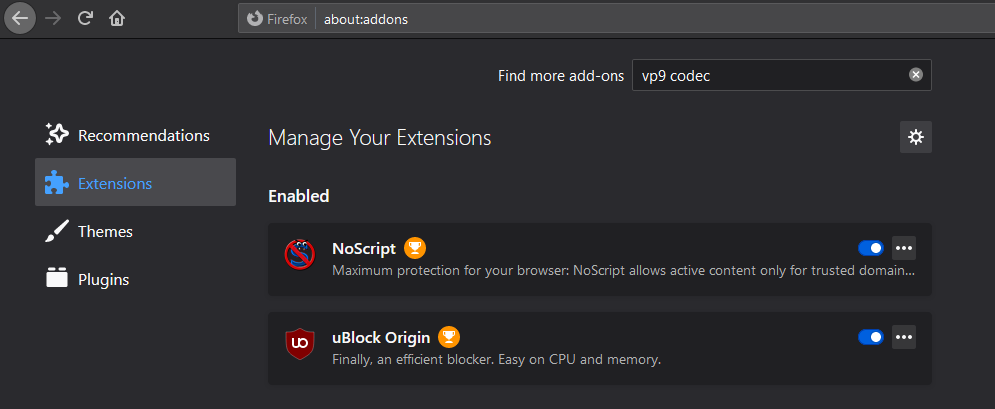
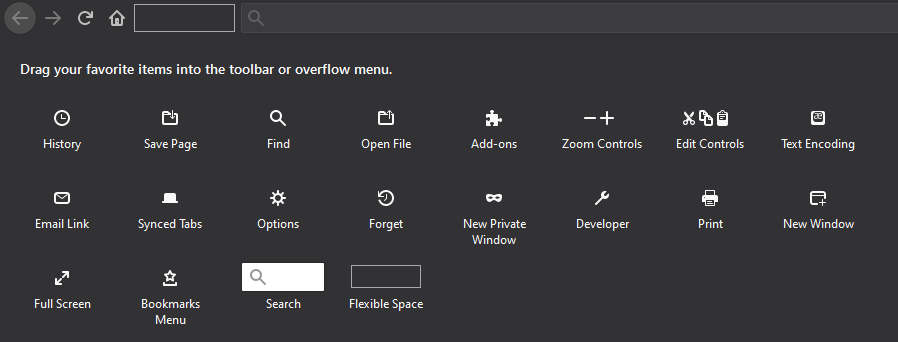
I have installed 2 of the most popular add-on's (in the world) both NoScript and uBlock Origin in my firefox portable browser and I cannot find a way to add the addon icon's to my toolbar for browsing to both ensure they are functioning as they should and also to turn them off or adjust settings when needed. I have version 83 of the portable firefox browser installed.
I have installed 2 of the most popular add-on's (in the world) both NoScript and uBlock Origin in my firefox portable browser and I cannot find a way to add the addon icon's to my toolbar for browsing to both ensure they are functioning as they should and also to turn them off or adjust settings when needed. I have version 83 of the portable firefox browser installed.
Vald lösning
Update: After Uninstalling and re-installing NoScript, the toolbar icon appeared
Läs svaret i sitt sammanhang 👍 0Alla svar (2)
Vald lösning
Update: After Uninstalling and re-installing NoScript, the toolbar icon appeared

That was very good work. Well Done. Please flag your last post as Solved Problem as this can help others with similar problems.