


How to make the image in the screenshot clearer as it is in Google Chrome and Brave browsers
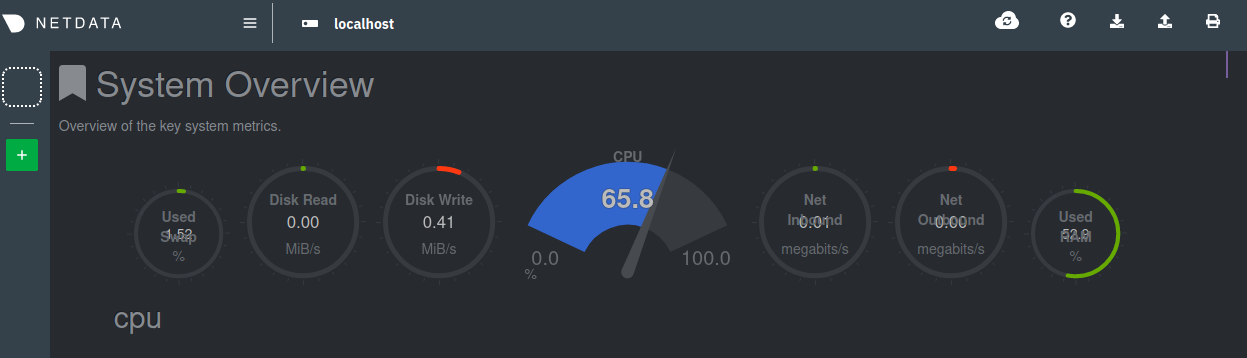
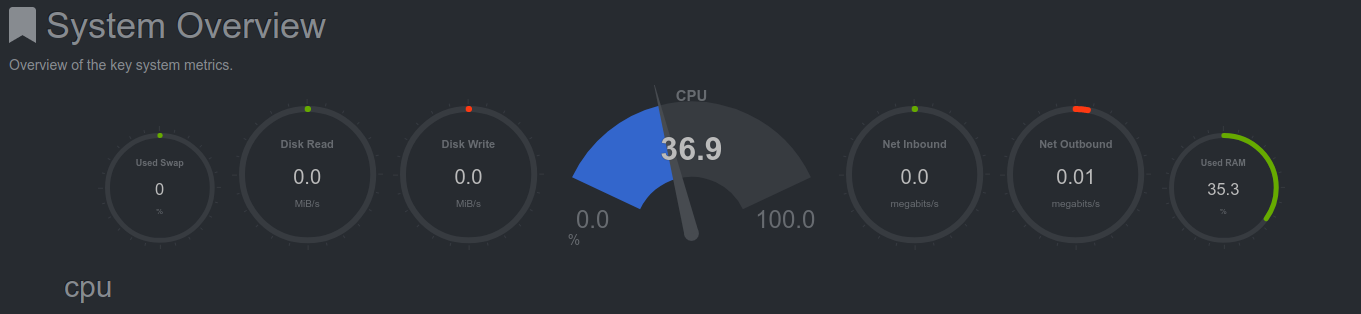
Running 81.0+build2-0ubuntu0.20.04.1 as you can see in the uploaded screenshot images parts of the statistics are not easily seen because they're overwritten. I've uploaded three screenshots, one from Firefox, one from Google Chrome and one from Brave. I've tried adjusting the font size and have checked 'allow pages to chose their own fonts' to no avail.

Vald lösning
Your Firefox screenshot shows that you have set a larger text for that part. The numbers are placed at a fixed position and the label text above it doesn't fit on one line and wraps and covers the numbers. This can either be that a larger font is used or that you have set a larger default font size.
If you have made changes to Advanced font-size settings like increasing the minimum/default font-size then try the Default font-size setting "16" and the Minimum font-size setting "none" in case the current setting is causing the problem.
- Options/Preferences -> General: Fonts & Colors -> Advanced -> Minimum Font Size (none)
Make sure you allow pages to choose their own fonts.
- Options/Preferences -> General: Fonts & Colors -> Advanced
[X] "Allow pages to choose their own fonts, instead of my selections above"
It is better not to increase the minimum font-size, but to use the builtin Firefox Zoom feature.
- Options/Preferences -> General -> Language and Appearance -> Zoom
Alla svar (2)
Vald lösning
Your Firefox screenshot shows that you have set a larger text for that part. The numbers are placed at a fixed position and the label text above it doesn't fit on one line and wraps and covers the numbers. This can either be that a larger font is used or that you have set a larger default font size.
If you have made changes to Advanced font-size settings like increasing the minimum/default font-size then try the Default font-size setting "16" and the Minimum font-size setting "none" in case the current setting is causing the problem.
- Options/Preferences -> General: Fonts & Colors -> Advanced -> Minimum Font Size (none)
Make sure you allow pages to choose their own fonts.
- Options/Preferences -> General: Fonts & Colors -> Advanced
[X] "Allow pages to choose their own fonts, instead of my selections above"
It is better not to increase the minimum font-size, but to use the builtin Firefox Zoom feature.
- Options/Preferences -> General -> Language and Appearance -> Zoom
Thanks, that did the trick! Appreciate the quick reply and help.