


Download all email headers in a folder?

Is there a way to download just the email headers into a TXT or Excel file? I want to do some troubleshooting on my emails and this would help me immensely. I have TB 68.12.0 installed on my PC as well as a Macbook.
Thanks for your help.
Vald lösning
Hence "non-Mozilla".
Läs svaret i sitt sammanhang 👍 0Alla svar (12)

There is no such native function or add-on that I know off. You may have to use other non-Mozilla tools for that, e.g https://www.extendoffice.com/documents/outlook/5369-outlook-export-email-headers-to-email.html
Hmmm.....that seems to be for Outlook, not TB.
Vald lösning
Hence "non-Mozilla".
Thanks for your help.
You're welcome. Hopefully someone else knows of a Mozilla solution. I wouldn't wait on it though, if I were you.
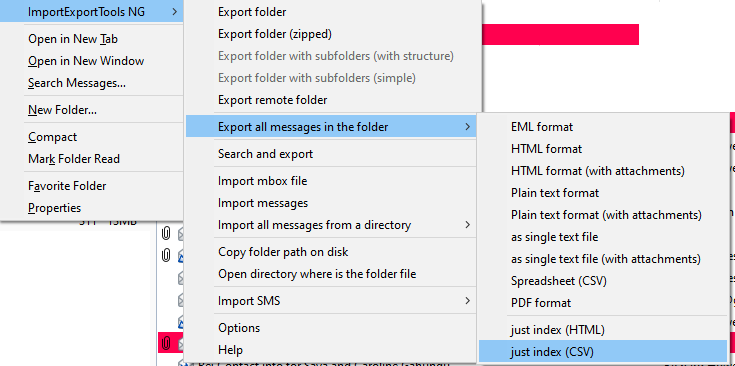
ImportExportTools NG can export a folder to an index in html or csv (to import to Excel) format (see picture).
https://support.mozilla.org/en-US/kb/installing-addon-thunderbird
Thanks. Will give it a try.
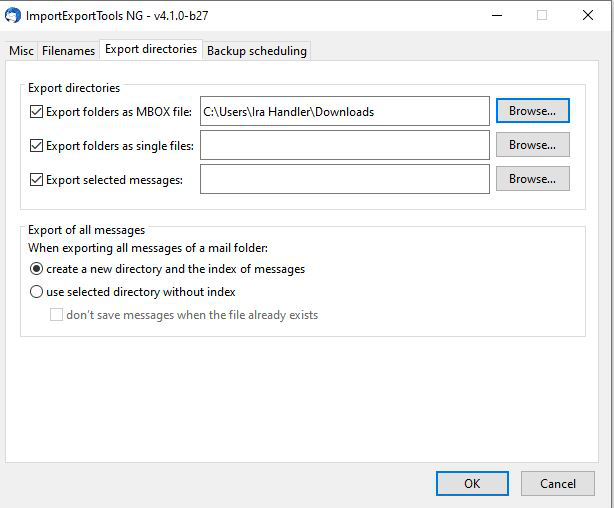
Okay, I've downloaded the add-on and installed it in TB. I'm not quite sure how to download all the headers into a file, although I think it might have something to do with 'Tools/AddonOptions/ImportExportTools NG' and then select the 'Export Directories' tab. However, after that I'm lost. Where do I find these files that will be exported and which of the options do I select? Screen shot attached.
Thanks for your help.
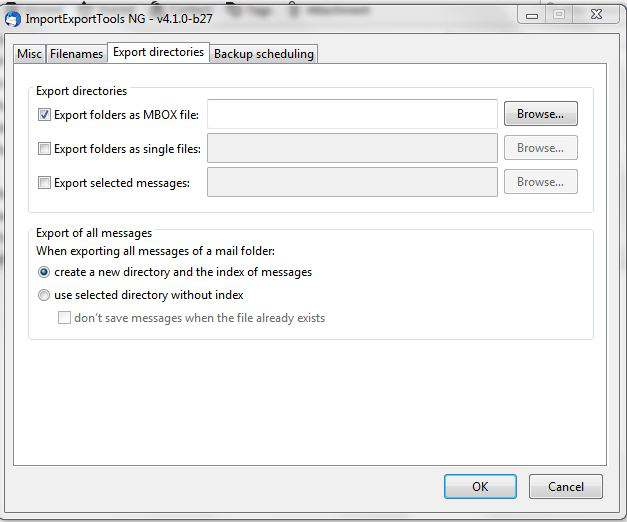
Check the 3 boxes and click Browse... to select the target folder, e.g. Downloads. When you export as 'just index', a folder named after the TB folder, with the date, will be created in the target folder and contain index.html or index.csv.
I did as you suggested and no files were created in 'downloads'. See screenshot attached. I'm working on a PC running Windows 7 Pro. I also tried on a PC running Windows 10 and no luck there either. :-( Any suggestions?
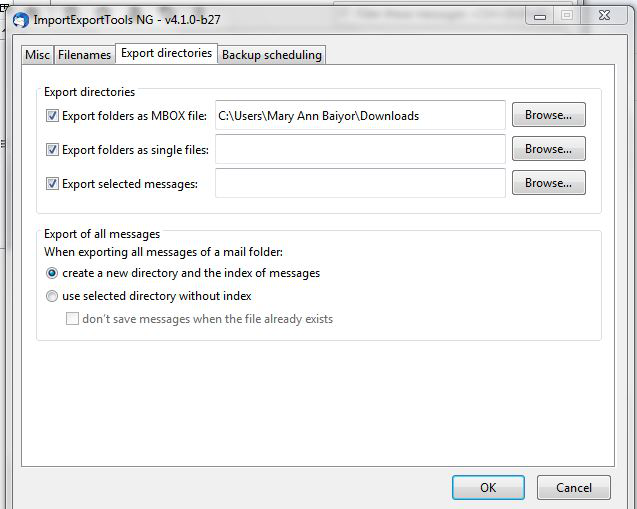
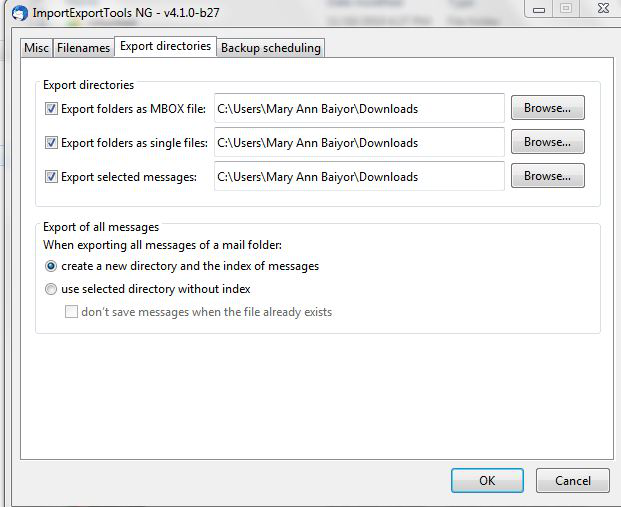
Click Browse... for the other two options and select the Downloads folder.
I tried that on both Windows 7 Pro PC and a Windows 10 PC but nothing downloaded. See screenshots attached. Thanks for your help.
Ändrad av Queenmab100