

Denna tråd har arkiverats.
Ställ en ny fråga om du behöver hjälp.

Arkiverad
Firefox browser fingerprinting?

Firefox states with great pride that the Firefox browser blocks browser fingerprinting..
https://blog.mozilla.org/firefox/how-to-block-fingerprinting-with-firefox/
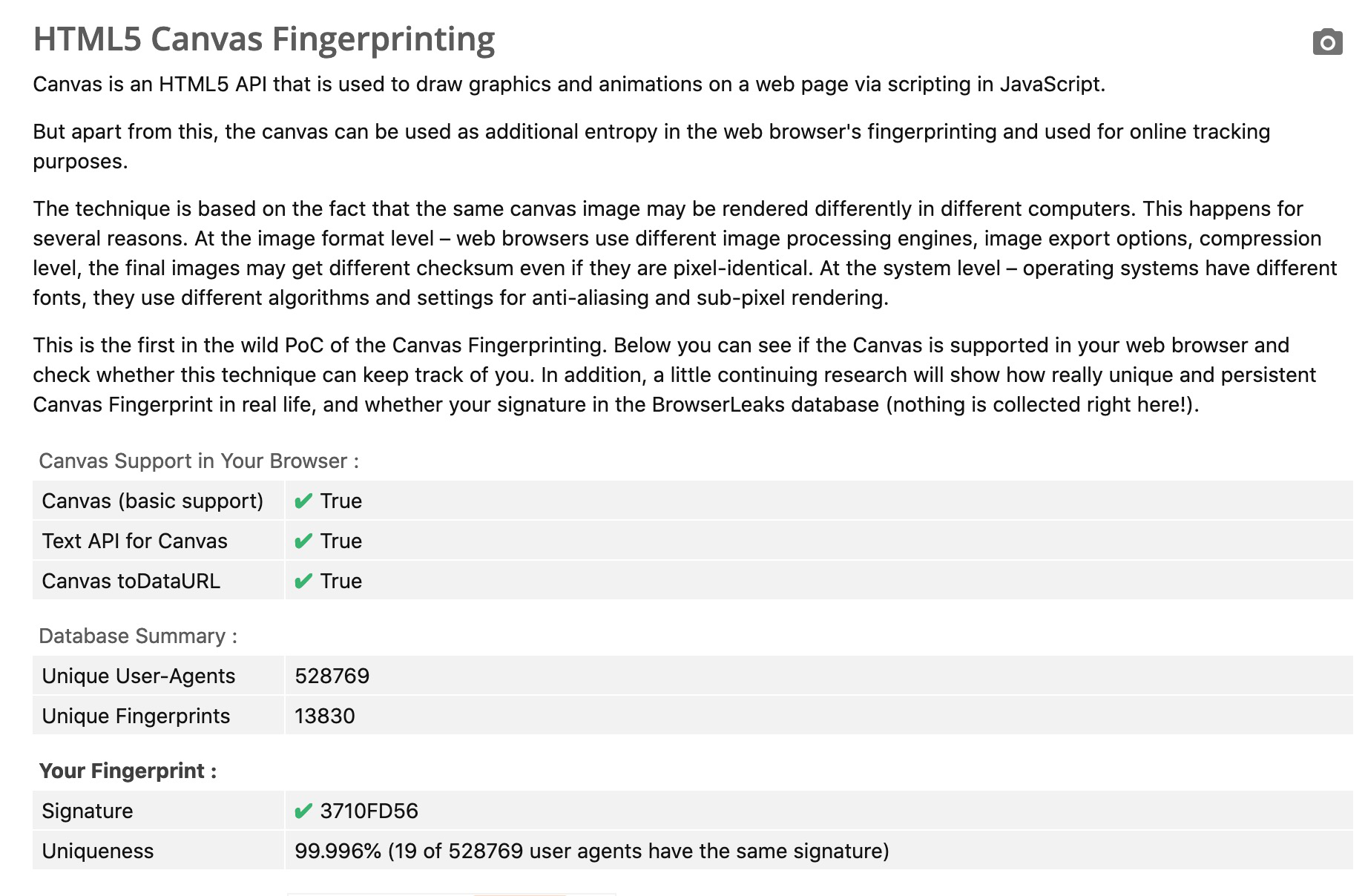
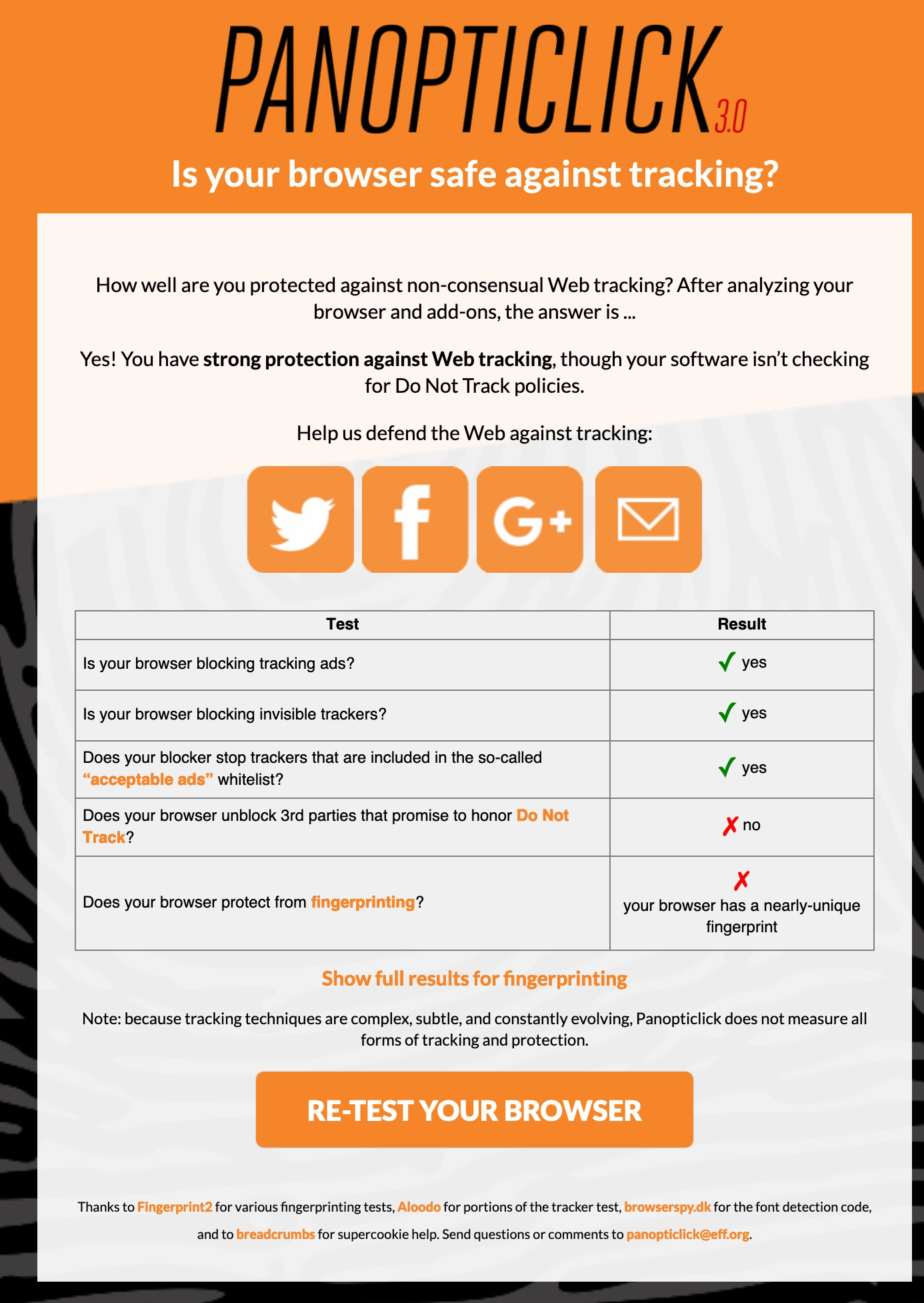
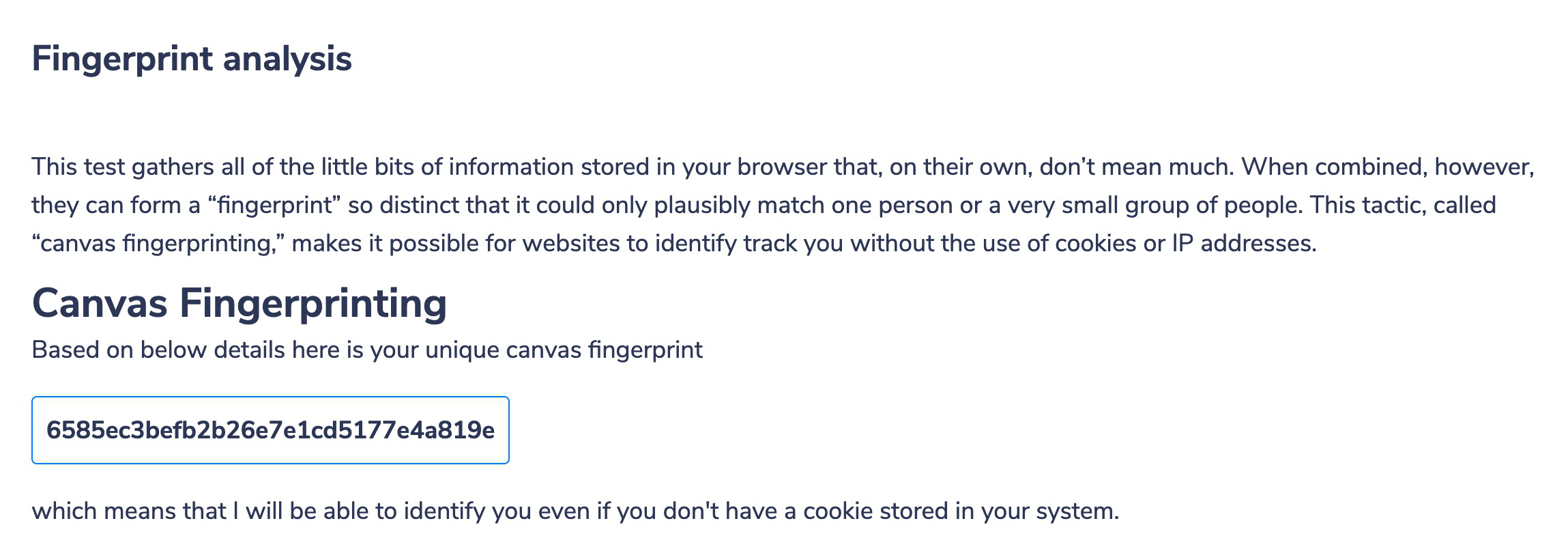
But the browser fingerprint test at PANOPTICLICK.. and also browserleaks.com
https://browserleaks.com/canvas
Shows fact that every Firefox Browser statements on the Firefox Privacy page are false as if fails every test it's subjected to..
How come?
Firefox states with great pride that the Firefox browser blocks browser fingerprinting..
https://blog.mozilla.org/firefox/how-to-block-fingerprinting-with-firefox/
But the browser fingerprint test at PANOPTICLICK.. and also browserleaks.com
https://panopticlick.eff.org
https://browserleaks.com/canvas
Shows fact that every Firefox Browser statements on the Firefox Privacy page are false as if fails every test it's subjected to..
How come?
Alla svar (1)
Firefox browser protects you against fingerprinting by blocking third-party requests to companies that are known to participate in fingerprinting.
Panopticlick doesn't use third-party requests in their tests.
If you need better protection against canvas fingerprinting, enter about:config in the URL bar and set privacy.resistFingerprinting = true. This also isn't a perfect protection, but much better than default.