


Windows 10 reached EOS (end of support) on October 14, 2025. If you are on Windows 10, see this article.

Sök i support

Akta dig för supportbedrägerier: Vi kommer aldrig att be dig att ringa eller skicka ett sms till ett telefonnummer eller dela personlig information. Rapportera misstänkt aktivitet med alternativet "Rapportera missbruk".

Läs mer
Denna tråd har arkiverats. Ställ en ny fråga om du behöver hjälp.
Arkiverad

XNote prevents scrolling through a list of emails

Matt besvarat
john.beatty

Using Thunderbird 68.7.0 (64 bit) under Linux Mint 19.2 Cinnamon.

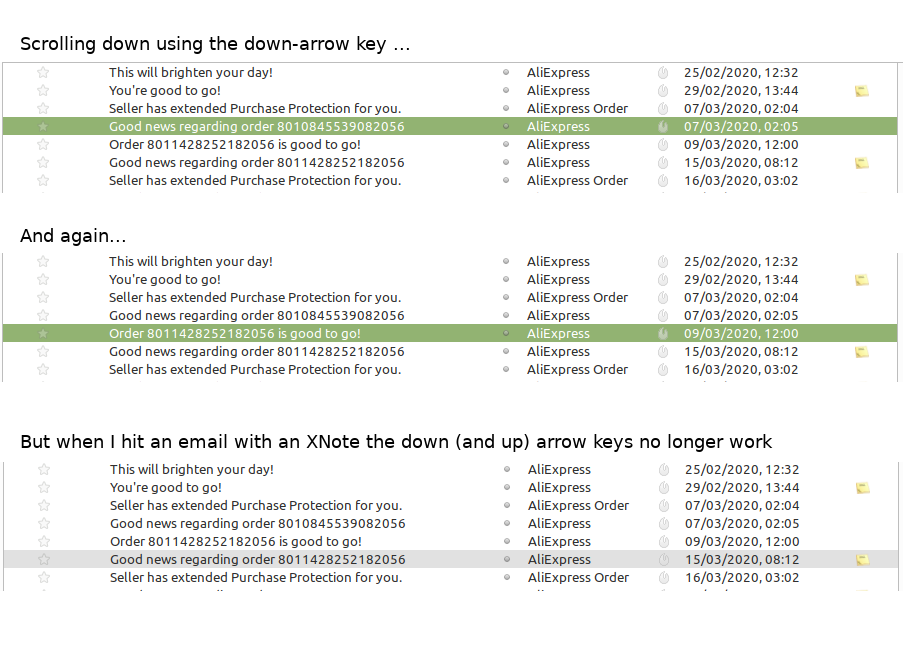
In Thuderbird's listing pane, if a message has an associated XNote, then it is not possible to scroll past it with the up and down arrow keys. The line highlighting goes gray. If the focus changes from the list pane to another window, and returns, then the offending line is once again highlighted and it is possible to continue scrolling. This is a minor inconvenience if I'm scrolling through messages.
Using Thunderbird 68.7.0 (64 bit) under Linux Mint 19.2 Cinnamon. In Thuderbird's listing pane, if a message has an associated XNote, then it is not possible to scroll past it with the up and down arrow keys. The line highlighting goes gray. If the focus changes from the list pane to another window, and returns, then the offending line is once again highlighted and it is possible to continue scrolling. This is a minor inconvenience if I'm scrolling through messages.
Bifogade skärmdumpar

Alla svar (1)

I assume you are talking ab out https://addons.thunderbird.net/en-US/thunderbird/addon/xnotepp/

If that is the case the page linked gives the support site for the addon as http://www.froihofer.net/xnote/ I suggest you seek support with the addon people as there is no issue with Thunderbird if it works without the addon.