


stop firefox asking to update

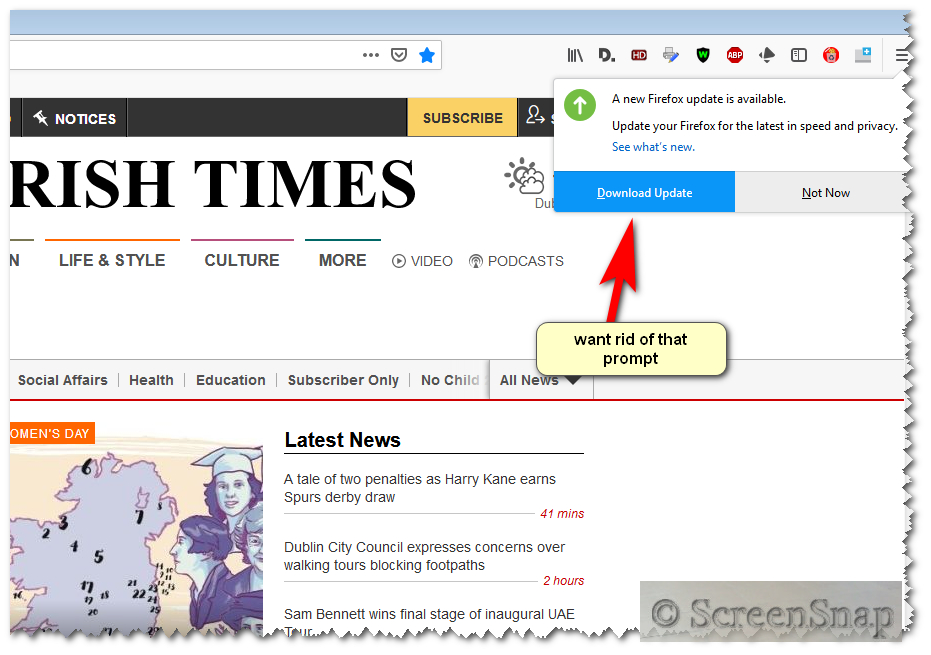
why is there no "Never check for updates" option in FF now. I keep being annoyed by prompt to update. if it is not put back will be getting rid. why can't you leave the bloody thing alone?
Alla svar (15)

How do you completely turn off update checks in Firefox 64? You can use a policies.json file to disable updates for all users. https://github.com/mozilla/policy-templates/blob/master/README.md
Type about:preferences#advanced<enter> in the address bar. Under Advanced, Select Update.
[v56+]; Type about:preferences#general<enter> in the address bar. Select Update.
Check the settings. "Do Not Check For Updates."
Also turn off Use a background service to install updates <Windows Only>
FredMcD said
Type about:preferences#advanced<enter> in the address bar. Under Advanced, Select Update. [v56+]; Type about:preferences#general<enter> in the address bar. Select Update. Check the settings. "Do Not Check For Updates." Also turn off Use a background service to install updates <Windows Only>
there is no "Do Not Check For Updates."
Never check for updates was removed in Firefox 64. As Fred posted, the policies.json is the 'trick' to override the lack of that old preference.
As to why' that preference was removed, far above the paygrade for support volunteers here, that was an "executive decision".
But of late, their decision making has been giving everyone lots of problems.
If you want to leave feedback for Firefox developers, you can go to the Firefox Help menu and select Submit Feedback... or use this link. Your feedback gets collected by a team of people who read it and gather data about the most common issues.
the-edmeister said
Never check for updates was removed in Firefox 64. As Fred posted, the policies.json is the 'trick' to override the lack of that old preference. As to why' that preference was removed, far above the paygrade for support volunteers here, that was an "executive decision".How/ what do i do with'policies.json? How do i create the distribution folder in FF program files?
Ändrad av FIREFOXED
FredMcD said
But of late, their decision making has been giving everyone lots of problems. If you want to leave feedback for Firefox developers, you can go to the Firefox Help menu and select Submit Feedback... or use this link. Your feedback gets collected by a team of people who read it and gather data about the most common issues.
i am sure they will take notice of my feedback, playing aroud with ff and removing options needed. idiots
They've been doing that for over a decade.
How do you completely turn off update checks in Firefox 64?
You can use a policies.json file to disable updates for all users.
https://github.com/mozilla/policy-templates/blob/master/README.md
FredMcD said
They've been doing that for over a decade. How do you completely turn off update checks in Firefox 64? You can use a policies.json file to disable updates for all users. https://github.com/mozilla/policy-templates/blob/master/README.md
i do not know what to do with https://github.com/mozilla/policy-templates/blob/master/README.md
Ändrad av FIREFOXED
Open the link.
FredMcD said
Open the link.
Ändrad av FIREFOXED
McCoy said
FIREFOXED saidFredMcD saidOpen the link.Hello FIREFOXED,
My guess is that with this post you're saying that you did open the link, but don't know how to do what it says here :
"On Windows, create a directory called distribution where the EXE is located and place the file there "
Thanks where is the distribution folder to be created? in the firefox folder C:\ Program files? What file should be placed there?
What is done with the code at the link. is is saved as a notepad liek a bat file?
FIREFOXED said
why is there no "Never check for updates" option in FF now. I keep being annoyed by prompt to update. if it is not put back will be getting rid. why can't you leave the bloody thing alone?
I will only say this you can but it's not something that can be mentioned here. As noted I did this myself but I do check for updates myself and download and install the update myself.
Ändrad av WestEnd