


Thunderbird main page is not opening

The main page of Thunderbird will not open only the posting box. If I uninstall and reinstall Thunderbird are my address book and old emails safe?

Vald lösning
What do you expect to see on this "main page"? Most users just want to get on with reading or writing their emails. ;-)
Go|Mail Start Page will take you to a home page of sorts. Alternatively, alt+home should show it too. I don't see this myself because I have it replaced by an add-on. You can enable or disable it, or choose what page to show, here:
Tools|Options|General→Thunderbird start page
Actually, a lot of users complain about having to see this page and ask how to turn it off.
Alla svar (6)
Yes, your messages will be safe, but doing this is unlikely to fix your problem.
Can you show us a screenshot so we can see what you have?
Hi Zenos Thanks for your support, screenshot attached.

If you were viewing the 'Inbox' and then exited Thunderbird, it will open showing the 'Inbox' the next time you open thunderbird.
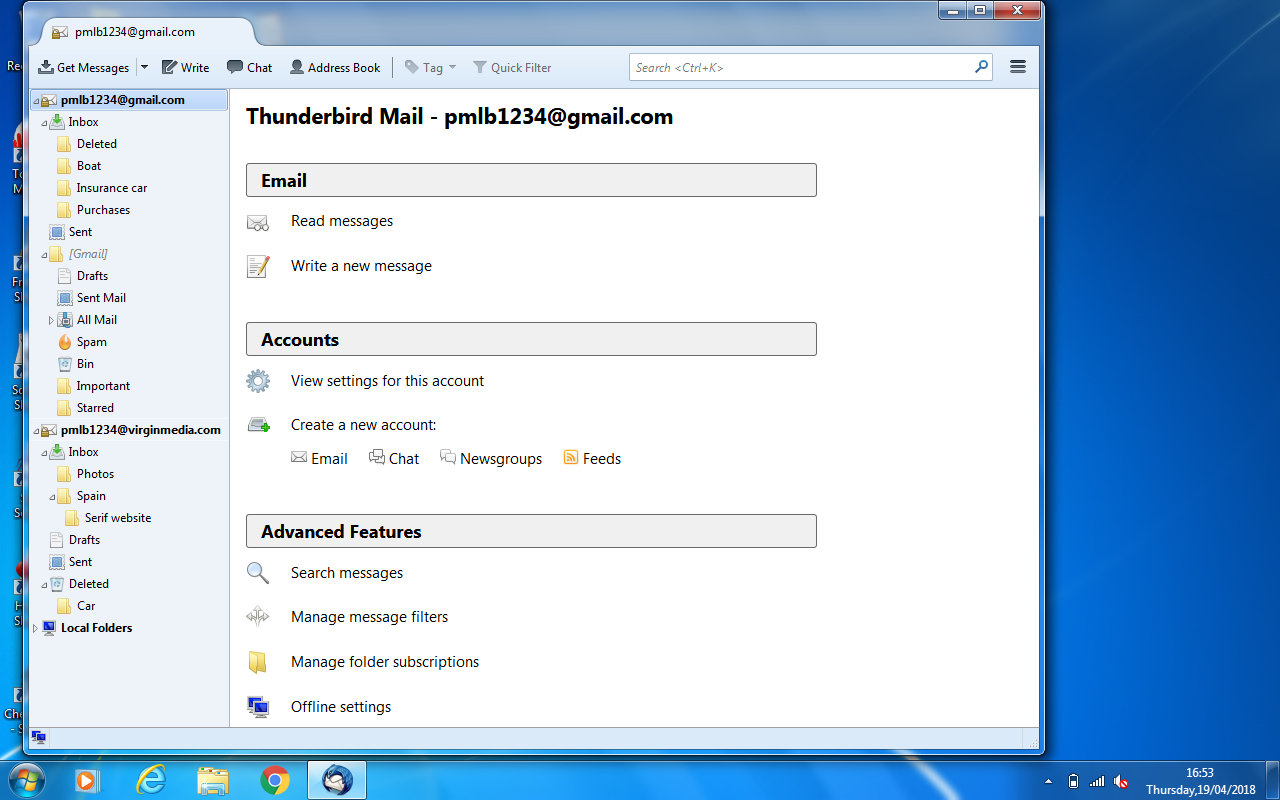
Select the mail account name in the Folder Pane Is this the view you are wanting to see? If yes, then you need to select the mail account name before exiting Thunderbird.
Hi Toad Hall, thanks for your response. If I click on mail account name this is what I get. Not the Thunderbird main page.
Vald lösning
What do you expect to see on this "main page"? Most users just want to get on with reading or writing their emails. ;-)
Go|Mail Start Page will take you to a home page of sorts. Alternatively, alt+home should show it too. I don't see this myself because I have it replaced by an add-on. You can enable or disable it, or choose what page to show, here:
Tools|Options|General→Thunderbird start page
Actually, a lot of users complain about having to see this page and ask how to turn it off.
Thanks Zenos I'll live without the front page