Denna tråd har arkiverats.
Ställ en ny fråga om du behöver hjälp.

Arkiverad
Drag & Drop Website To Create Desktop Shortcut Not Working
If I drag & drop a website from Firefox to my Windows 10 desktop it creates a .url file instead of a shortcut like it used to. The .url file can't be opened. Any help would ber very much appreciated
If I drag & drop a website from Firefox to my Windows 10 desktop it creates a .url file instead of a shortcut like it used to.
The .url file can't be opened.
Any help would ber very much appreciated
Alla svar (2)
In the past I always used Create Shortcut and DeskCut. Now I use the "drag and drop"(of the i in a circle at the start of the URL Bar) without problems; double clicking the desktop shortcut to get the (URL) site back without problems What form do you think the desktop short cut should take? What does it open?
Ändrad av alan_r
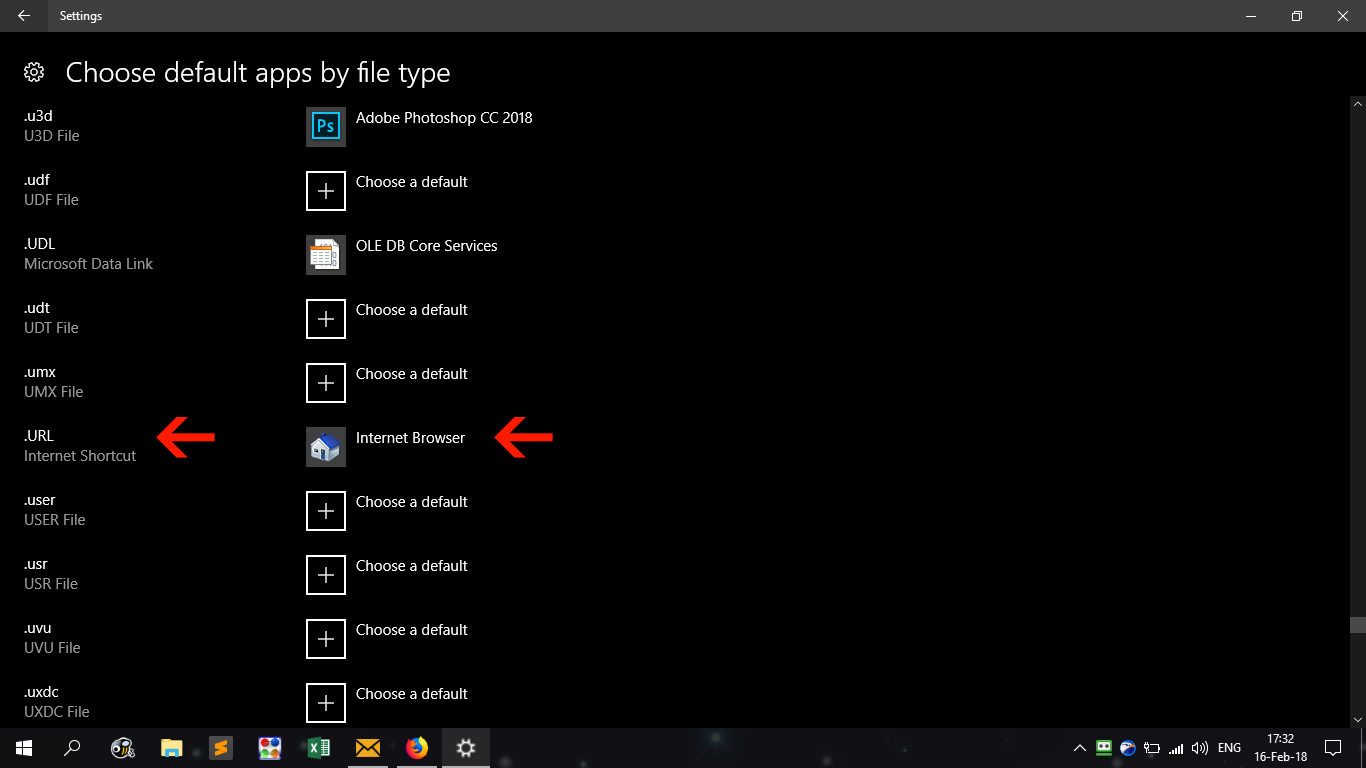
I've worked it out by setting the file extension.url to open with Web Browser (see attached screenshot).