


How do I schedule Firefox updates

This evening while I was in the middle of working within the Firefox browser, my screen went blank and my PC restarted. When I clicked to open Firefox again, I got the message that it was updating and eventually I was back in Firefox.. I would prefer to either be asked if I wanted the update to happen straight away, or schedule a time for updates to happen. I don't think it is acceptable to just just shut my system down and restart it. What can I do? Thanks
Vald lösning
Typically when Firefox 'wants' to install an update, the update would happen the first time that Firefox is used for the first time any given day AND within the first few minutes after Firefox is first opened. That is when Firefox checks for updates.
Alla svar (3)
Firefox does not need to shut down your computer to update. It sounds like your computer had an issue that caused it to shut down, and since doing so closed Firefox it automatically just installed the update when you started firefox again.
While it's unfortunate that your computer shut down, this has nothing to do with a Firefox update
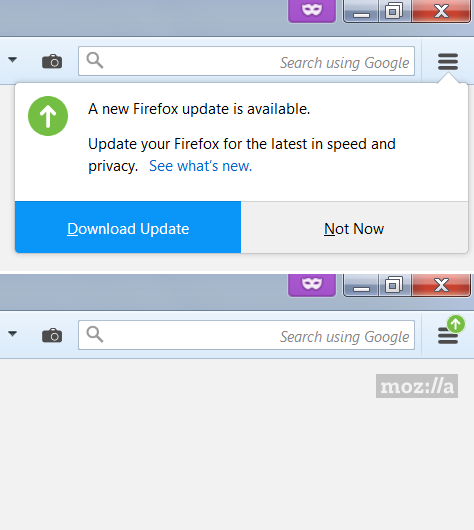
There is a setting on the Options page to notify you when an update is available so you can decide when to download it:
"Check for updates but let you choose to install them"
It's way down the panel. After that change, you'll see something like this when an update is available (the second image shows the reminder icon if you click Not Now):

Ändrad av jscher2000 - Support Volunteer
Vald lösning
Typically when Firefox 'wants' to install an update, the update would happen the first time that Firefox is used for the first time any given day AND within the first few minutes after Firefox is first opened. That is when Firefox checks for updates.