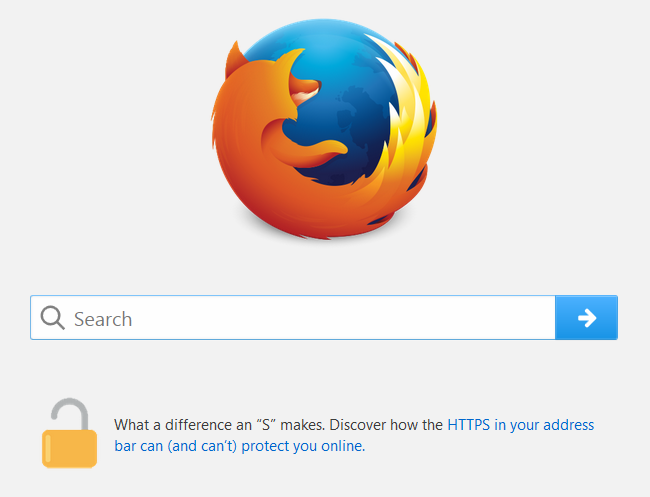
how to close lock below address bar.

how to close the lock below address bar on my firefox homepage For https?
Alla svar (4)
I'm not sure about a lock below the address bar. Usually at the left end of the address bar you will see an icon that indicates whether your connection to the site is secure. This article shows the kinds of icons you might see: How do I tell if my connection to a website is secure?
Did you mean that lock or a different one?
different lock. located in the center of the screen just below the google address bar on my home page. thank you.
sorry man. unlocked icon was just an example. thanks again for your help.
Oh, okay, I see now. It's one of the "snippets" on the built-in home page that links to a Mozilla article (screenshot attached):
https://blog.mozilla.org/internetcitizen/2017/04/21/https-protect/
If you have read a snippet and don't want to see it any more, hover your mouse over it and a little "x" close button should appear that allows you to hide it.