


How to force TB to remember self-signed certificate?

Each time TB is starting, it asks about self-signed certificate on mail server. I press "add to exclusions" button (sorry I don't use English version), but after restarting TB asks this again. How to fix this behavior?
Each time TB is starting, it asks about self-signed certificate on mail server. I press "add to exclusions" button (sorry I don't use English version), but after restarting TB asks this again. How to fix this behavior?
Alla svar (3)

In the security exception pop-up click the 'View' button. That should open a new Certificate Viewer window,
Please post a screenshot of that window with the cert details. https://support.mozilla.org/kb/how-do-i-create-screenshot-my-problem
Something like this.
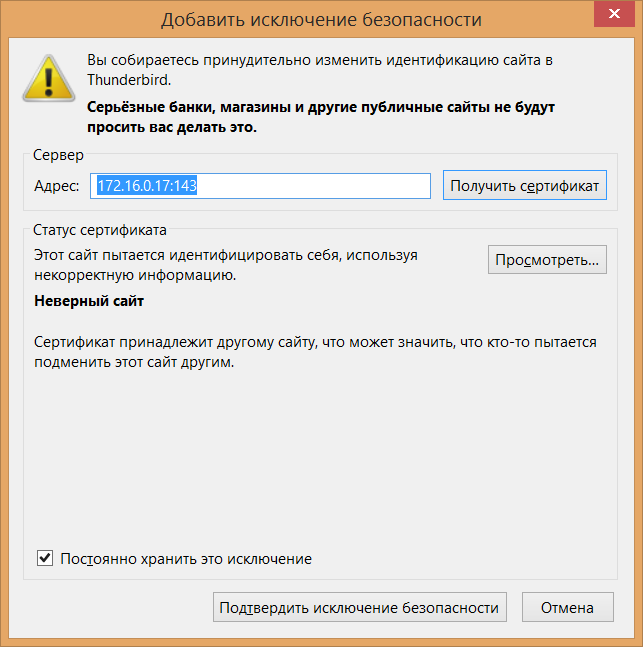
Click the 'View' button. That should open a new Certificate Viewer window,
Please post a screenshot of that window with the cert details.