


Open the tabs from the left to the right

Hello.
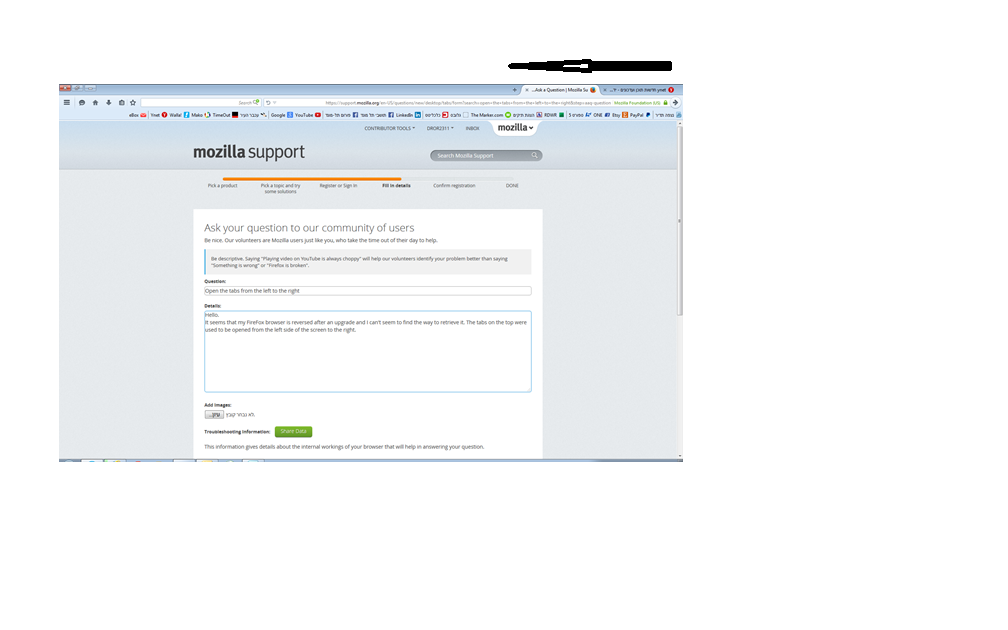
It seems that my Firefox browser is reversed after an upgrade and I can't seem to find the way to retrieve it. The tabs on the top were used to be opened from the left side of the screen to the right. I have added a document that describes my current situation. Can you please let me know how to change it back?
Alla svar (5)
The screenshot didn't get attached, so could you please try again.
Can you attach a screenshot?
- http://en.wikipedia.org/wiki/Screenshot
- https://support.mozilla.org/kb/how-do-i-create-screenshot-my-problem
- Use a compressed image type like PNG or JPG to save the screenshot
- Make sure that you do not exceed the maximum size of 1 MB
Do you still have the en-US version?
You can find the full version of the current current Firefox release (37.0.2) in all languages and all operating systems here:
Ändrad av cor-el
I think that now the screenshot is added. I hope that it helps to understand my problem.
1. Type "about:config" (without quotes) in the location bar and hit ENTER. 2. Click on the "I'll be carefull, I promise!" button. 3. Type "uidirection" (without quotes) in the search box at the top of the page. 4. If the preference corresponding to your locale (language) is set to "RTL", then change it to "LTR". For example, if your language is Arabic then set "intl.uidirection.ar" to "LTR" (without quotes). If it is Hebrew then set "intl.uidirection.he" to "LTR" (without quotes).
Sorry, it didn't work.
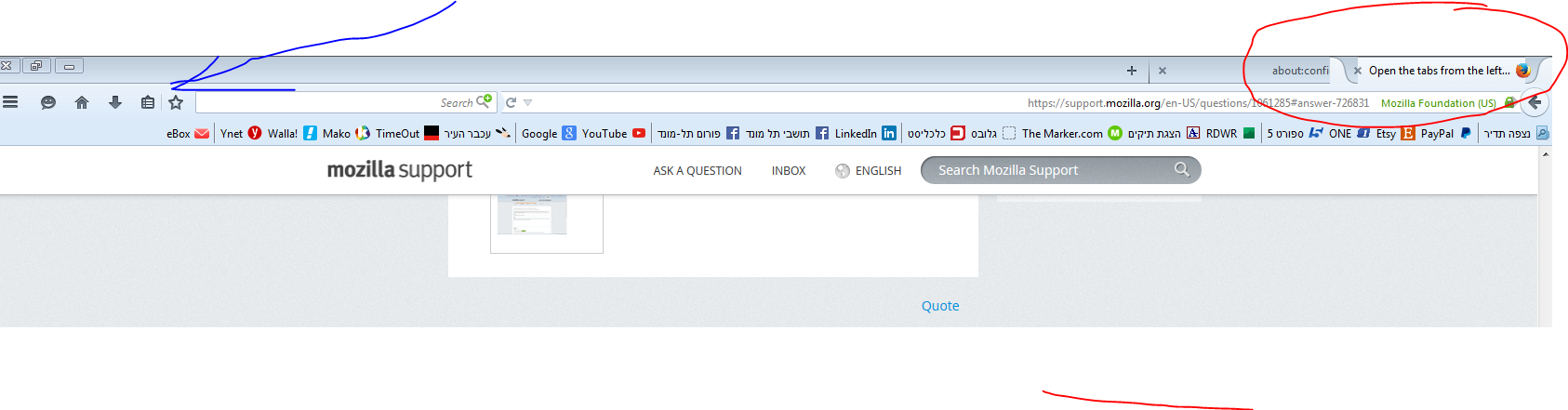
Perhaps I don't explain myself very well. I have made another image in order to be more specific. The new tabs are opened from the right end to the left, as can be seen in the red circle. I would like that the tabs will be opened from the left end to the right, as I marked in blue arrow. I would like that the initial position of the opened tab will be where the blue arrow is, and that all the new tabs will be opened to the right.
Add code to the userChrome.css file below the default @namespace line.
@namespace url("http://www.mozilla.org/keymaster/gatekeeper/there.is.only.xul"); /* only needed once */

/* items on Tab bar LTR */
#TabsToolbar, #tabbrowser-tabs { direction: ltr !important; }
The customization files userChrome.css (user interface) and userContent.css (websites) are located in the chrome folder in the Firefox profile folder.
There is -moz-locale-dir code in this CSS file that you may have to override to make this work properly.
- chrome://browser/skin/browser.css
.tab-background-start[selected=true]:-moz-locale-dir(ltr):not(:-moz-lwtheme)::before,
.tab-background-end[selected=true]:-moz-locale-dir(rtl):not(:-moz-lwtheme)::before {
  background-image: url(chrome://browser/skin/tabbrowser/tab-selected-start.svg);
  background-size: 100% 100%;
}

.tab-background-end[selected=true]:-moz-locale-dir(ltr):not(:-moz-lwtheme)::before,
.tab-background-start[selected=true]:-moz-locale-dir(rtl):not(:-moz-lwtheme)::before {
  background-image: url(chrome://browser/skin/tabbrowser/tab-selected-end.svg);
  background-size: 100% 100%;
}