


How Can I View All Messages in my Folders Automatically?

Hello,
I hope you're doing well.
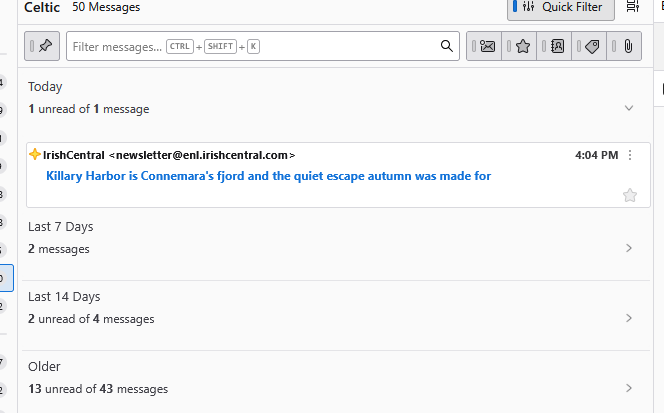
I have noticed that Thunderbird forces me to click a drop arrow to view my messages in every single folder, as shown in the screenshot. I do not want this.
How can I set Thunderbird to automatically show all emails in my folders?
Thank you in advance!
Všetky odpovede (2)

Vybrané riešenie
It's not forcing that view, it's just respecting the options you've chosen (maybe unintentionally.) Explore the settings found in menu option <View | Sort by>. I'm guessing you have "Grouped By Sort" turned on.
You might also want to check out Card View (your current message list view) vs. Table View. See <Settings | Appearance | Message List>.
Thanks, changing to Threaded view fixed it!
It would be nice if there was some sort of user manual for Thunderbird. I don't like having to ask Support all the time!
Thanks again!