Vyriešené
how di I add shortcuts

how do I add shortcuts to my Firefox browser
how do I add shortcuts to my Firefox browser
Všetky odpovede (1)

Vybrané riešenie
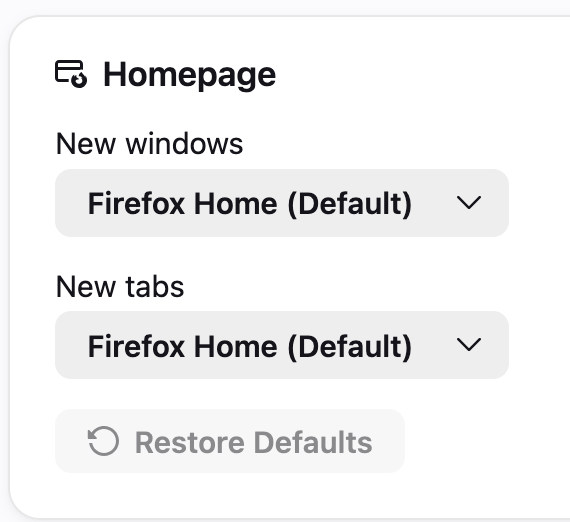
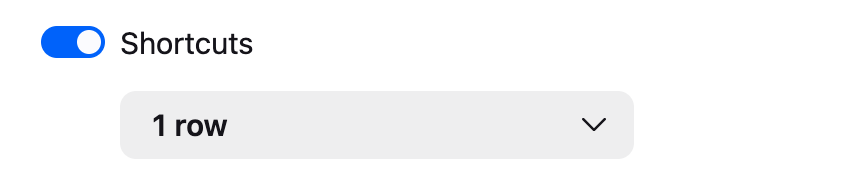
1. Go to Firefox settings. 2. Make sure that you have Firefox Home selected in either New windows/New tabs (whichever you prefer to have shortcuts on). (Screenshot 1) 3. Make sure Shortcuts are enabled. (Screenshot 2) 4. Go to a new window/new tab to see if shortcuts appear. If you do not currently have the maximum number of shortcuts, there will be a button with a plus sign to add more shortcuts. You can edit existing shortcuts by hovering over a shortcut and clicking on the 3 dots -> Edit. You can set the number of shortcut rows via Firefox settings or the pencil icon labeled "Customize" in the bottom right of a new tab/new window.
Reply if you need me to elaborate on a step.