


Windows 10 reached EOS (end of support) on October 14, 2025. If you are on Windows 10, see this article.

Vyhľadajte odpoveď

Vyhnite sa podvodom s podporou. Nikdy vás nebudeme žiadať, aby ste zavolali alebo poslali SMS na telefónne číslo alebo zdieľali osobné informácie. Nahláste prosím podozrivú aktivitu použitím voľby “Nahlásiť zneužitie”.

Ďalšie informácie
Otvorené

Grin spacing problem

ItzNythira

Hello, I am experiencing an annoying layout issue with the New Tab page in Firefox. The spacing between my Top Sites icons is way too large, making the grid look unnaturally stretched out and leaving too much empty space on the screen.Here is the weird behavior I noticed:When I run Firefox in Troubleshoot Mode (Safe Mode), the layout looks perfectly fine, tight, and compact — exactly how it used to be.If I use the "Refresh Firefox" feature, the compact layout returns to normal in the regular mode, but only temporarily.As soon as I launch Firefox in Troubleshoot Mode again and then switch back to the normal profile, the layout breaks once more, and the huge gaps between the shortcuts reappear. (the white bar is the safe mode)
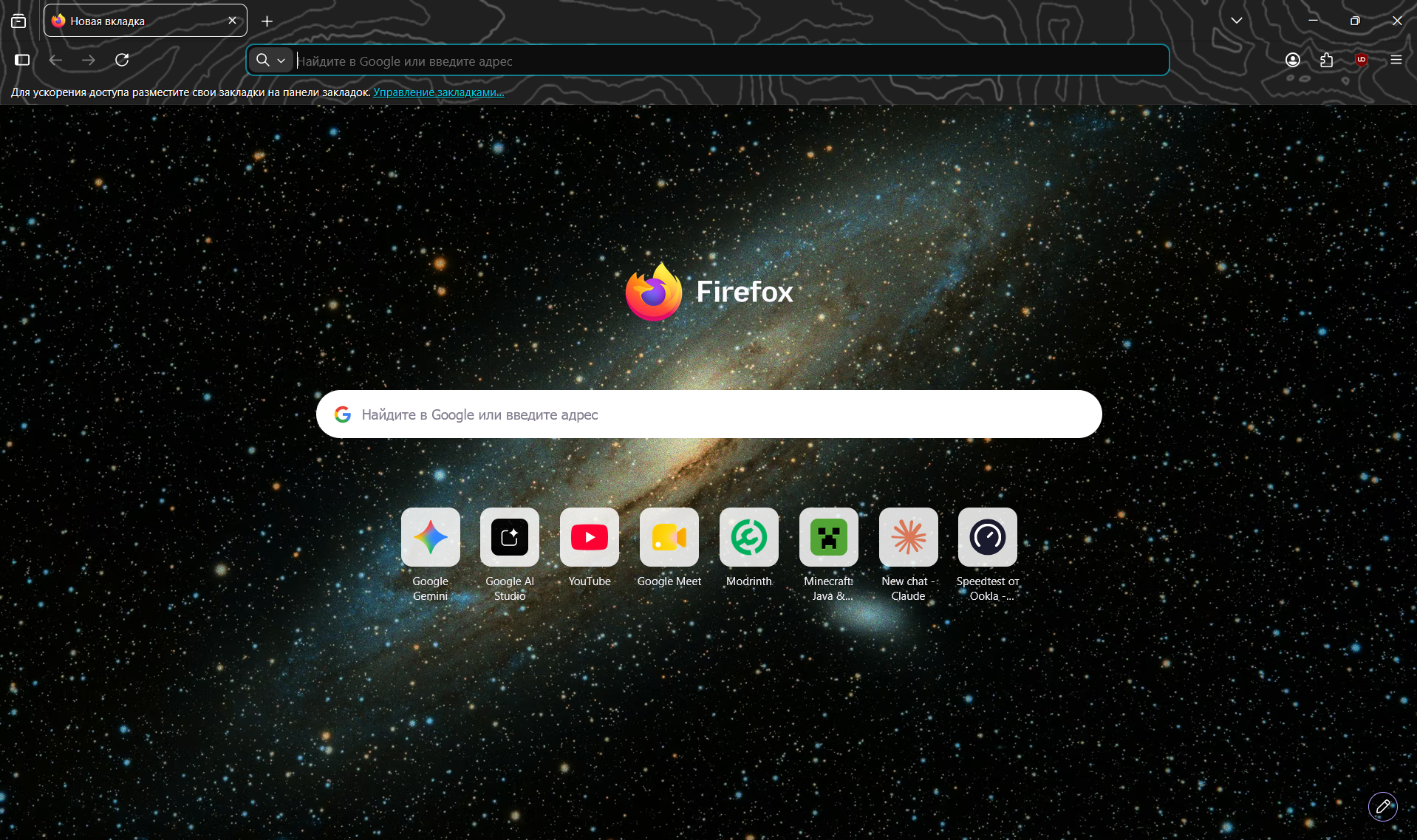
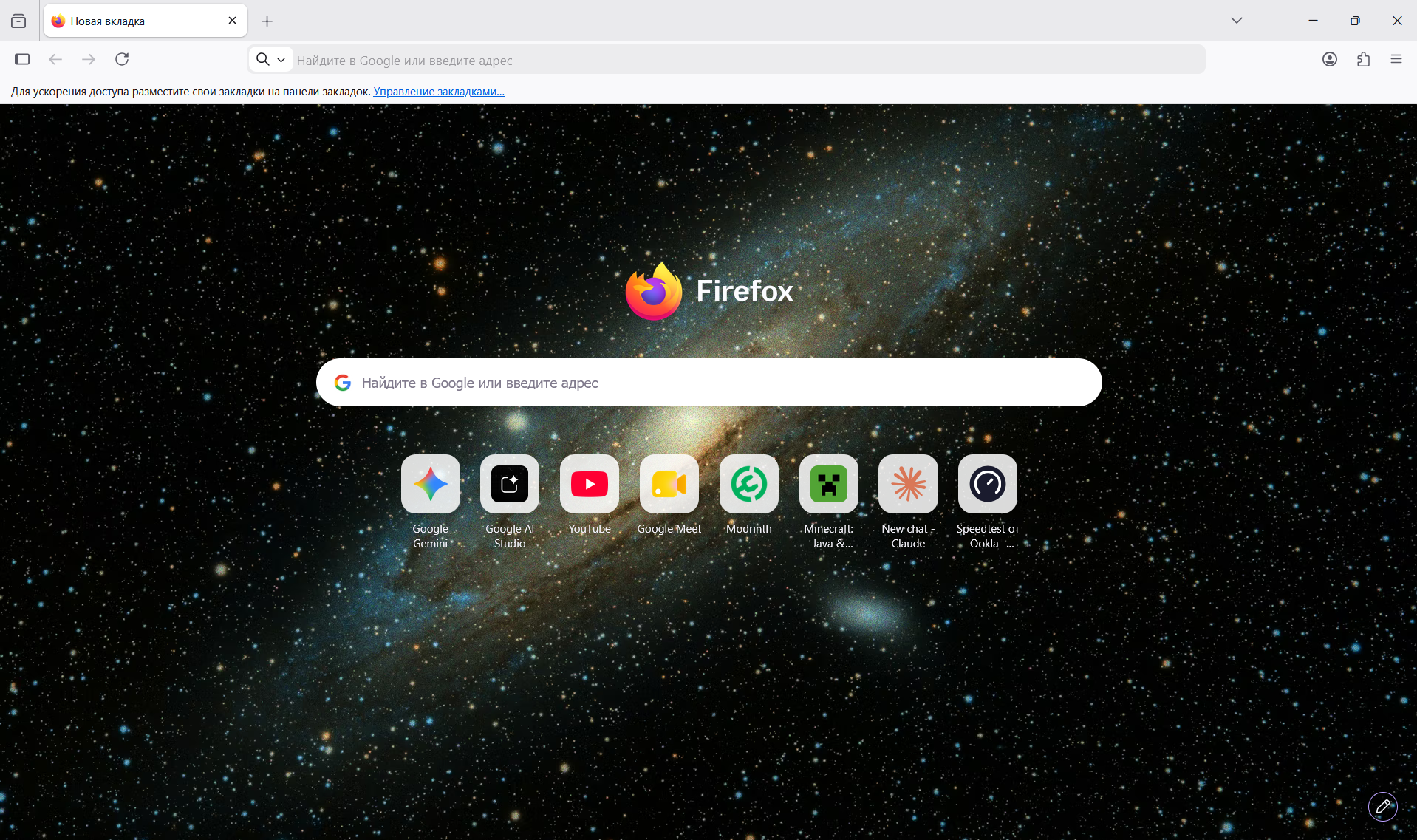
Hello, I am experiencing an annoying layout issue with the New Tab page in Firefox. The spacing between my Top Sites icons is way too large, making the grid look unnaturally stretched out and leaving too much empty space on the screen.Here is the weird behavior I noticed:When I run Firefox in Troubleshoot Mode (Safe Mode), the layout looks perfectly fine, tight, and compact — exactly how it used to be.If I use the "Refresh Firefox" feature, the compact layout returns to normal in the regular mode, but only temporarily.As soon as I launch Firefox in Troubleshoot Mode again and then switch back to the normal profile, the layout breaks once more, and the huge gaps between the shortcuts reappear. (the white bar is the safe mode)
Priložené obrázky

Všetky odpovede (1)

Položiť otázku

Ak chcete odpovedať na príspevky, musíte sa prihlásiť do svojho účtu. Ak ešte nemáte účet, položte novú otázku.