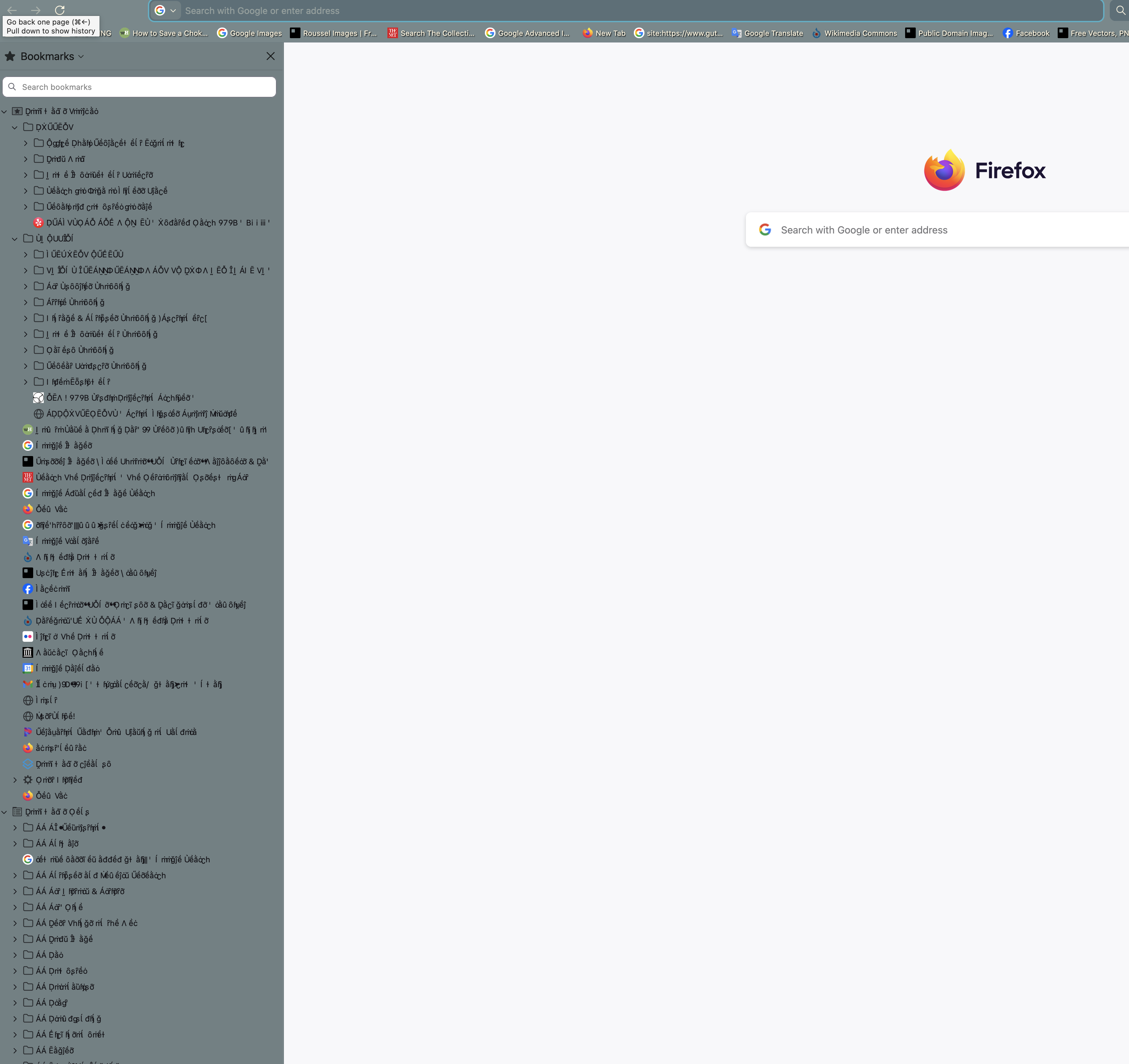
Fonts display corrupted on Bookmark Sidebar

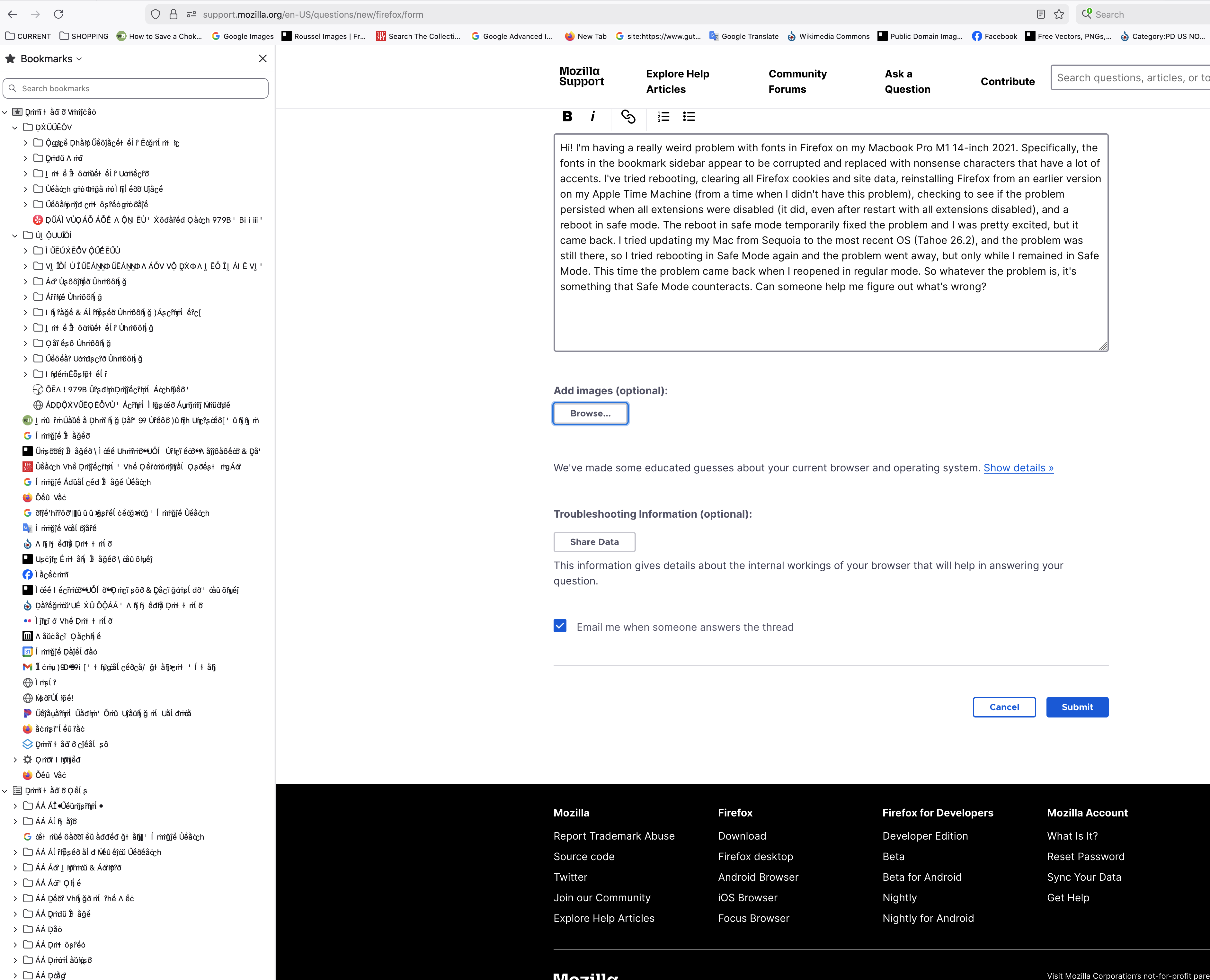
Hi! I'm having a really weird problem with fonts in Firefox on my Macbook Pro M1 14-inch 2021. Specifically, the fonts in the bookmark sidebar appear to be corrupted and replaced with nonsense characters that have a lot of accents. I've tried rebooting, clearing all Firefox cookies and site data, reinstalling Firefox from an earlier version on my Apple Time Machine (from a time when I didn't have this problem), checking to see if the problem persisted when all extensions were disabled (it did, even after restart with all extensions disabled), and a reboot in safe mode. The reboot in safe mode temporarily fixed the problem and I was pretty excited, but it came back. I tried updating my Mac from Sequoia to the most recent OS (Tahoe 26.2), and the problem was still there, so I tried rebooting in Safe Mode again and the problem went away, but only while I remained in Safe Mode. This time the problem came back when I reopened in regular mode. So whatever the problem is, it's something that Safe Mode counteracts. Can someone help me figure out what's wrong?
Všetky odpovede (2)

Unfortunately that didn't help -- I tried changing the theme and it just changed the color behind the weird text