


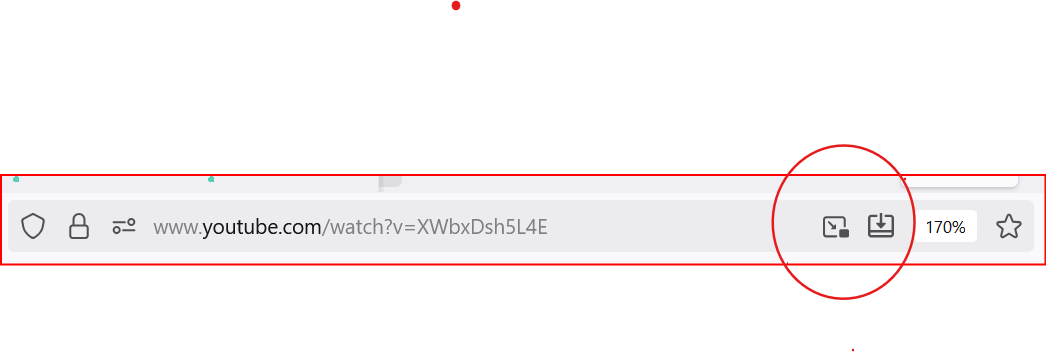
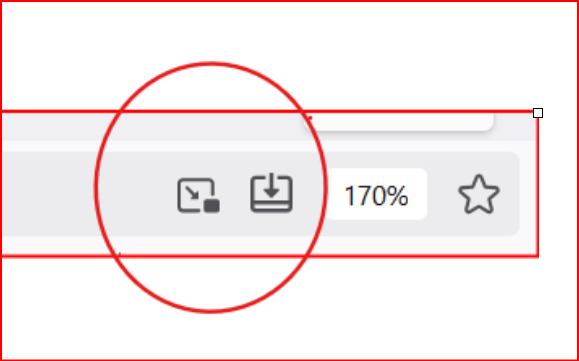
How can two icons, the 'add to taskbar' icon and the 'picture in a picture' icon, be removed from the address bar?
These icons appeared recently in my Firefox browser I can't remove them. The only recent changes included uninstalling SuperAntiSpyware after finding that Microsoft PC Manager is a better option, which has performed excellently without issues.
Additionally, a free VPN (Proton) was briefly used from the Firefox browser without installation, but after finding it complicated to set up, it was deleted. A few hours later, I noticed the two icons as the windows were misbehaving and they are causing a slowdown in the PC's performance. They do not seem to be add-ons or extensions.
How do I remove the icons and return to the previous performance?
Vybrané riešenie
Hello
About, Add tab to taskbar. Take a look at the video https://connect.mozilla.org/t5/discussions/where-s-firefox-going-next-you-tell-us/m-p/103478/highlight/true#M40173
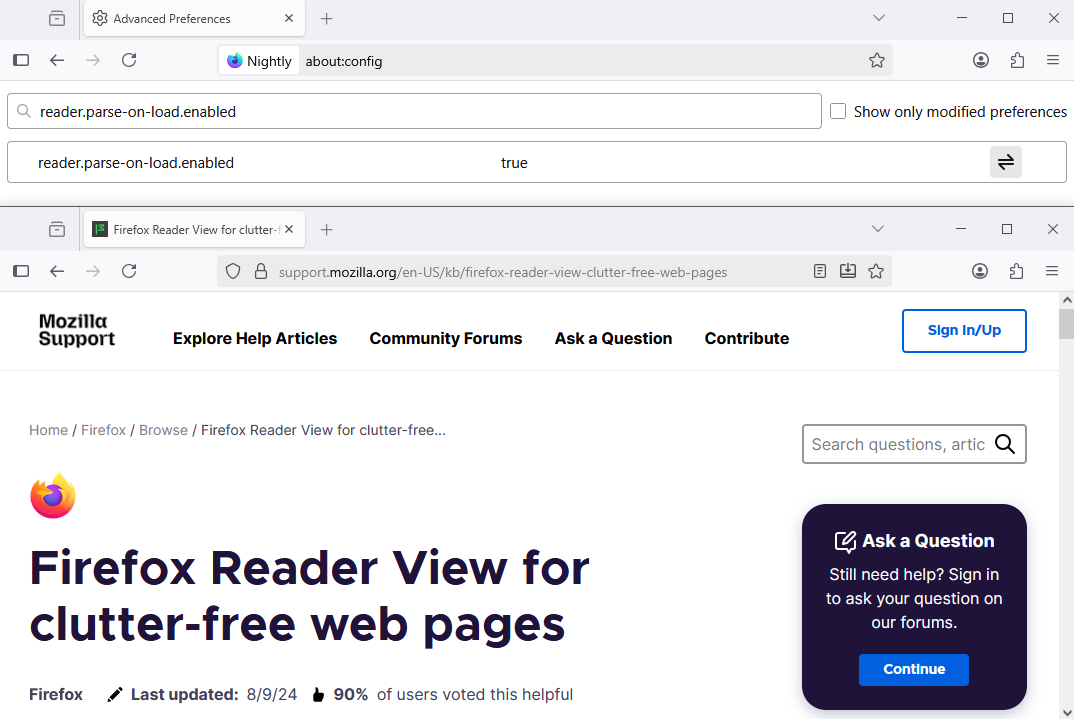
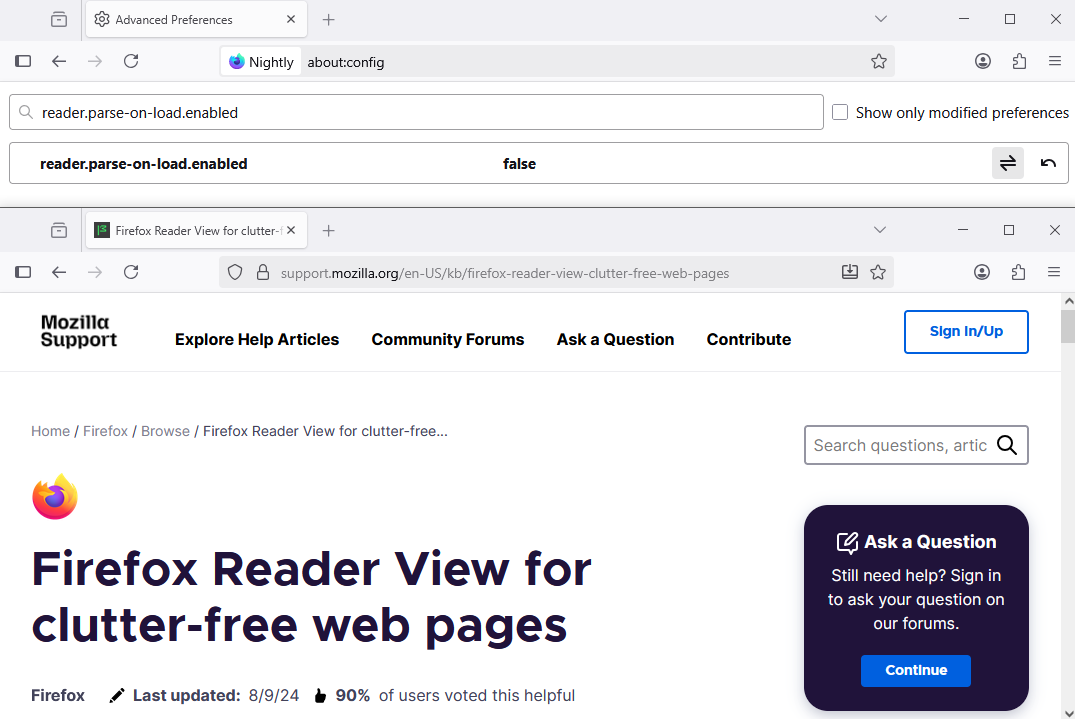
About, Firefox Reader View for clutter-free web pages. https://support.mozilla.org/en-US/kb/firefox-reader-view-clutter-free-web-pages
https://support.mozilla.org/en-US/questions/1533751#answer-1762060 For information purposes, reader.parse-on-load.enabled.
Upravil(a) Agent virtuel dňa
Všetky odpovede (9)
Hello
Take a look at https://connect.mozilla.org/t5/discussions/blinking-picture-in-picture-icon/m-p/104633/highlight/true#M40555, and, another subject.
Hi, thank you for replying.
I changed the About:config setting for PIP to false and restarted Firefox. The PIP icon was gone but an icon to Toggle Reader view had replaced it.
I see don't understand about the Add to Taskbar icon. Should it be switched off in Taskbar?
Vybrané riešenie
Hello
About, Add tab to taskbar. Take a look at the video https://connect.mozilla.org/t5/discussions/where-s-firefox-going-next-you-tell-us/m-p/103478/highlight/true#M40173
About, Firefox Reader View for clutter-free web pages. https://support.mozilla.org/en-US/kb/firefox-reader-view-clutter-free-web-pages
https://support.mozilla.org/en-US/questions/1533751#answer-1762060 For information purposes, reader.parse-on-load.enabled.
Upravil(a) Agent virtuel dňa
Thank you for your assistance.
Everything is now back to normal. I may toggle on reader view as it is good for reading articles on a busy page. The secret of trying new features is to be able to remove them if they do not suit.

From another thread, to hide the "add tab to taskbar" icon in the address bar: Type about:config in the address bar and change browser.taskbarTabs.enabled to false.
Hello
For information purposes. https://connect.mozilla.org/t5/firefox-labs/give-web-apps-in-firefox-a-try-on-labs-and-tell-us-what-you/m-p/105038/highlight/true#M4697
Below, Firefox 143 release, the preference, browser.taskbarTabs.enabled, set to true, by defaut.
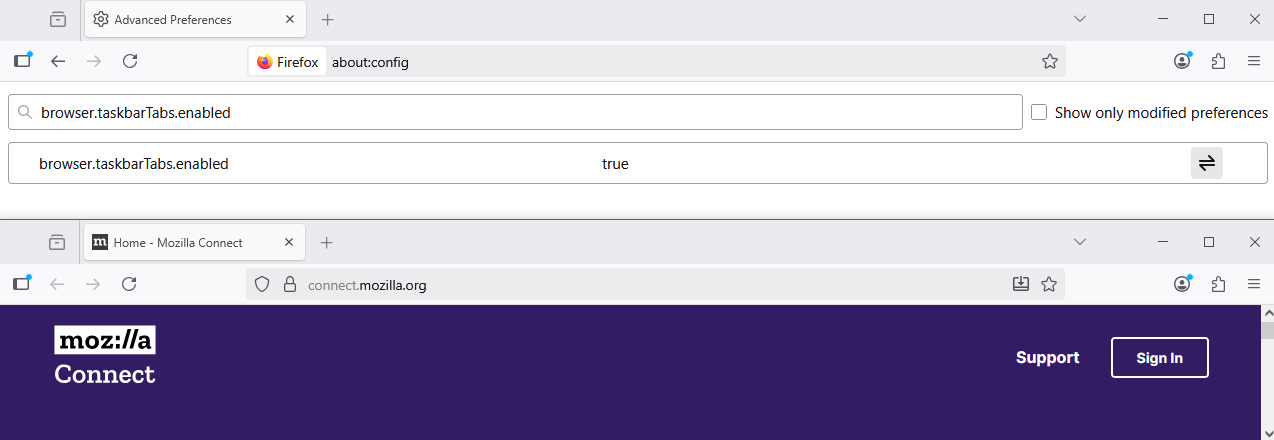

Agent virtuel said
Hello About, Add tab to taskbar. Take a look at the video https://connect.mozilla.org/t5/discussions/where-s-firefox-going-next-you-tell-us/m-p/103478/highlight/true#M40173 About, Firefox Reader View for clutter-free web pages. https://support.mozilla.org/en-US/kb/firefox-reader-view-clutter-free-web-pages https://support.mozilla.org/en-US/questions/1533751#answer-1762060 For information purposes, reader.parse-on-load.enabled.
What is it about Mozilla and/or Firefox that means every unpaid volunteer needs to be as unhelpful as possible and just try and make themself feel smart?
No wonder you're somehow still losing market share.
Jack said
From another thread, to hide the "add tab to taskbar" icon in the address bar: Type about:config in the address bar and change browser.taskbarTabs.enabled to false.
This is the actual solution without the useless incel Agent Virtuel chasing away Firefox users willing to troubleshoot their own problems (when Chrome simply wouldn't have the problem).
Hello
For information purposes.
About icon to toggle picture in picture pops up in the url bar, you can try.
1 - Go to configuration editor https://support.mozilla.org/en-US/kb/about-config-editor-firefox 2 - Enter a search term media.videocontrols.picture-in-picture.urlbar-button.enabled You can double-click on the preference to set the value to false
About icon reader view for clutter-free web pages, you can try.
https://support.mozilla.org/en-US/questions/1565262#answer-1799637