


Firefox developer not working since 142.0b2 - tabs do not load on restart of app

Since this week's update of Firefox Developer edition when the browser is restarted tabs do not load until I reset the browser.
I suspect an add-on but have not been able to determine which one.
This is happening on multiple (3) physical computers.
I just started a new work role and haven't been able to find the time to troubleshooting of the issue myself.
This has been very disrupting and stressful.
Všetky odpovede (5)
Hi,
If you suspect an add-on, try running Firefox in Troubleshoot Mode (which temporarily disables all the add-ons). Does the problem persist?
No, in Troubleshoot Mode it works fine.
I have never seen behaviour like this with Firefox Dev before, I'm hoping that someone else will have an answer.
cm
Denys said
Hi, If you suspect an add-on, try running Firefox in Troubleshoot Mode (which temporarily disables all the add-ons). Does the problem persist?
If the problem does not happen in Troubleshoot Mode, the most likely cause is an extension, theme or hardware acceleration. Please see Troubleshoot extensions, themes and hardware acceleration issues to solve common Firefox problems.
It is not hardware acceleration, the issue persists randomly whether or not it is on or not.
Same goes with extensions... this time the tabs will load, the next time they wont. Even better, they may not load four times in a row and then load (even two or more times in a row they'll load and then stop working again.) For the most part I can get the 'not loading' behaviour to come back again if I re-add an (any) ad blocker type extension, but the results are still as above - it works, doesn't work, any random number of times you might imagine.
I think I need to be very clear here as the message seems to have been lost. This issue only occurred after the Firefox Dev 142.0b3 update this week. If I did not make that clear I apologize.
Also, this is a persistent behaviour in regular Firefox (141) as well.
The best I can do right now, is close FF completely, wait until all processes are finished, cross my fingers and try again until I get things loaded.
It's not a great way to run a railroad.

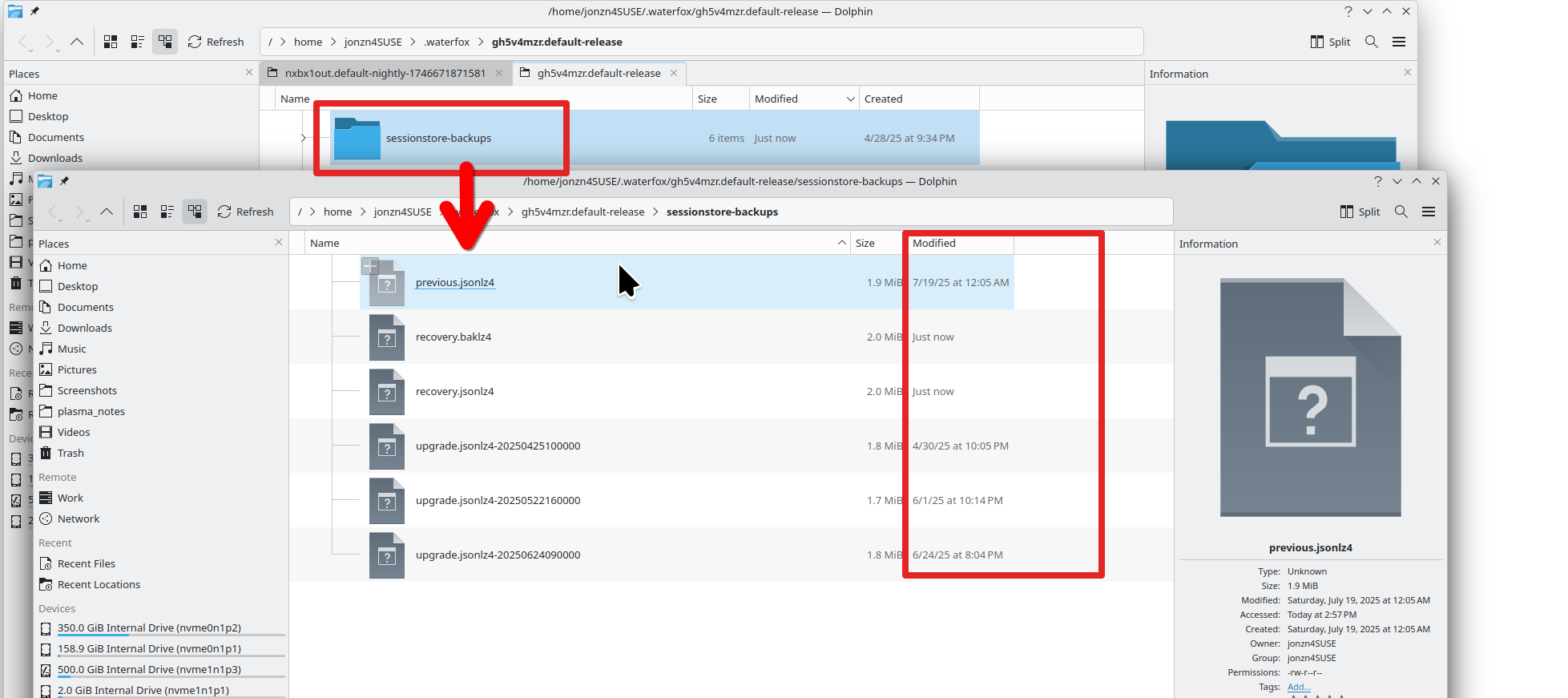
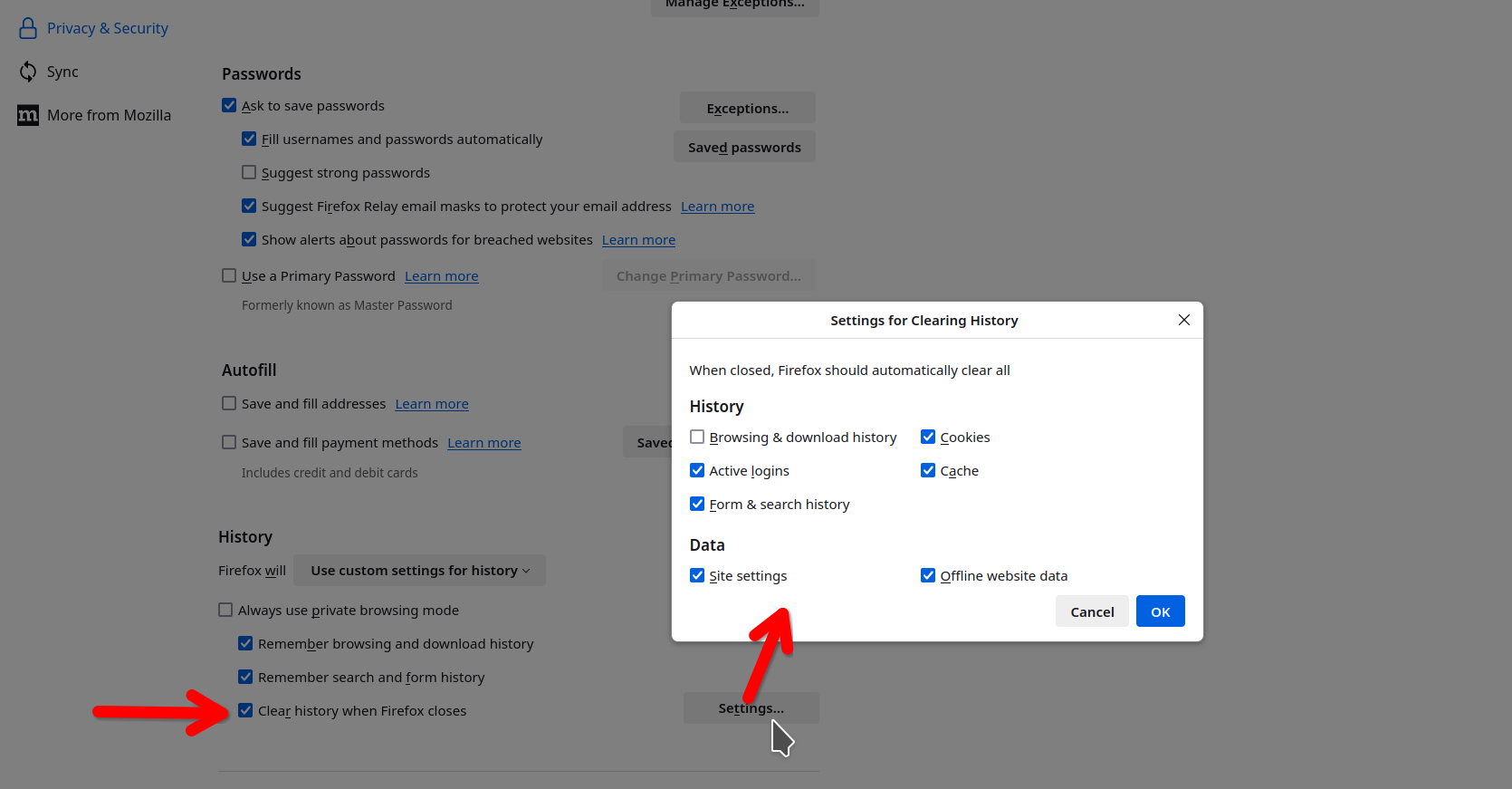
Sounds like a common session restore issue with Firefox. Post a screenshot of the files in the sessionstore-backups folder. see screenshots of mine Screenshot shows my folder and the files in that folder. See the details show the dates of the files. If needed, I could restore a session from a previous time. Also need to verify what you have set for Firefox to do with the history when you close the browser. see 2nd screenshot
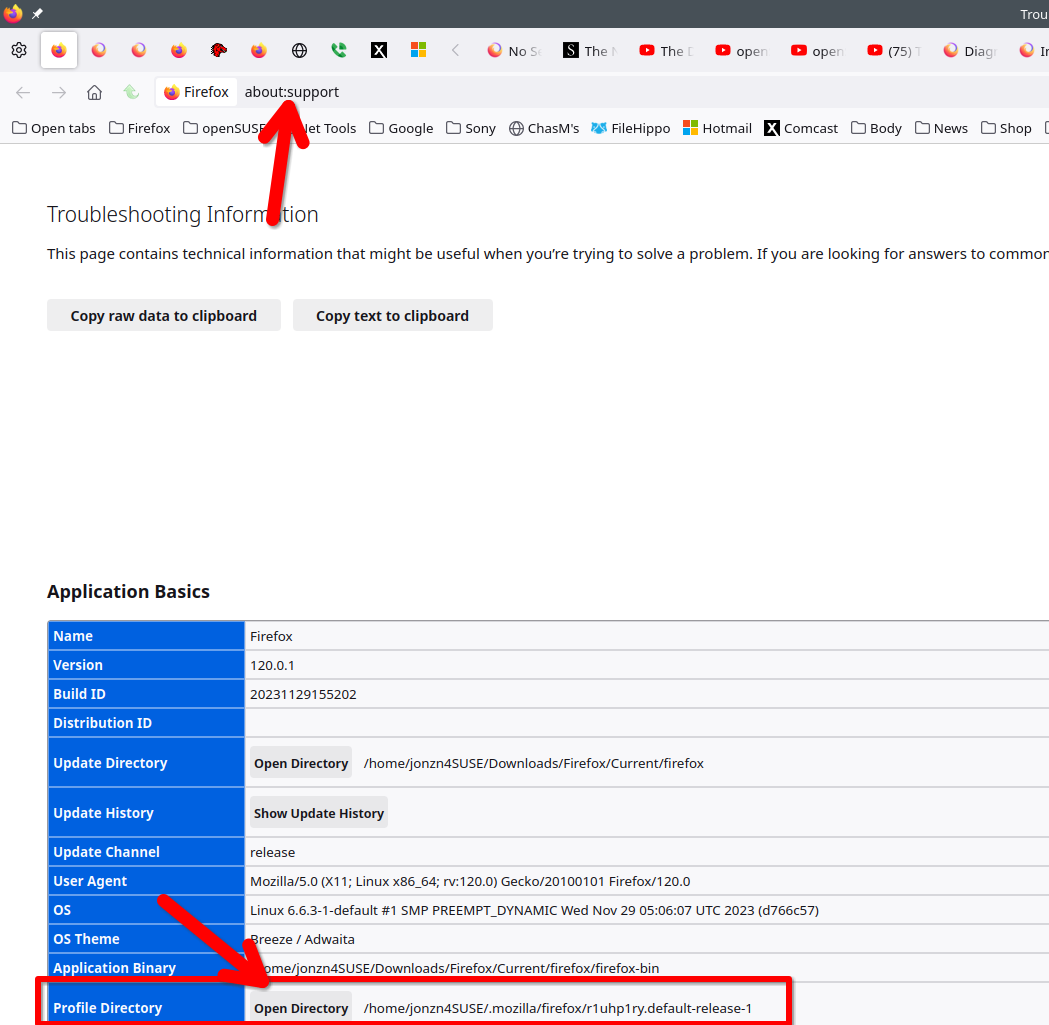
3rd screenshot shows you how to get to your profile folder to then see the session folder.
Upravil(a) jonzn4SUSE dňa