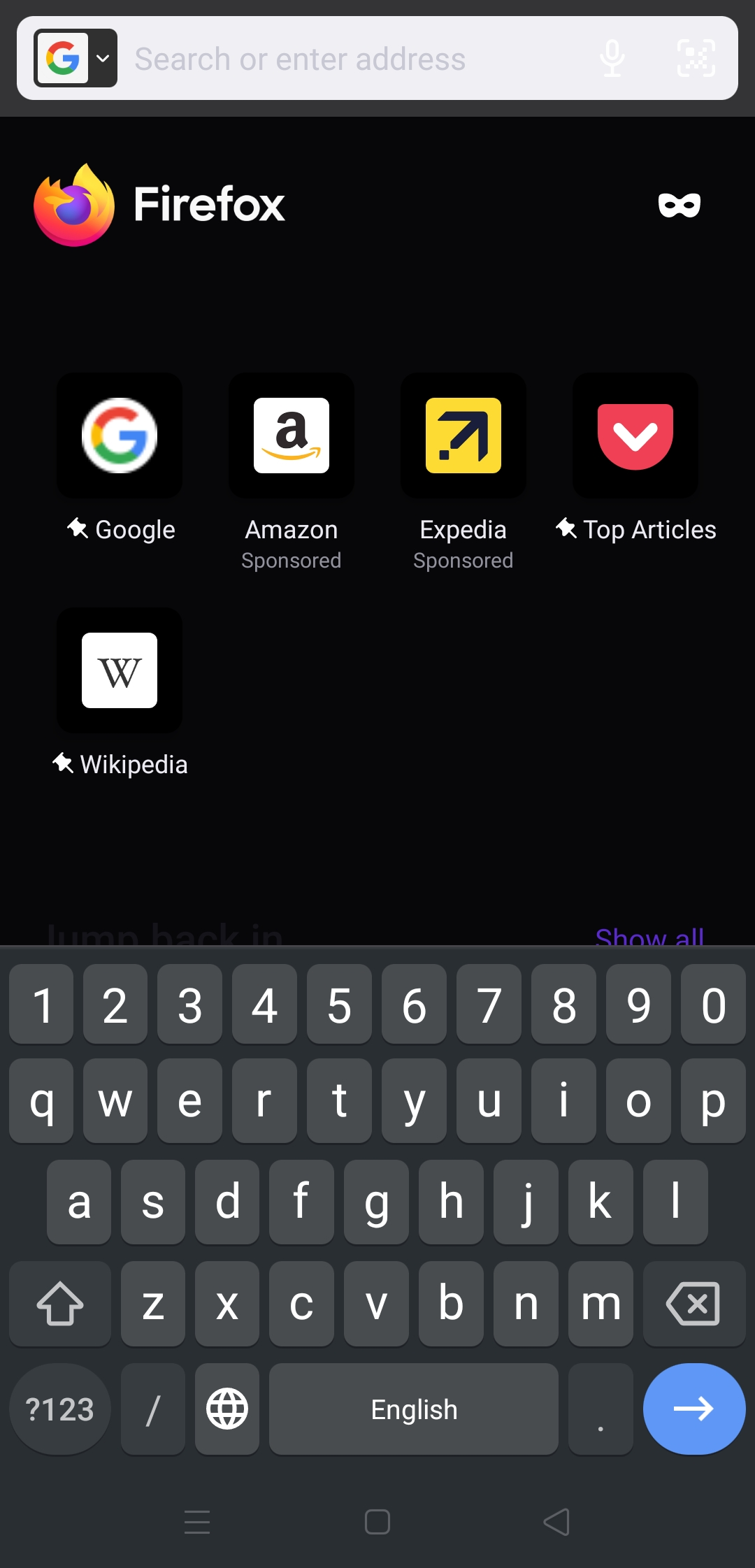
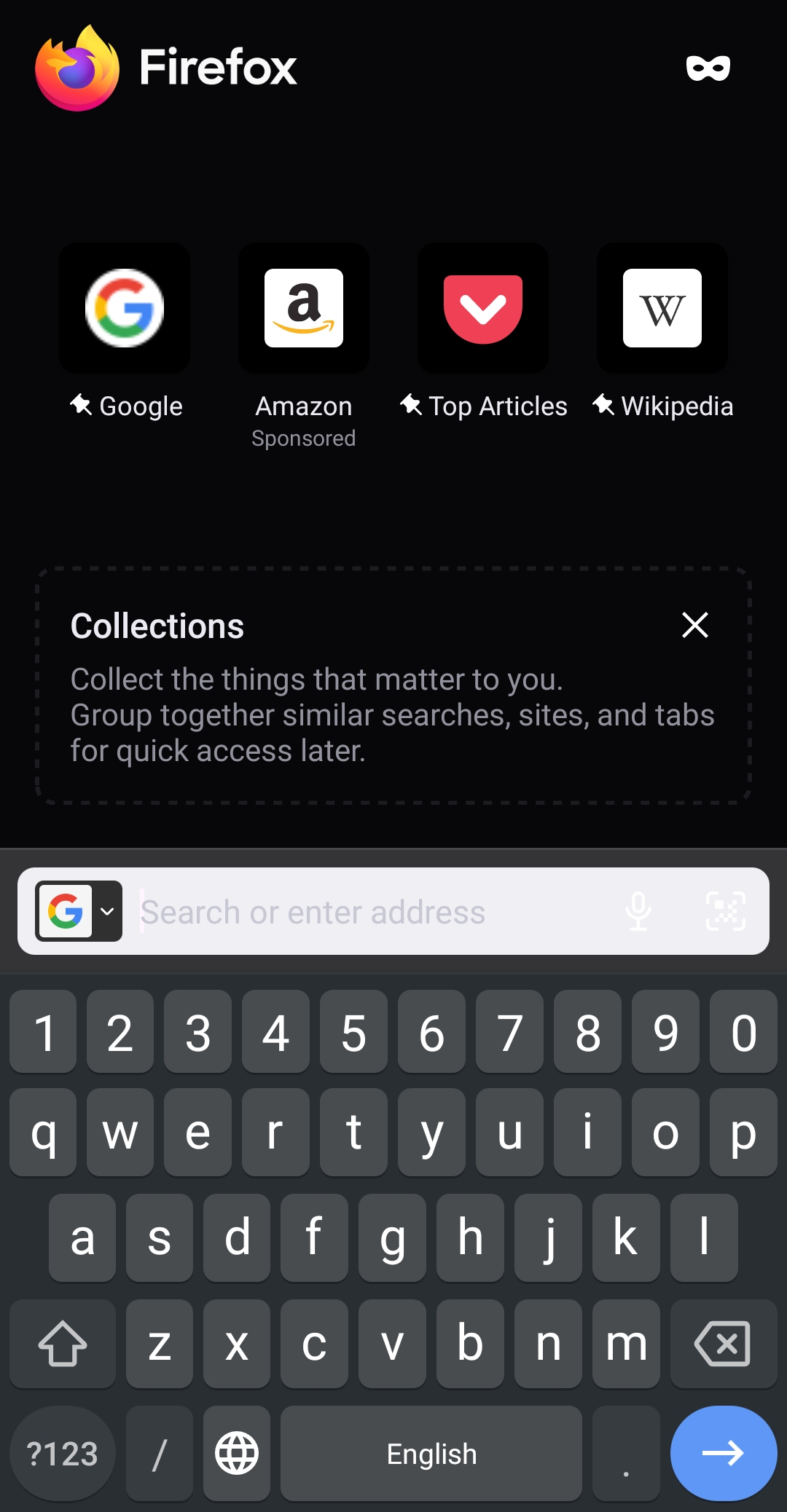
Search bar becomes totally white which cause not able to read what we are typing

hi, Whenever i open firefox browser, and go to search bar to type the searchbar goes totally white. Tried uninstalling, clearing cache but nothing helped
Všetky odpovede (6)
Hello,
I am going to create a bug report regarding your issue, and I would also appreciate some more information for it.
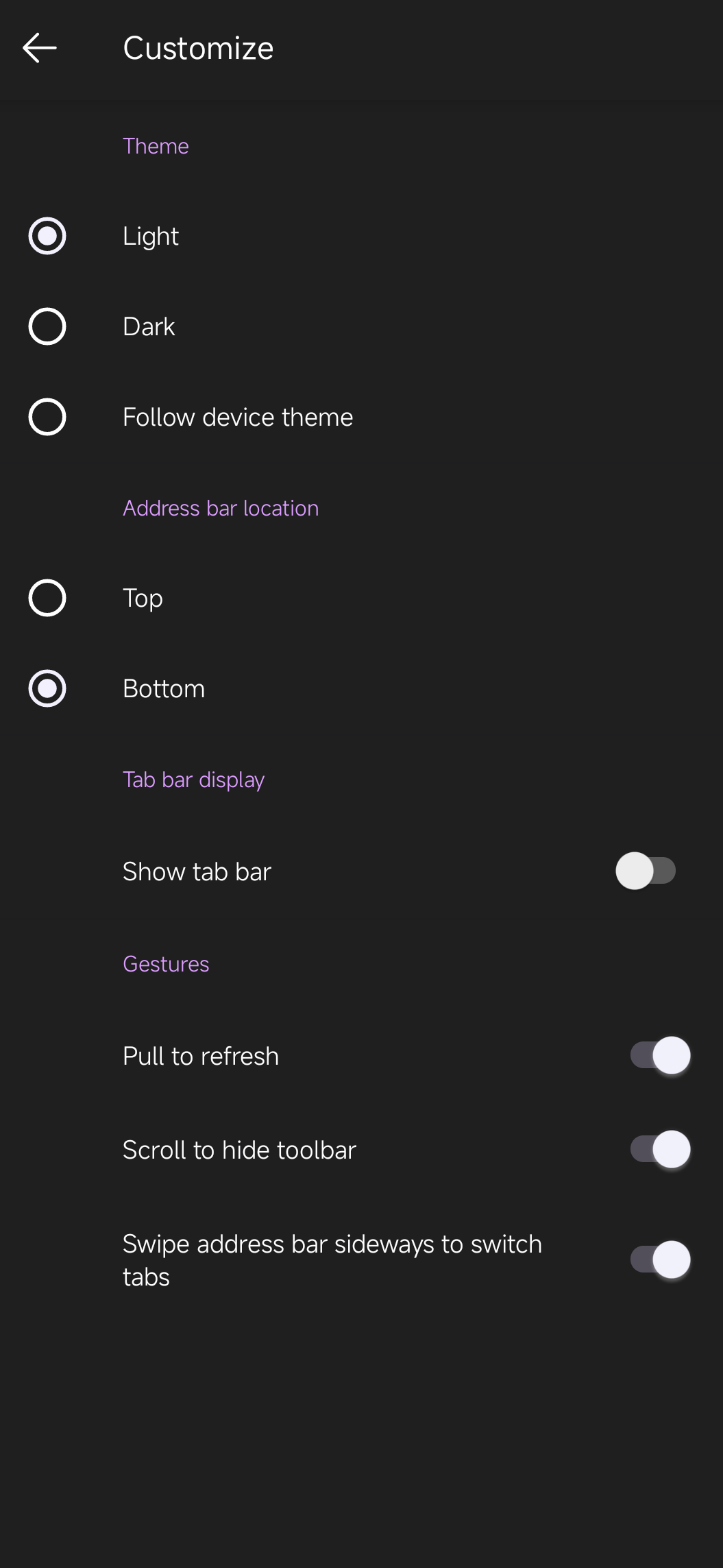
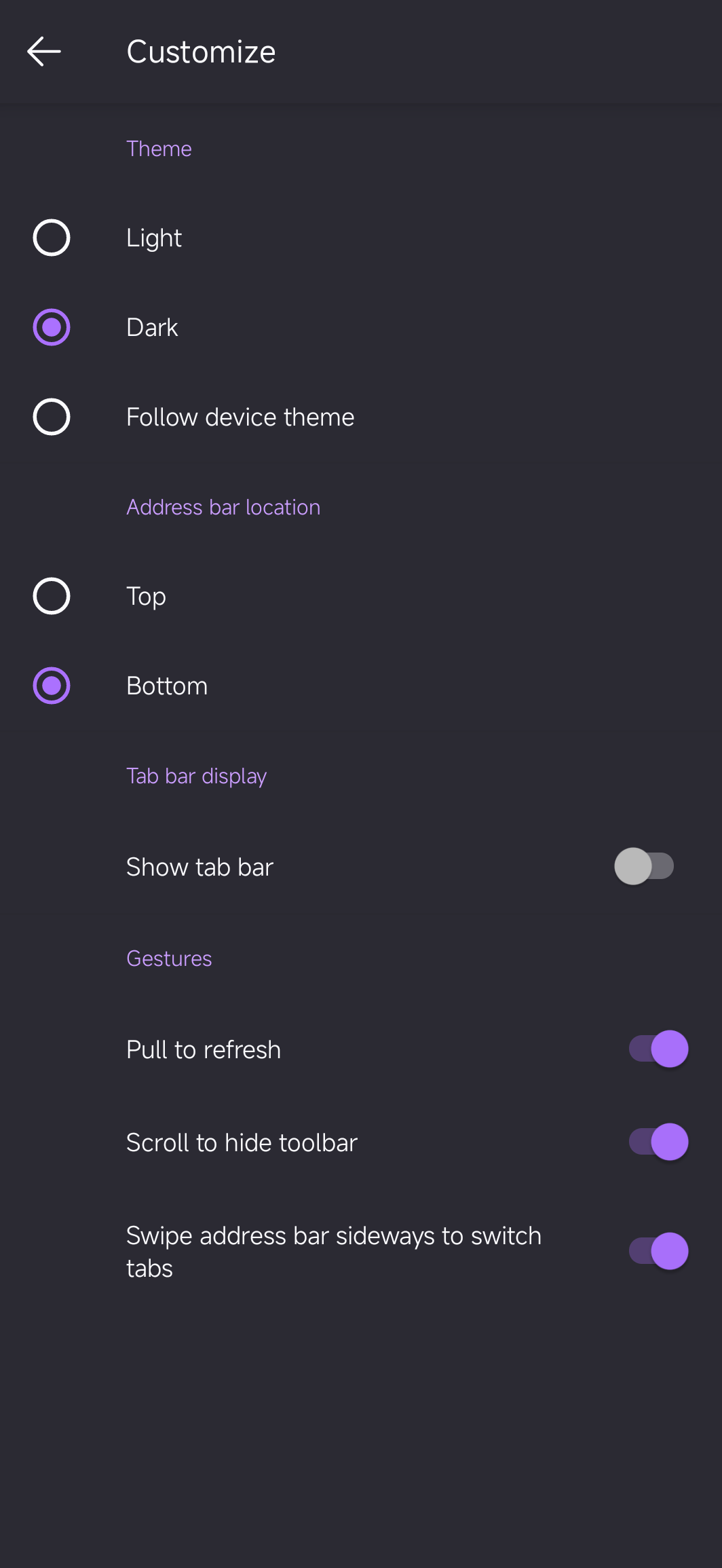
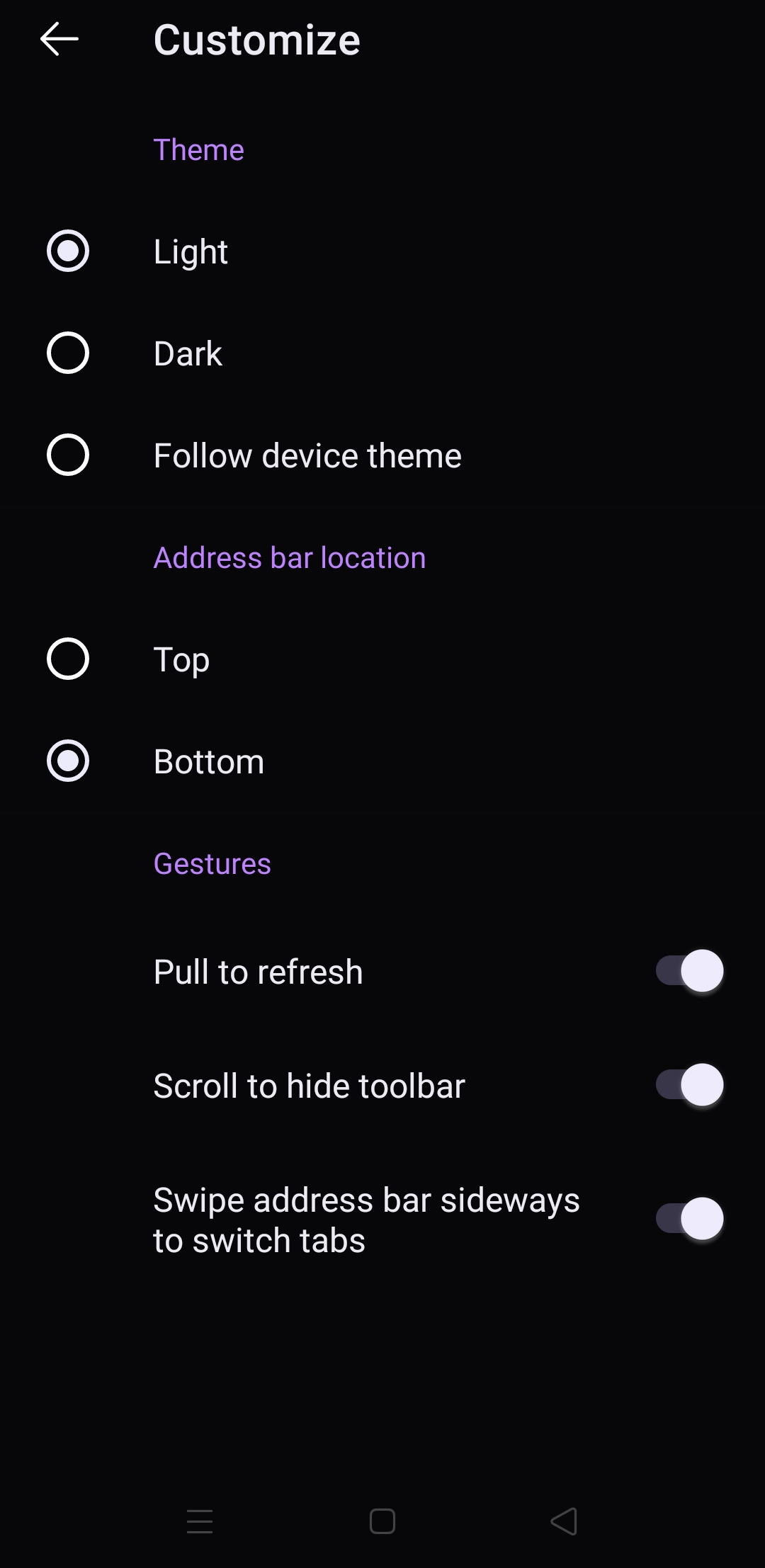
First, please try changing your address bar position from top to bottom (Settings -> Customize). Does it affect the issue?
Second, please tell what theme is set in your Firefox (Settings -> Customize). Dark or "Follow device theme"? What is your device theme?
Hi, I tried setting searchbar at bottom, saved the setting and restarted broweser but issue persist. Themes I have used device based.But I tried already light and dark theme so no effect on that Thanks, Rajiv
Hello,
Thank you for checking. You mentioned the light theme – does choosing this option in Settings change your browser theme or at least something in the UI? And when your device theme is light, does Firefox follow this theme?
yes firefox follows it
rajiv.singh5436 said
yes firefox follows it
Thanks for reaching back, but could you please also check whether choosing the Light theme in Firefox Settings actually change your browser theme or at least something in Firefox UI?

Hi I have this problem too but it seems it's an uncommon case. The probable cause is the interference of Xiaomi hyperOS dark mode feature. The white bar problem exists only for the first time search when opening Firefox and trying to search(also there is no problem when there are previously open tabs). After the first search, search bar functionality becomes normal again. In addition to white bar problem, when the dark mode is enabled on the system it changes the behavior of Firefox theme. It keeps the dark theme of Firefox fairly untouched but it definitely makes light theme go crazy. In case of system dark mode + Firefox light mode , actually there is no light theme and everything is dark. But it is not the same dark as Firefox dark mode. Hope it helps to identify the issue.