


Google docs paste keyboard shortcut doesn't work

I am on Firefox v122.0 Google docs paste functionality doesn't work when using Cmd + v. This is happening only for Google docs. Same doc works perfectly fine on Chrome. I also tried running Firefox in troubleshoot mode with same results. Should I just give up on trying to make Firefox work with Google products.
I am on Firefox v122.0 Google docs paste functionality doesn't work when using Cmd + v. This is happening only for Google docs. Same doc works perfectly fine on Chrome. I also tried running Firefox in troubleshoot mode with same results. Should I just give up on trying to make Firefox work with Google products.
Upravil(a) Jithin dňa
Vybrané riešenie
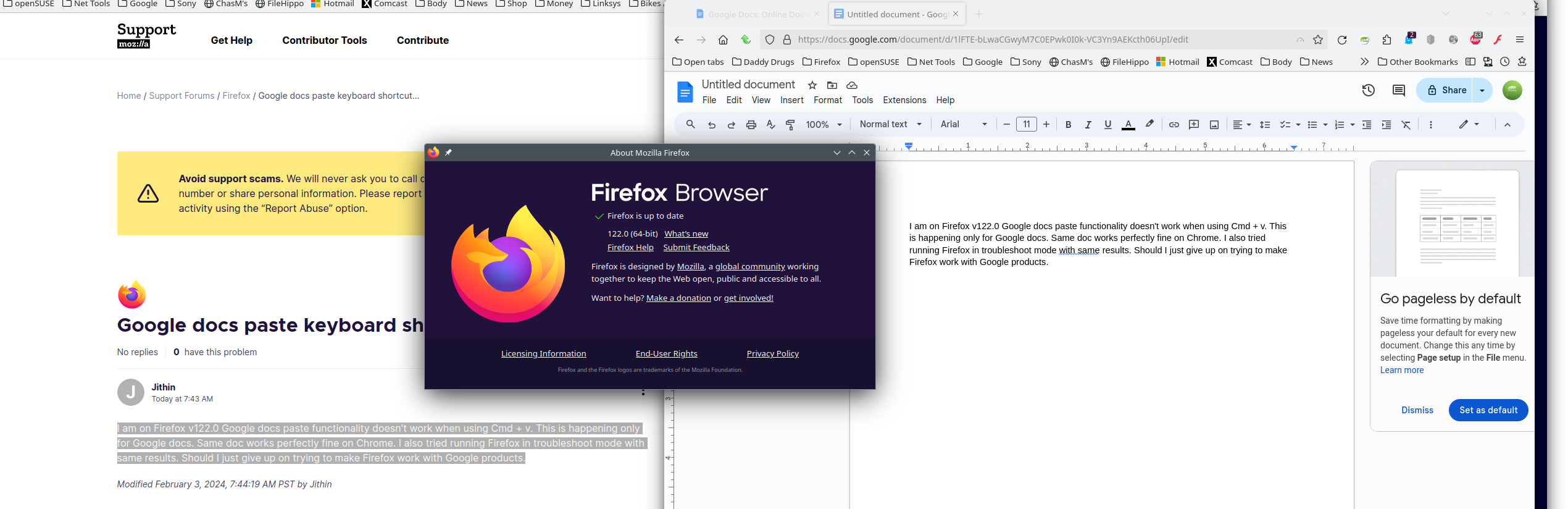
It works for me. see screenshot Try Refresh Firefox. https://support.mozilla.org/en-US/kb/refresh-firefox-reset-add-ons-and-settings
Čítať túto odpoveď v kontexte 👍 2Všetky odpovede (2)
Vybrané riešenie
It works for me. see screenshot Try Refresh Firefox. https://support.mozilla.org/en-US/kb/refresh-firefox-reset-add-ons-and-settings
Refresh did it for me. Guess will never know what caused this.