Táto téma bola archivovaná.
Ak potrebujete pomôcť, založte prosím novú otázku.

Archivované
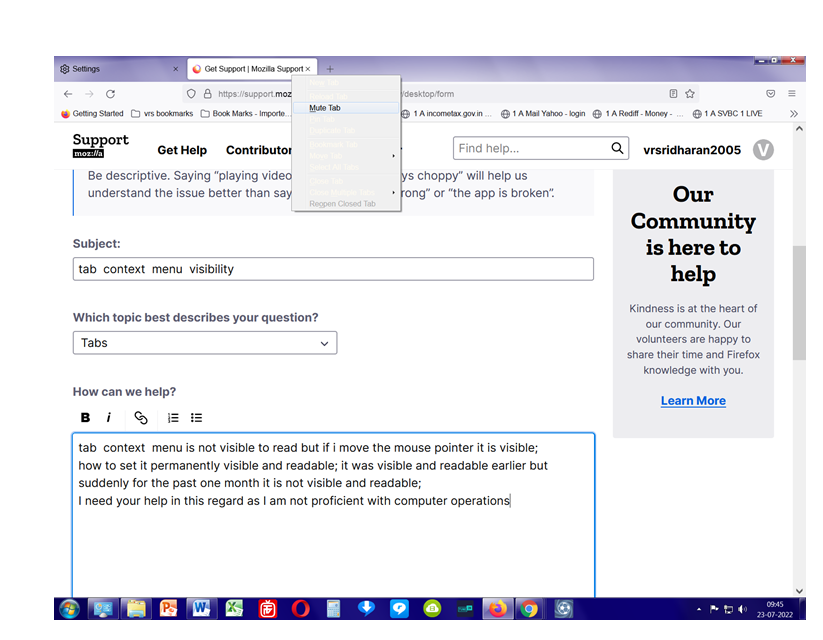
tab context menu visibility

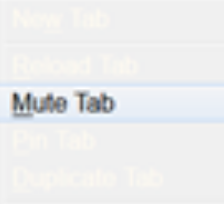
tab context menu is not visible to read but if i move the mouse pointer it is visible; how to set it permanently visible and readable; it was visible and readable earlier but suddenly for the past one month it is not visible and readable; I need your help in this regard as I am not proficient with computer operations
tab context menu is not visible to read but if i move the mouse pointer it is visible;
how to set it permanently visible and readable; it was visible and readable earlier but suddenly for the past one month it is not visible and readable;
I need your help in this regard as I am not proficient with computer operations
Všetky odpovede (1)
Could be a problem with the theme you use and that sets the text color to white what makes it impossible to read.
Start Firefox in Troubleshoot Mode to check if one of the extensions ("3-bar" menu button or Tools -> Add-ons -> Extensions) or if hardware acceleration or userChrome.css is causing the problem.
- switch to the DEFAULT theme: "3-bar" menu button or Tools -> Add-ons -> Themes
- do NOT click the "Refresh Firefox" button on the Troubleshoot Mode start window