


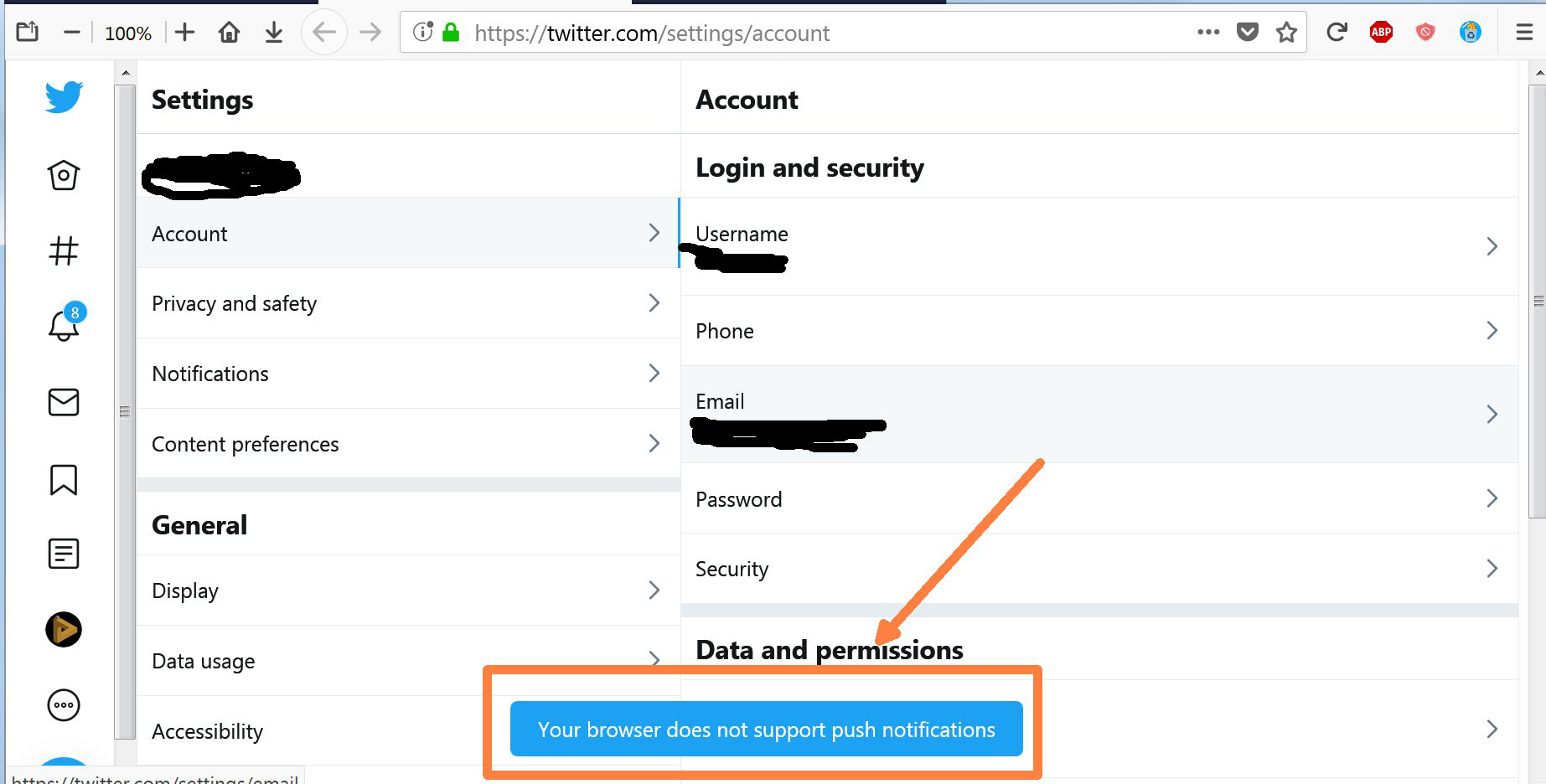
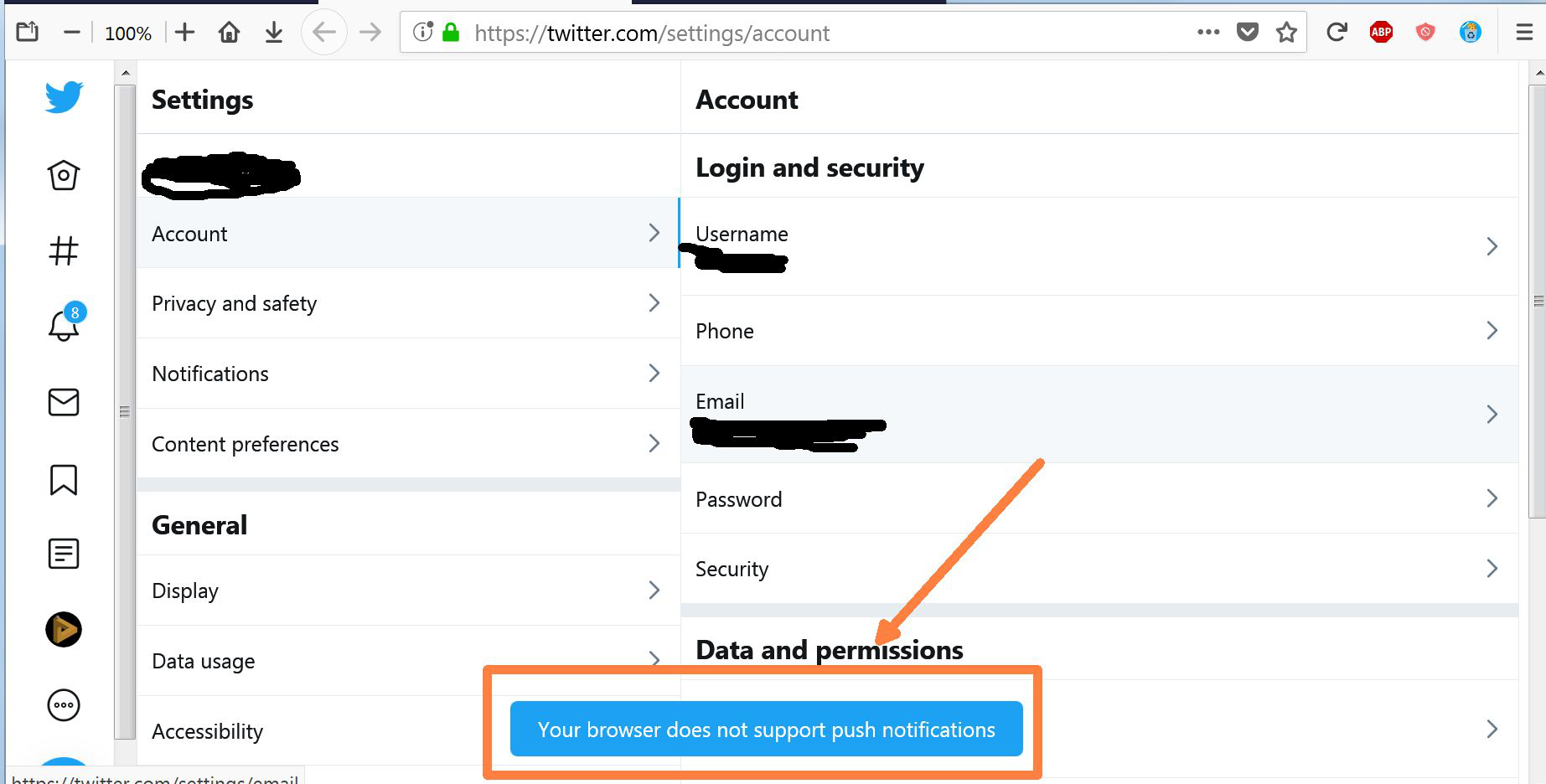
titter says my firefox 60.7.2esr doesn't support push notifications, even though enabled ? .
On twitter it says my browser doesn't support notification, i check settings and turned on notifications, but they still don't work, i closed and reopened firefox a few times, still not working.
Upravil(a) JAB dňa
Všetky odpovede (16)
EDITED to add image
Hello JAB
Would you try this please :
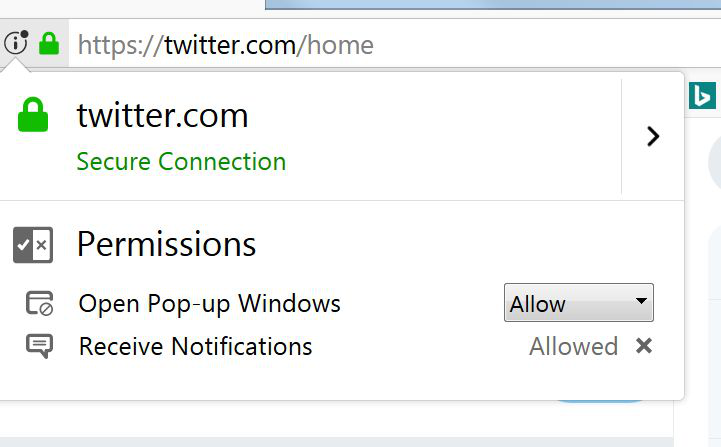
When you're on that site, click on the 'i' in a circle, next to the padlock at the left side of the address bar.
Then click on the little black arrow on the dropdown (next to 'Connection') and then on "More Information", which will take you to "Page Info".
Click on the 'Permissions" tab and scroll down to "Send Notifications". Uncheck "Use Default" and check "Allow".
(if you want to, you could do the same for "Open Pop-up Windows")
Then close and restart Firefox.
Any difference ?
as said, i've already done this, no notifications yet.
Just a thought.. i also have a twitter client ( tweetdeck) installed.. is it possible this may interfere with notificcations ?
JAB said
as said, i've already done this, no notifications yet.
You didn't mention this specific setting, though - you could have been talking about the setting in Options => Privacy & Security => Permissions.
JAB said
Just a thought.. i also have a twitter client ( tweetdeck) installed.. is it possible this may interfere with notificcations ?
One way to find out : disable it (for now) and see if that will make a difference.
You can check the Web Console for related messages and warnings.
- "3-bar" menu button or Tools -> Web Developer
- https://developer.mozilla.org/en-US/Tools/Web_Console
You can try to create a cookie allow exception for the twitter website if you currently use "Delete cookies and site data when Firefox is closed".
I checked cookie settings.. they are saved
See also:
- /questions/1257459 How can I turn notifications for twitter back on
My "serviceworkers" were disabled, so i re enabled them now it says no service workers registered. I opened tiwitter and it still shows notifications enabled so i guess i'll need to wait and see if its fixed..
So anyway.. twitter was still saying my browser didnt support notifications.
So i uninstalled firefox and upgraded to the non esr latest version and all seems to be fine now..
Really sucks that i need to do this.. there should be an easier way to fix settings other than reinstalling.. I find it interesting that the new firefox installer bundles "removing old add-ons and settings" into one option so we cant say keep our add-ons but reset settings or visa-versa .. i consider this bulling users to do what mozilla wants not what the user wants ! .
These ARE THE FOLLOWING to overcome firefox 60.7.2esr doesn't support push Steps 1. Make sure Twitter notifications are enabled for your Android. In order to receive push notifications from Twitter, you must allow them in the Settings menu: ... 2. Open Twitter. ... 3. Tap your profile icon. 4. Tap Notifications. ... 5. Tap Push notifications. ... 6. Tap the grey "Push notifications" switch. ... 7. Tap Tweets.
JAB said
I checked cookie settings.. they are saved
Would you disable "Cookie AutoDelete 3.0.2" and see if that will make a difference ?
Did you try to create a cookie allow exception because in some cases this is necessary to make service workers work ?
It is not sufficient that cookies are allowed in general, you need a special allow exception.
scroll up, i solved the problem by reinstalling the latest non esr version.
Upravil(a) JAB dňa