


Email content is not showing in Firefox

Firefox is not properly displaying the email content. I can only see the subject line and signatures but not the main content of emails.
First I thought it's some issue with Gmail's new design but then I noticed same strange behavior on different webmail service. Also I heard from a colleague of mine that he has same issue with emails in Firefox.
Any ideas?
Firefox version 62.0, tracking protection enabled + uBlock Origin (disabling/removing uBlock did not change anything) Windows 10
Also tested this on clean installations of Firefox Dev Edition v63.xxx and v63.0b4, no add-ons and tracking protection disabled, with same results - empty emails.
Here you can compare code differences between Chrome and Firefox - https://i.imgur.com/DyjCgXR.png
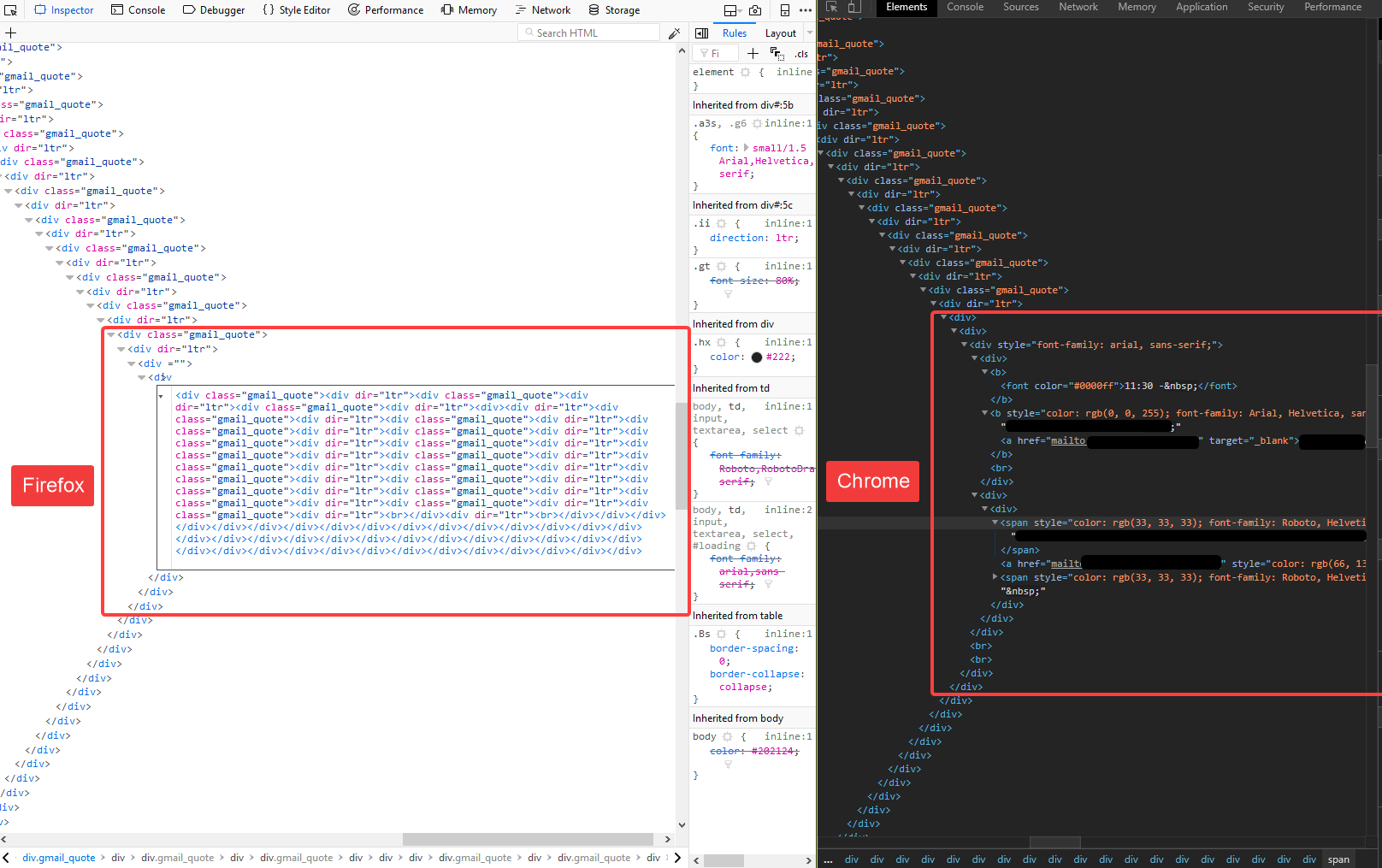
Upravil(a) foo1 dňa
Všetky odpovede (6)


Many site issues can be caused by corrupt cookies or cache.
- Clear the Cache and
- Remove Cookies
Warning ! ! This will log you out of sites you're logged in to. You may also lose any settings for that website.
- Cookies; Delete cookies to remove the information websites have stored on your computer {web link}
- Cache; How to clear the Firefox cache {web link}
If there is still a problem, Start Firefox in Safe Mode {web link} by holding down the <Shift> (Mac=Options) key, and then starting Firefox.
A small dialog should appear. Click Start In Safe Mode (not Refresh). Did this help?
While you are in safe mode;
Try disabling graphics hardware acceleration in Firefox. Since this feature was added to Firefox it has gradually improved but there are still a few glitches.
How to disable Hardware Acceleration {web link}
Thanks for trying to help FredMcD but I already did all of these steps. That's why I decided to post the issue here.
Can you post the screen of the actual error minus any private info blacked out.
There already is a screenshot in my first post where you can see what's wrong. But if the screenshot of the broken email itself would be better to understand the issue, here it is.
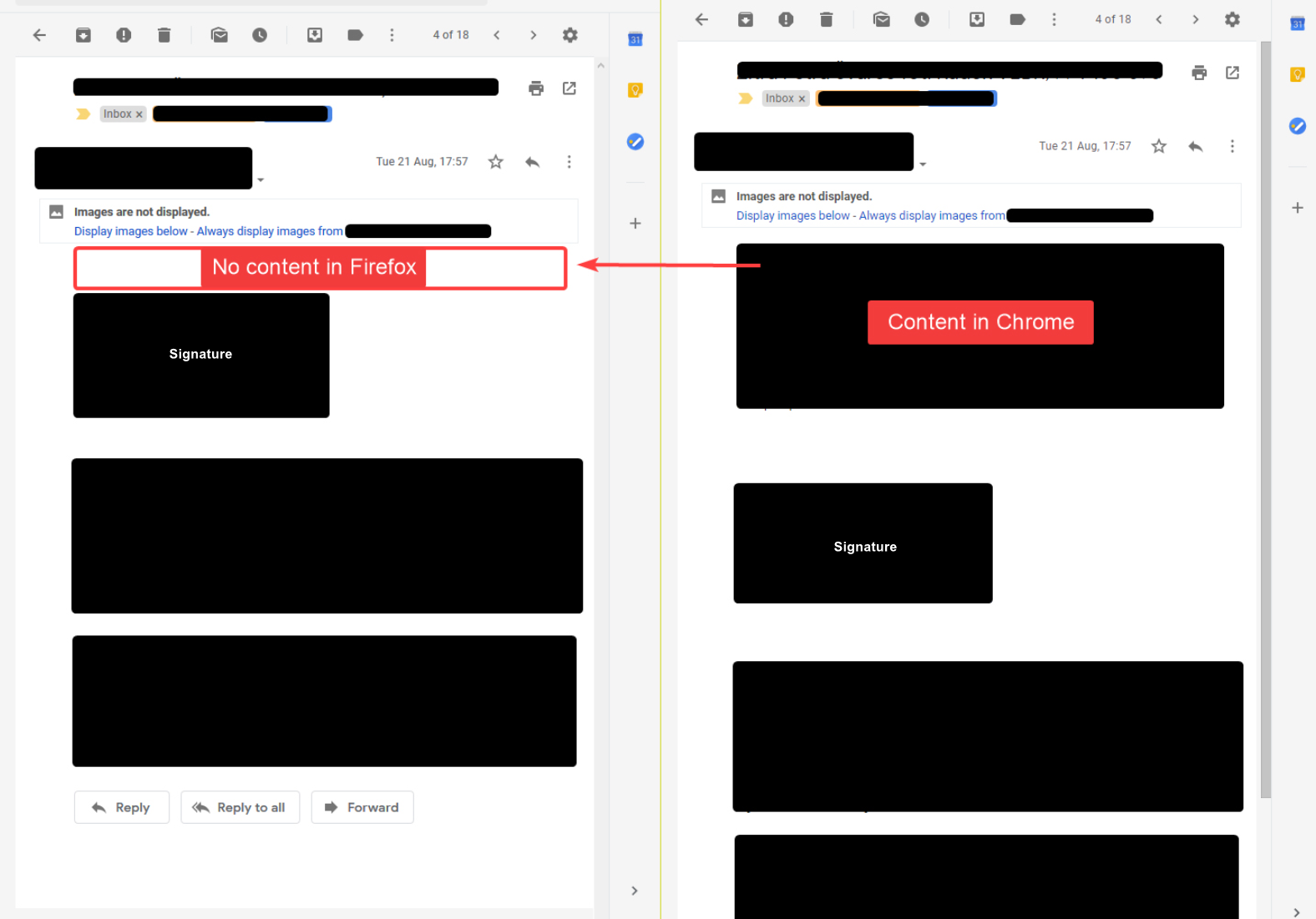
Make sure you are not blocking content.
Start Firefox in Safe Mode {web link} by holding down the <Shift> (Mac=Options) key, and then starting Firefox.
A small dialog should appear. Click Start In Safe Mode (not Refresh). Is the problem still there?
One issue that seems more common lately is Firefox's Tracking Protection feature. When it is blocking content in a page, a shield icon will appear at the left end of the address bar next to the padlock icon. This article has more info on managing this feature: Tracking Protection {web link}
FredMcD, as I said earlier I've already tried everything you suggested in your first reply to my issue.
Running Firefox in safe mode or disabling tracking protection or removing uBlock did not fix the issue.
Tested with 3 different versions of Firefox (stable and developer edition releases - no add-ons in developer edition).