


I deleted history in "Library/history" window but pages are still visible from "history/restore closed tabs" menu item in Firefox 29, even if I restart.

In previous versions, when I deleted a page in "Library/History" (separate) window, it was no longer visible, from any history options. Now, I delete an entry from "Library/History" (separate) window and it is still visible from "history/restore closed tabs" menu item. It is crucial for me, since I share the same notebook with my two colleagues. Thank you for your answers, in advance.
Vybrané riešenie
There are much easier and more suitable methods.
- Do not let others use your OS account.
Create an ordinary account for others to use. (Some Guest accounts may have been problematic inconvenient or insecure.) - Create a separate Firefox profile
If you must use the same OS account then at least set up an additional profile for others to use. - Use a Private Browsing Window, and so do not save anything.
Všetky odpovede (3)
Such history data is stored in the sessionstore.js file in the Firefox profile folder.
Rename (or delete) the sessionstore.js file and possible sessionstore-##.js files with a number and sessionstore.bak in the Firefox profile folder.
- Help > Troubleshooting Information > Profile Directory: Show Folder (Linux: Open Directory; Mac: Show in Finder)
- http://kb.mozillazine.org/Profile_folder_-_Firefox
- http://kb.mozillazine.org/Multiple_profile_files_created
Deleting sessionstore.js will cause App Tabs and Tab Groups and open and closed (undo) tabs to get lost and you will have to recreate them (make a note or bookmark them if possible).
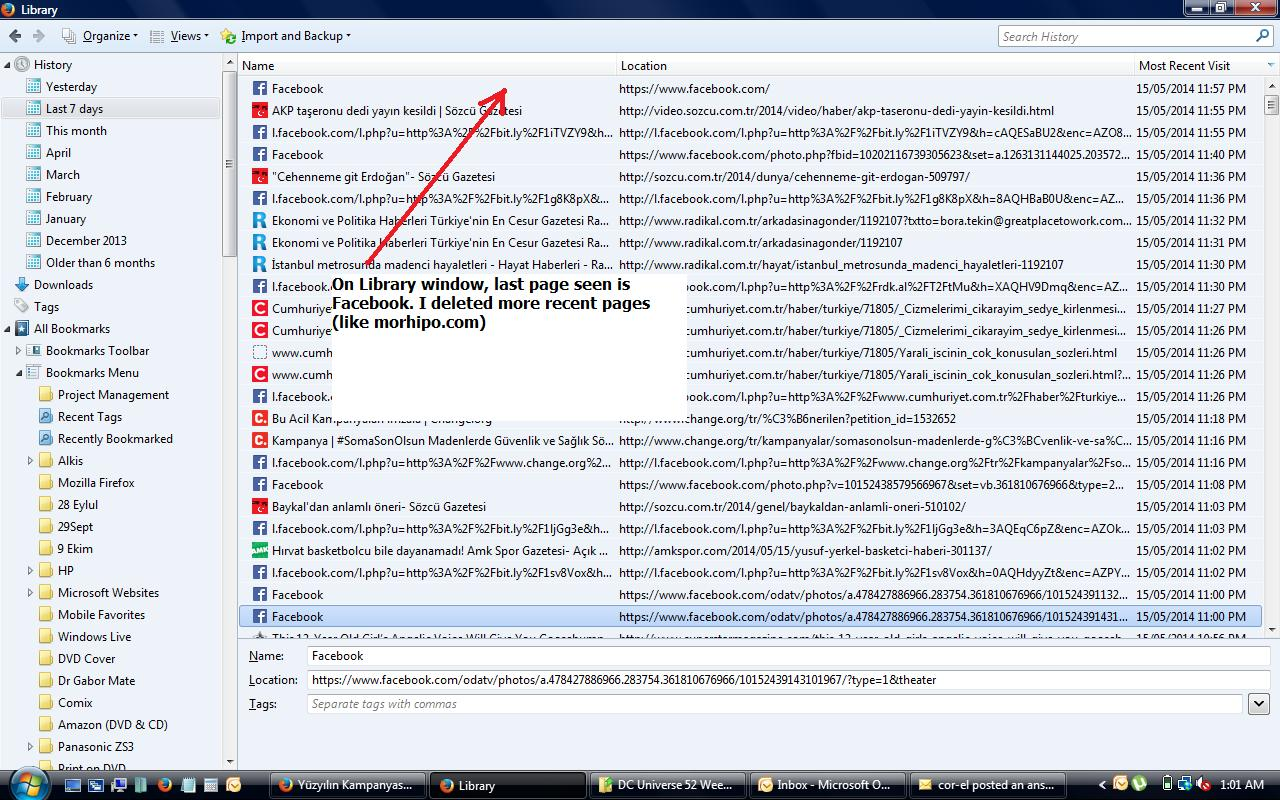
Sorry for my late reply. So what you suggest is; I need to delete or rename a file after every time I finish working? It does not sound practical to me. Is there an easier way? All I want to is to erase/delete some entries (not all of them) from the history so that people using the same computer after me does not see them in Menu/History side (right) window. Please see the screenshots attached.

Vybrané riešenie
There are much easier and more suitable methods.
- Do not let others use your OS account.
Create an ordinary account for others to use. (Some Guest accounts may have been problematic inconvenient or insecure.) - Create a separate Firefox profile
If you must use the same OS account then at least set up an additional profile for others to use. - Use a Private Browsing Window, and so do not save anything.