


how do I change the search engine instead of Bing change to Google?

Hi,
I want to ask you about customizing the search engine, instead of Bing as a default search engine changing to google search engine? by the way i'm using Firefox 8.0.
thank you
Выбранное решение
When you get to the options you should see bing in the menu. Highlight bing then type in google.com and ok on bottom it should replace bing. If you cannot find the tools option the go to top and right click and checkmark menu to show the tools bar.
Все ответы (7)
Find the tools bar and pick options the select google as browser and select ok ,,reopen your browser.
please could you be little bit more details? I can't find any option for google browser in Tools - option - ?....... Thank you
Выбранное решение
When you get to the options you should see bing in the menu. Highlight bing then type in google.com and ok on bottom it should replace bing. If you cannot find the tools option the go to top and right click and checkmark menu to show the tools bar.
i'll send you the printscreen.... couldn't find it anywhere...
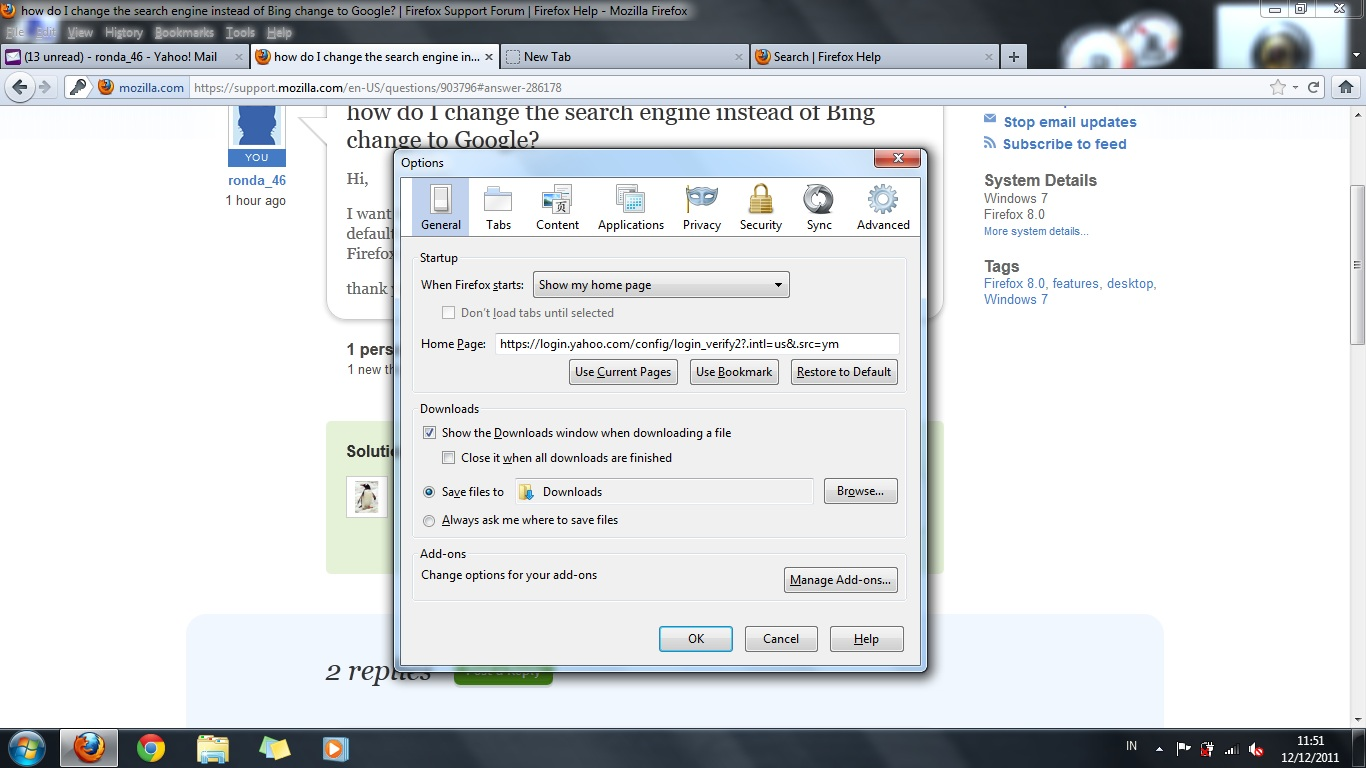
Where it says homepage delete everything in there and type in google.com go down and click ok. This should work for you
uuups. I think we got wrong asumming here... what I mean is the new tab. istead og bing as the search engine, I want it to be google. also I've tried to use "about:config - keyword.url" but still didn't work?
This is problem I have been having too. I cannot find a fix for it as well. Hoping someone else will jump in here with better knowledge. I have also select tabs and looked for "opens with" but no luck
Изменено Paul