Windows 10 reached EOS (end of support) on October 14, 2025. If you are on Windows 10, see this article.

Avatar for Username

Поиск в поддержке

Избегайте мошенников, выдающих себя за службу поддержки. Мы никогда не попросим вас позвонить, отправить текстовое сообщение или поделиться личной информацией. Сообщайте о подозрительной активности, используя функцию «Пожаловаться».

Подробнее
Открытый

Why my email have disappear?

Victor

I have saved my emails in the local folders, which is in my second drive (D Drive), I added extra folders named them as per year and in those folders per month. It shows the size of each folder amount of data but, nothing is there. I notice this when my C drive got corrupted and I had to reinstall windows 10 again. I did not reformat the D: Drive because there was nothing wrong with the drive. It used to be so easy in the pass to save emails. What is happening?

Thank you for any assistants in the future.

Victor Nassar
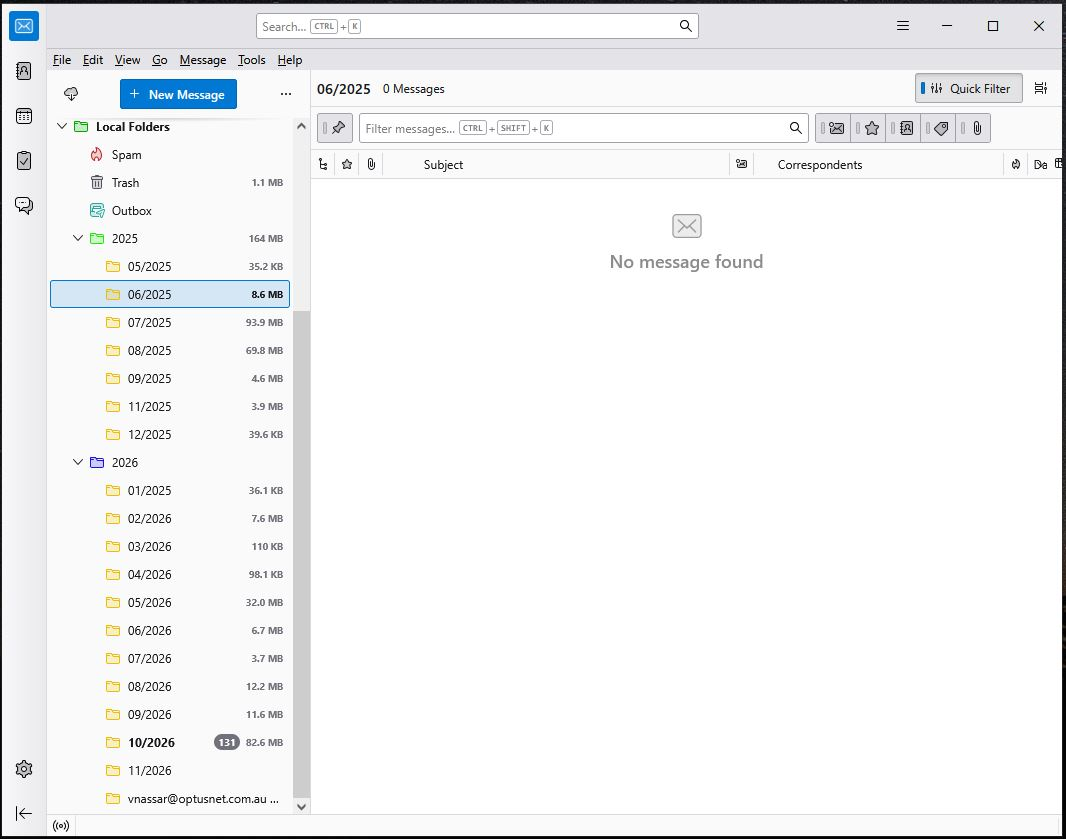
I have saved my emails in the local folders, which is in my second drive '''(D Drive)''', I added extra folders named them as per year and in those folders per month. It shows the size of each folder amount of data but, nothing is there. I notice this when my C drive got corrupted and I had to reinstall windows 10 again. I did not reformat the D: Drive because there was nothing wrong with the drive. It used to be so easy in the pass to save emails. What is happening? Thank you for any assistants in the future. Victor Nassar
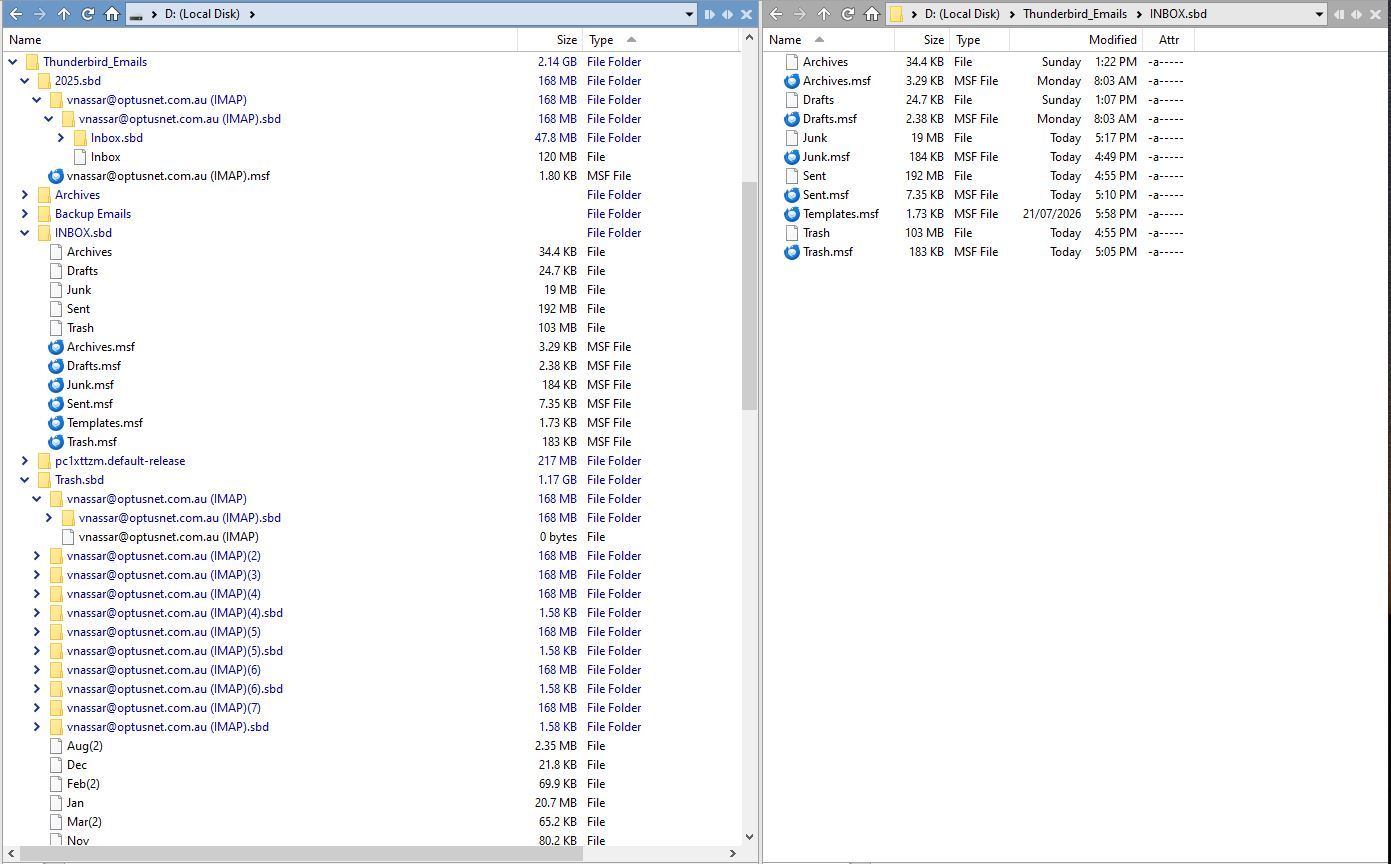
Приложенные скриншоты

Все ответы (2)

You do not apply any filters, do you?

You can try to start Thunderbird from Troubleshoot mode to check. https://support.mozilla.org/en-US/kb/troubleshoot-mode-thunderbird

After re-installing Windows, did you also re-install Thunderbird, started with a new profile, and re-created your account(s) in Thunderbird?

Задать вопрос

Для ответа на сообщения вы должны войти в свою учётную запись. Пожалуйста, задайте новый вопрос, если у вас ещё нет учётной записи.