


Windows 10 reached EOS (end of support) on October 14, 2025. If you are on Windows 10, see this article.

Avatar for Username

Поиск в поддержке

Избегайте мошенников, выдающих себя за службу поддержки. Мы никогда не попросим вас позвонить, отправить текстовое сообщение или поделиться личной информацией. Сообщайте о подозрительной активности, используя функцию «Пожаловаться».

Подробнее
Открытый

how to determine which add-on is using moz-extension+++764e262a-b66e-46e4-8ecf-f668f3a08bfe directory in FirefoxProfile\storage\default

phreich

Hi,

I'm using firefox 158.0.1 (64 bit) on a windows 11 pro on an HP workstation with an 8 core intel xeon processor and 64gb of memory.

The hard drive that my firefox profile is on is seemingly being slowly filled by an add-on. However, since firefox now is using a symbolic names instead of easily identifiable/meaningful names, I don't know which add-on is causing the issue. My understanding is that Firefox developers did this to help obfuscate web sites from determining what add-ons might processing their site's pages when a user accesses their website..

What I have found is that the following directory in my firefox profile storage directory {FirefoxProfile\storage\default} has a sub-directory named {moz-extension+++764e262a-b66e-46e4-8ecf-f668f3a08bfe} that has grown to over 13GB! Further, I've noticed that that logical drive is getting accessed a lot, and this likely explains it My question is how to determine which add-on is writing to the sub-directory {moz-extension+++764e262a-b66e-46e4-8ecf-f668f3a08bfe}.

I really don't want to do a full reset of firefox as I have lots of tabs open for various reasons, and don't want to lose site cookies (not trackers) that keep me logged into various websites.

So if someone can help me find a cross-reference of "764e262a-b66e-46e4-8ecf-f668f3a08bfe" to it's actual extension name, I can clobber that particular extension without having to do the full reset. I assume somewhere in Firefox's data files there has to be a cross-reference from this mapped name to the actual add-on.

Thanks for the help, Philip
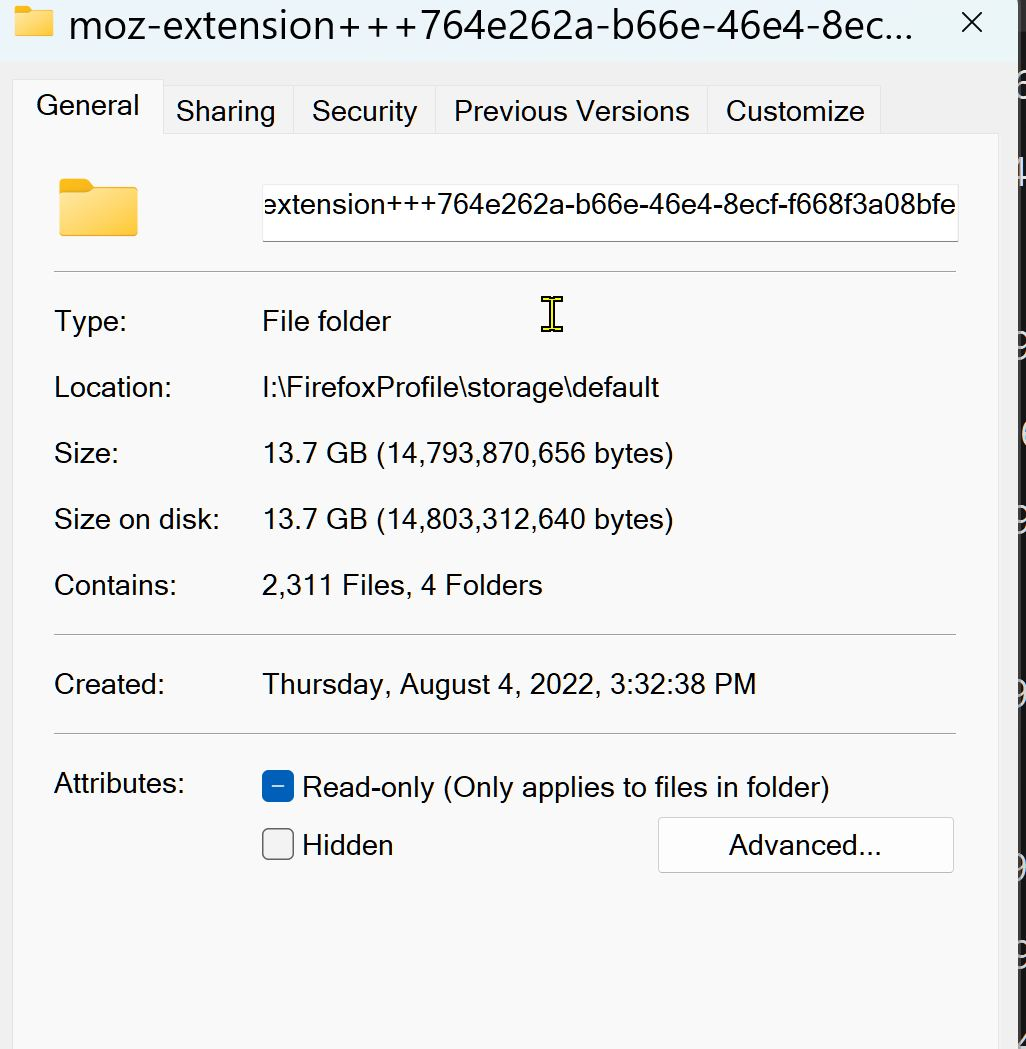
Hi, I'm using firefox 158.0.1 (64 bit) on a windows 11 pro on an HP workstation with an 8 core intel xeon processor and 64gb of memory. The hard drive that my firefox profile is on is seemingly being slowly filled by an add-on. However, since firefox now is using a symbolic names instead of easily identifiable/meaningful names, I don't know which add-on is causing the issue. My understanding is that Firefox developers did this to help obfuscate web sites from determining what add-ons might processing their site's pages when a user accesses their website.. What I have found is that the following directory in my firefox profile storage directory {FirefoxProfile\storage\default} has a sub-directory named {moz-extension+++764e262a-b66e-46e4-8ecf-f668f3a08bfe} that has grown to over 13GB! Further, I've noticed that that logical drive is getting accessed a lot, and this likely explains it My question is how to determine which add-on is writing to the sub-directory {moz-extension+++764e262a-b66e-46e4-8ecf-f668f3a08bfe}. I really don't want to do a full reset of firefox as I have lots of tabs open for various reasons, and don't want to lose site cookies (not trackers) that keep me logged into various websites. So if someone can help me find a cross-reference of "764e262a-b66e-46e4-8ecf-f668f3a08bfe" to it's actual extension name, I can clobber that particular extension without having to do the full reset. I assume somewhere in Firefox's data files there has to be a cross-reference from this mapped name to the actual add-on. Thanks for the help, Philip
Приложенные скриншоты

Все ответы (1)

You should be able to determine it on the about:support page.

Задать вопрос

Для ответа на сообщения вы должны войти в свою учётную запись. Пожалуйста, задайте новый вопрос, если у вас ещё нет учётной записи.