


Strange space above side bar since 157.0 / still in 158.0!

Hi everyone!
I am using the add on 'sidebery' for vertical tabs.
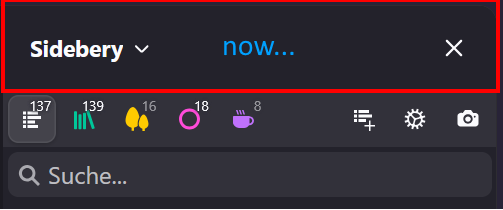
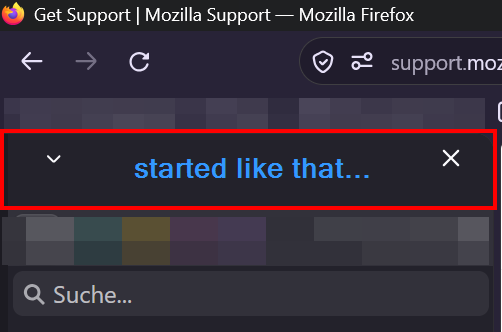
Recently I updated to FF 157.0 and saw this annoying part in the sidebar (as seen in the image attached "started like that...")!
I didn't ask for taking up THAT much space in the sidebar area that could fit almost TWO vertical tabs in it! Can you (or I?) somehow make it go away completely?
The userChrome.css 'trick' with sidebar-header #sidebar-box {
display: none !important;
} didn't do it.
...
So...Fast forward and another update took place (158.0) and looking at the attached image ("now...").
That space needs to be GONE for good.
Like it was before. And not with a label tacked on top. :)
Can you make go away?
Cheers!
Изменено hz27kzd99x
Все ответы (4)
Please address this error and don't ignore it. Thank you.
Hi, two questions:
(1) It looks like you disabled the newer style sidebar (the one with the vertical button/launcher bar ) and are using the classic one. (In other words, in about:config, sidebar.revamp => false.)
Is that right?
(2) Do you notice the same excess spacing problem with built-in sidebars like Bookmarks and History, or only add-on sidebars?
I agree this is not a good approach, it's more likely to require some adjustments to margins or padding:
hz27kzd99x said
The userChrome.css 'trick' with
sidebar-header #sidebar-box {
   display: none !important;
}
didn't do it.
I think if this is standard for the Nova visual refresh, you'll need a new rule. If you don't find one here, try the r/FirefoxCSS subreddit (https://www.reddit.com/r/FirefoxCSS/).
Hi, thank you! :)
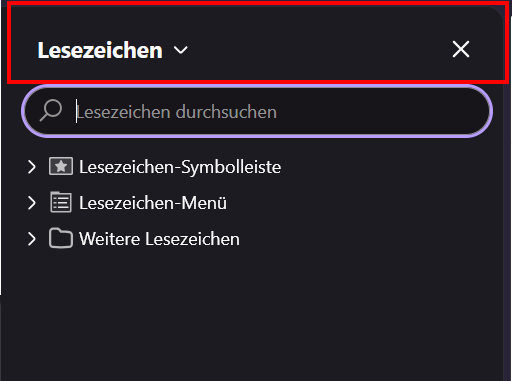
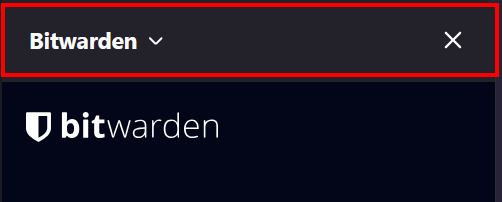
(1) no, unfortunately sidebar.revamp is set to true (2) yes, I do. :( please see screenshots attached.
Thank you very much for the hint with the FirefoxCSS subreddit! Will check that out! :)

Do you want to try something like this in your userChrome.css file?
  /* Remove excess space above and below sidebar name */
  #sidebar-panel-header {
    padding-block: 0 !important;
  }
  #sidebar-panel-header > h4 {
    margin-block: 0 !important;
  }
  /* Remove excess space above and below sidebar search box */
  #sidebar-search-container {
    padding-block: 0 !important;
  }