


Windows Extension Management policy - unexpected behaviour

Hi
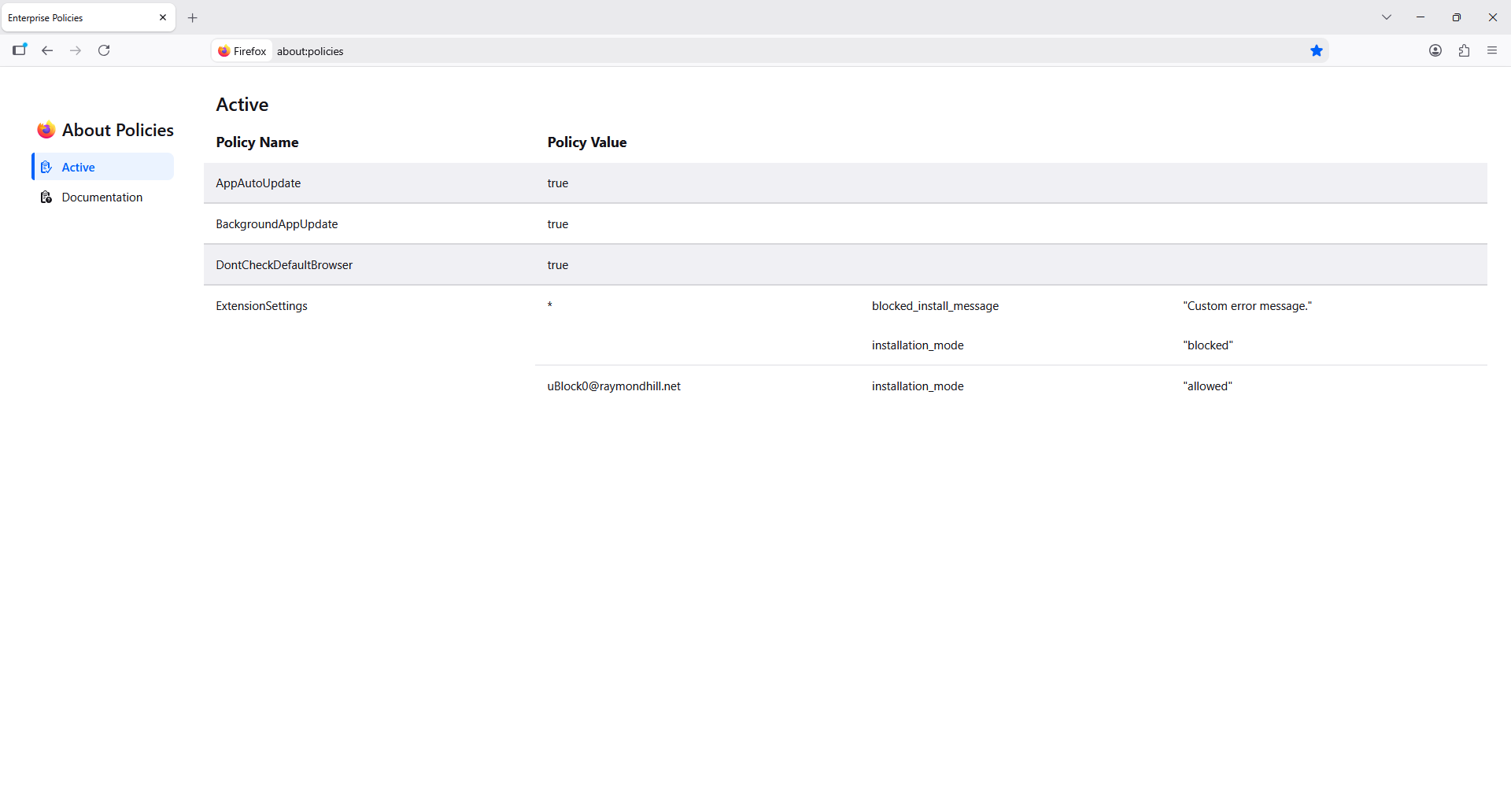
We are managing Firefox settings using Intune and successfully imported the Mozilla/Firefox ADMX files. A few settings are working as expected on a test device, though we're encountering issues with the Extension Management policy.
We followed this documentation to set up the extension management json: https://firefox-admin-docs.mozilla.org/reference/policies/extensionsettings/. I can see the policy is loaded into Firefox, though I am unable to add uBlock Origin, which should be allowed. All extensions are blocked, and the custom error message does not appear either, but instead "Download failed. Please check your connection."
I've tried a few variations with mixed success, but I haven't been able to get "allowed" extensions to work. Force installed extensions seem to work just fine.
Here's a minimal policies.json that demonstrates the issue:
{
   "*": {
       "blocked_install_message": "Custom error message.",
       "installation_mode": "blocked"
   },
   "uBlock0@raymondhill.net": {
       "installation_mode": "allowed"
   }
}
Is there something I'm missing? The test device is running Firefox 156.0.1 64-bit, firefox.admx 8.3, mozilla.admx 4.8. Any help or suggestions would be greatly appreciated! Thanks.
Все ответы (2)

Выбранное решение
Where are you installing uBlock origin from?
I just added your ExtensionSettings and was able to install it from here:
https://addons.mozilla.org/en-US/firefox/addon/ublock-origin/
What is the exact error?
Mike Kaply said
Where are you installing uBlock origin from? I just added your ExtensionSettings and was able to install it from here: https://addons.mozilla.org/en-US/firefox/addon/ublock-origin/ What is the exact error?
Thanks Mike for looking into this. I was installing from that URL as well, though since it worked for you I reinstalled Firefox and ran a refresh, and since then I can install the addon. I'm guessing I broke something along the way when testing.
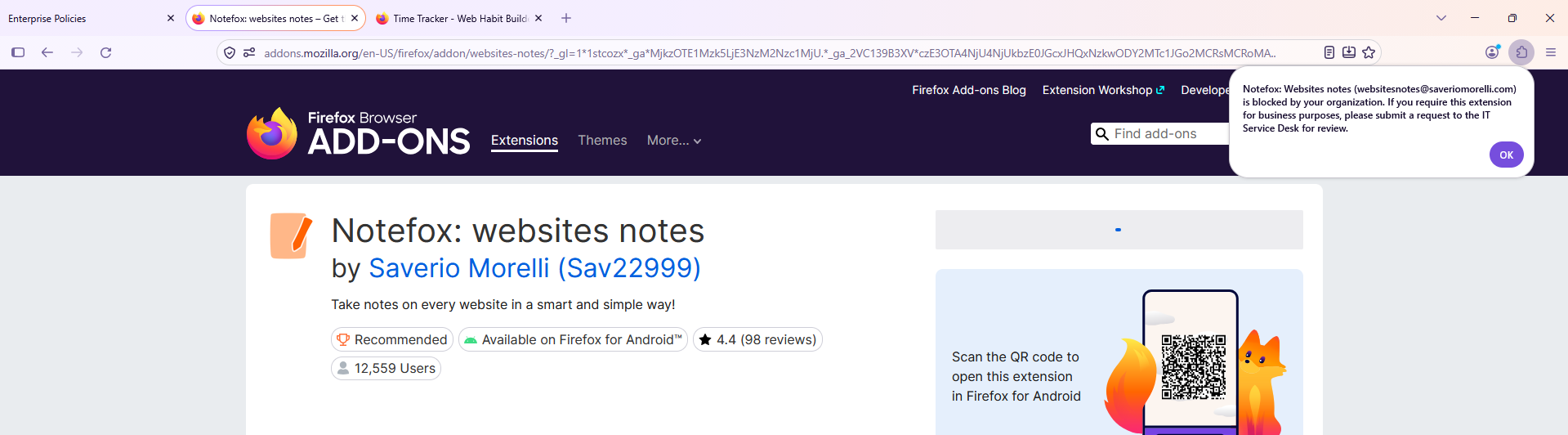
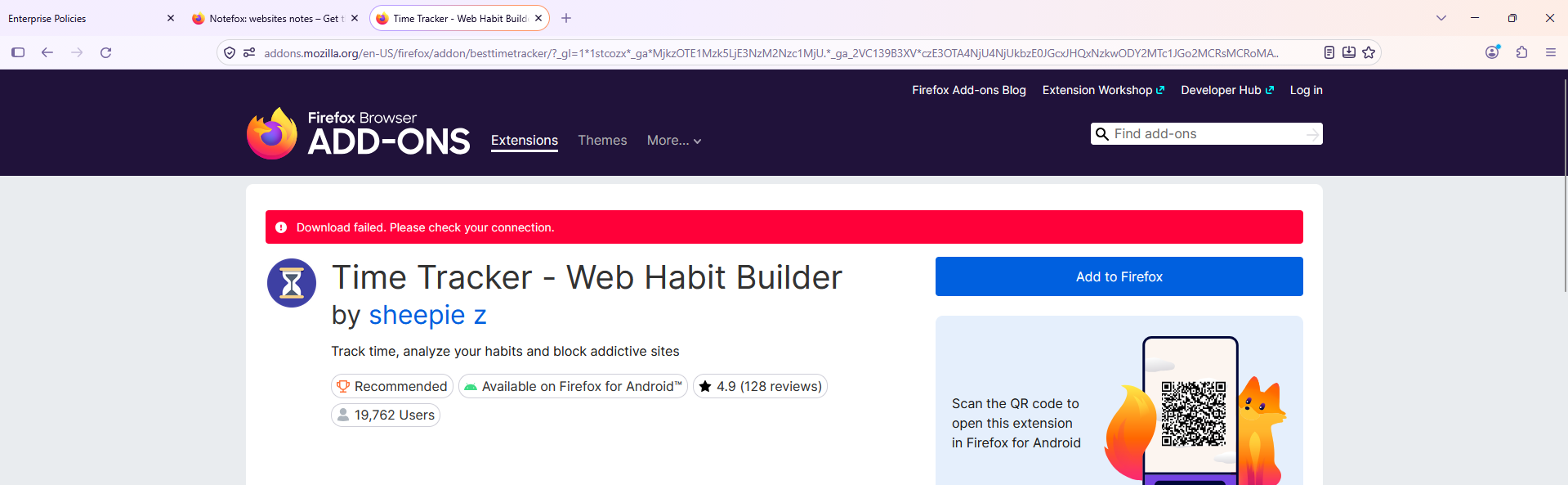
I have noticed that some extensions are blocked with the "<Extension> is blocked by your organization." message, which is great, and some still throw the "Download failed. Please check your connection." message. This is not a big deal for us, though would you happen to know if there's a way to consistently get that org message? I can reproduce this issue with these extensions for example:
https://addons.mozilla.org/en-US/firefox/addon/websites-notes/ --> This one shows our custom message. https://addons.mozilla.org/en-US/firefox/addon/besttimetracker/ --> This one shows the download failed message.
Hopefully not just another me issue!
Edit: After resetting cache and doing another refresh, everything is working completely fine.
Изменено Adam