


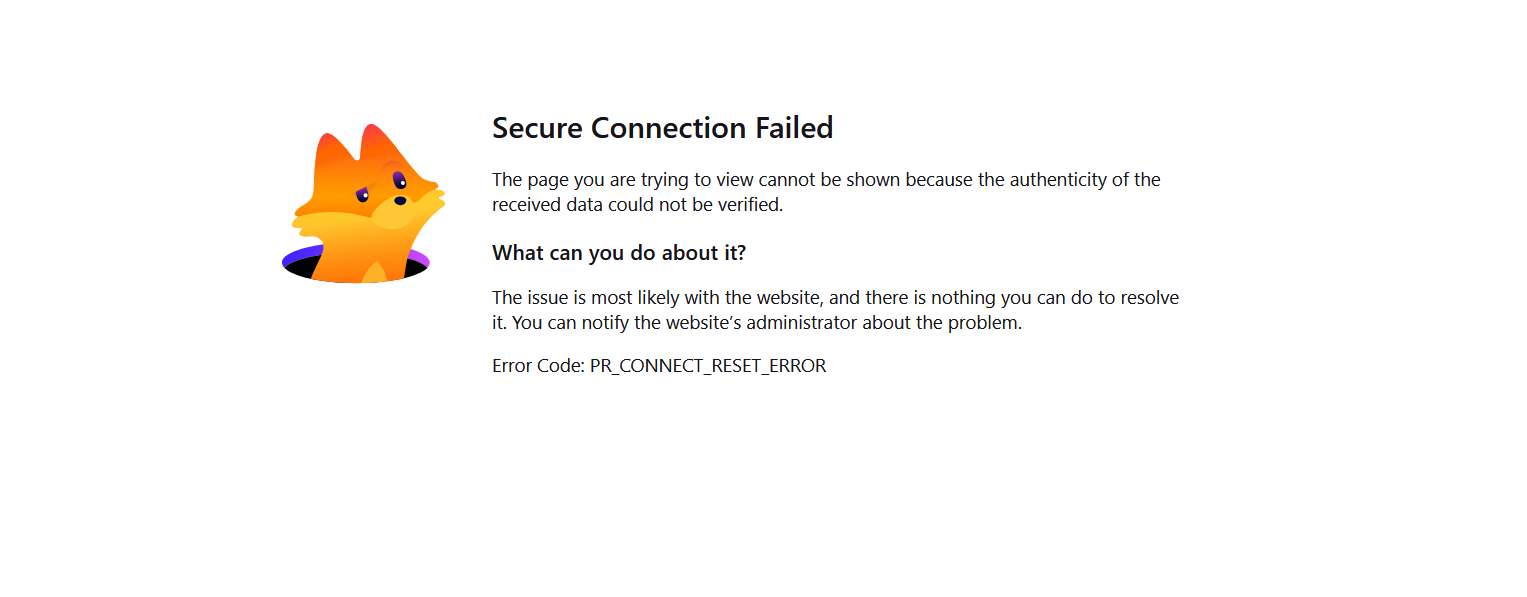
I am getting a secure connection failed error message

I have started receiving a secure connection failed error message for a portal log-in website that worked fine for the past 6-7 months (see attached document). Other people in my group use Firefox and Bitdefender to access the portal and none of them are having this issue.
I originally believed the problem to be my anti-virus (Bitdefender) and worked with them to resolve the problems. After trying various solutions including clearing my cache, using private mode and turning off different components of their software, Bitdefender believes the problem is with my browser setting and not their software. I also tried accessing the portal using Chrome in both regular and incognito modes and cannot access the site which would seem to rule out the problem being a Firefox browser problem but contacting Firefox support seems to be the next logical step.
I have been to the Firefox FAQ and saw similar problems with potential solutions - DNS over HTTPS, TLSKEYLOGGING issues, add-on exceptions - none of which worked. I have the most recent version of Firefox and am running Windows 11 home version.
Sometimes if I hit refresh after receiving the error message, the browser will try to connect and I will get a server time out message. If I keep hitting "try again", sometimes the portal log-in screen will appear and allow me to log-in. The key word is "sometimes" since often I just keep getting the server time out message.
Any ideas for me to try from this forum?
Все ответы (10)
Hi Gary
This support article should help:
https://support.mozilla.org/en-US/kb/secure-connection-failed-firefox-did-not-connect
Hi Paul,
Thank you for responding. I have seen this support article and have tried some of the solutions but often, the navigation instructions do not match with my firefox screen so it is unclear to me what to do next.
For example, I do not get the "Go Back" or "Advanced" buttons shown in the screenshots at the beginning of the article. I also tried to change the proxy settings as defined in #4 but when I go to advanced settings, there is no proxy setting option shown. I assume this means I am not using a proxy?
Very frustrating to say the least.
Any ideas for me to try from this forum?
Unfortunately this error simply means you can't connect. (Ignore the "secure", just no connection at all.)
Are you sure the site you're trying to connect to still exists? Quoting from the above:
I also tried accessing the portal using Chrome in both regular and incognito modes and cannot access the site which would seem to rule out the problem being a Firefox browser problem but contacting Firefox support seems to be the next logical step.
If you can't access the site at all, from any browser, there's not much Firefox support can do for you — perhaps just recommending to get in touch with the site operator, or, if you can connect e.g. from a mobile device or other network, liaising with your internet provider why you can't reach the host.
Hi JBR,
Yes, the site exists. It is part of the University of California Master Gardener Extension Program. There are probably 100 or so people routinely using the portal.
Thanks,
Gary
Is the address to at least some part of the site publicly accessible, so that you can post the link here?
Are there sections of the site that actually work for you? (e.g. the department, or uc location that still opens, and then you hit a sub–site where you can't reach the pages any longer?)
This is the portal log-in page: https://my.ucanr.edu/portal/login/universallogin.cfm
On those occasions when I can get to this site, when I try to navigate to other links such as tracking volunteer hours, I get process starts all over again with the secure connection failed screen appearing.
That whole service, apparently hosted on–site in Davis, doesn't seem to be working or performing well. I could not connect using any browser from any location, unfortunately. You might need to liaise with their IT service desk if that's deliberate, or an outage or service degradation of sorts.
I am in contact with a volunteer IT person who believes it is a certificate problem but cannot explain why I am the only one struggling to connect. Thanks for checking into this for me.
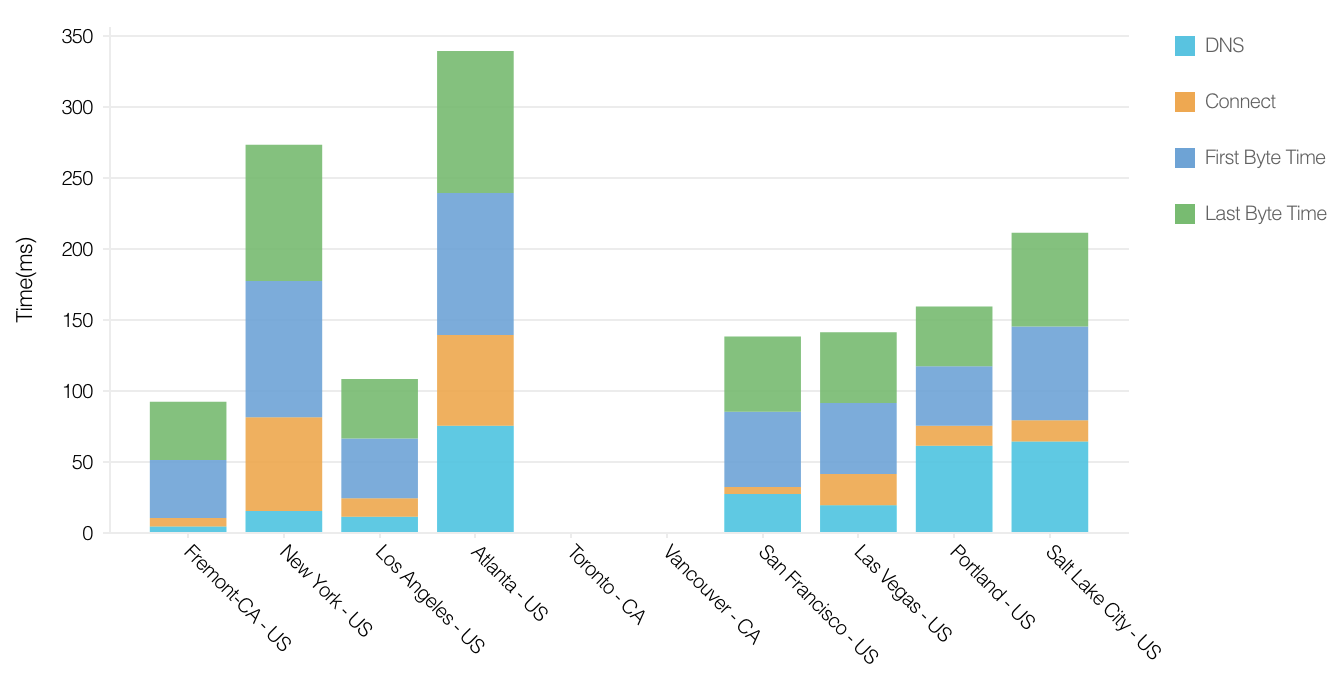
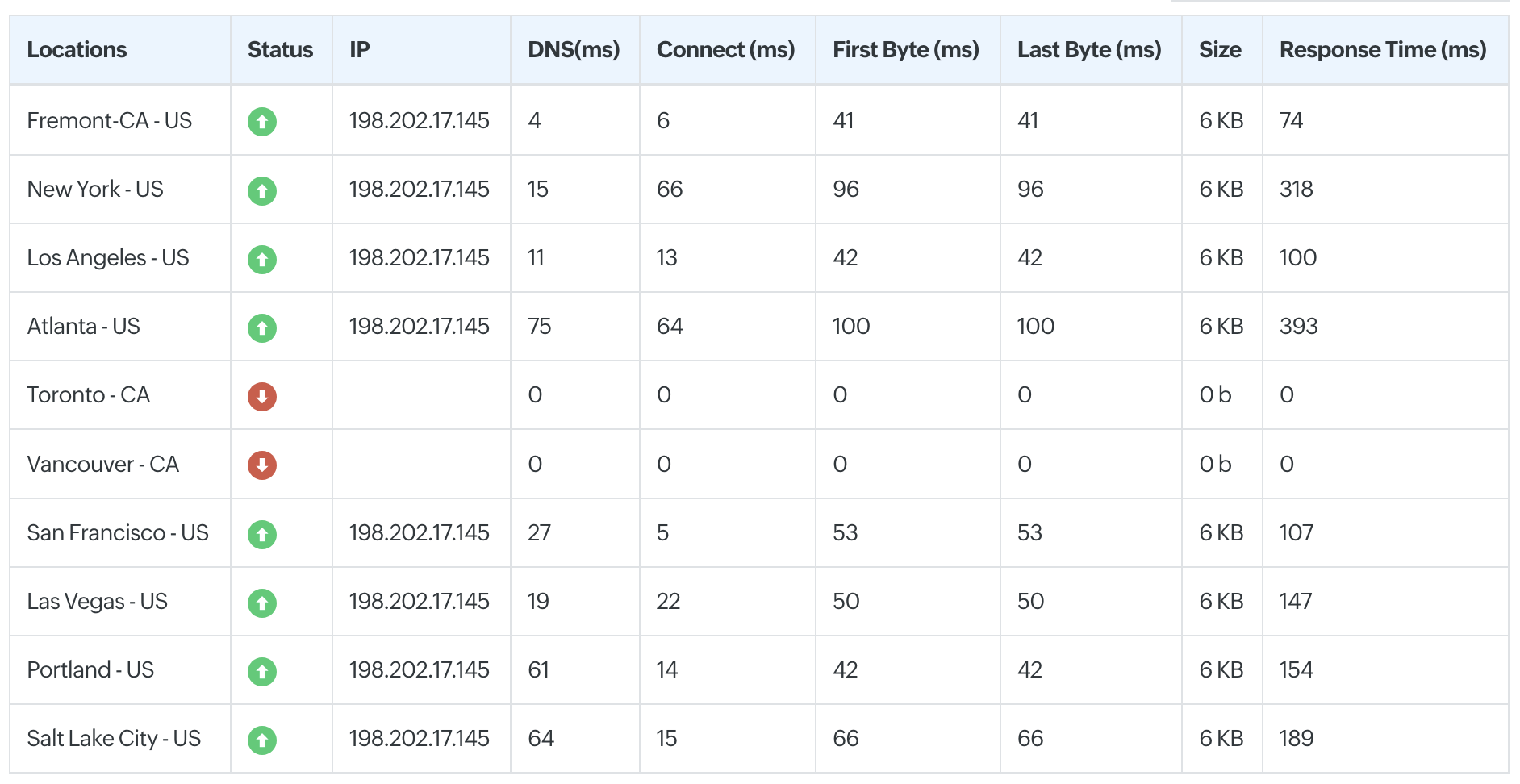
OK, today I finally can connect. It seems the service is heavily optimized to only connect locally (California and West Coast look OK, East Coast is a little sad but still should be able to connect. Cross the border and you're out of luck…) — so make sure you're not using a connection (like a VPN) that would route you through anything that's not local to you and/or the university:
That said — if you have the built–in VPN available to you in Firefox, try turning that on and either leaving it on the fastest default, or explicitly setting it to U.S. (which might route you through some central location that might get slower responses from UC, but should still work).