


Reopen/remove a group tab
Hi, firefox: 153.0 Yesterday evening I put 3 tabs in a "group tab" I decided to call "ARS".
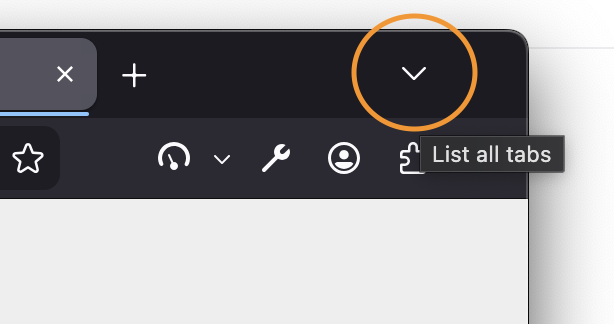
This morning I don't see how I can re-open this group tab. Many topics speak about a button "list all tabs". That button doesn't appear in my firefox (even when I have 50 tabs open). I tried the "customize" menu of firefox and "got back to factory setting", but it is still not there.
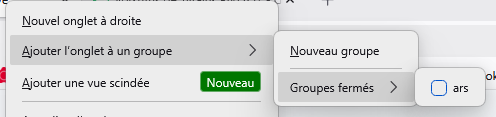
When I go to the contextual menu of a tab, I see that I can add it to a new container or the "closed group tab - ARS". When I do so for a tab, it closes. (I'm not sure it's normal.)
At this point, I really just want to remove the tab group (because I already re-opened the tabs... it took 5s, fixing the problem is now entering the 20'...) but I don't see how I can do it. It appears nowhere. I even "deactivated the group tab" feature and then reactivated it... the "ARS" group tab still appears in the "closed group tabs" submenu.
Thank you for the information.
Выбранное решение
1.) It would be interesting to see if the button's there if you restart into Troubleshoot Mode (from Help menu) or create a new testing profile to check how comes it's missing.
2.) I'm under the impression some of the next versions plan to ship different entry points into the whole functionality to surface it better / more natural in the usual surfaces.
(Yes, moving a tab to a closed tab group adds it there without reopening the group, so for you, yes, effectively hides it.)
3.) If you want to disable the functionality browser.tabs.groups.enabled is probably the pref you're looking for in Configuration Editor for Firefox
Все ответы (6)
You're looking for this toolbar button: (GIF recording included)
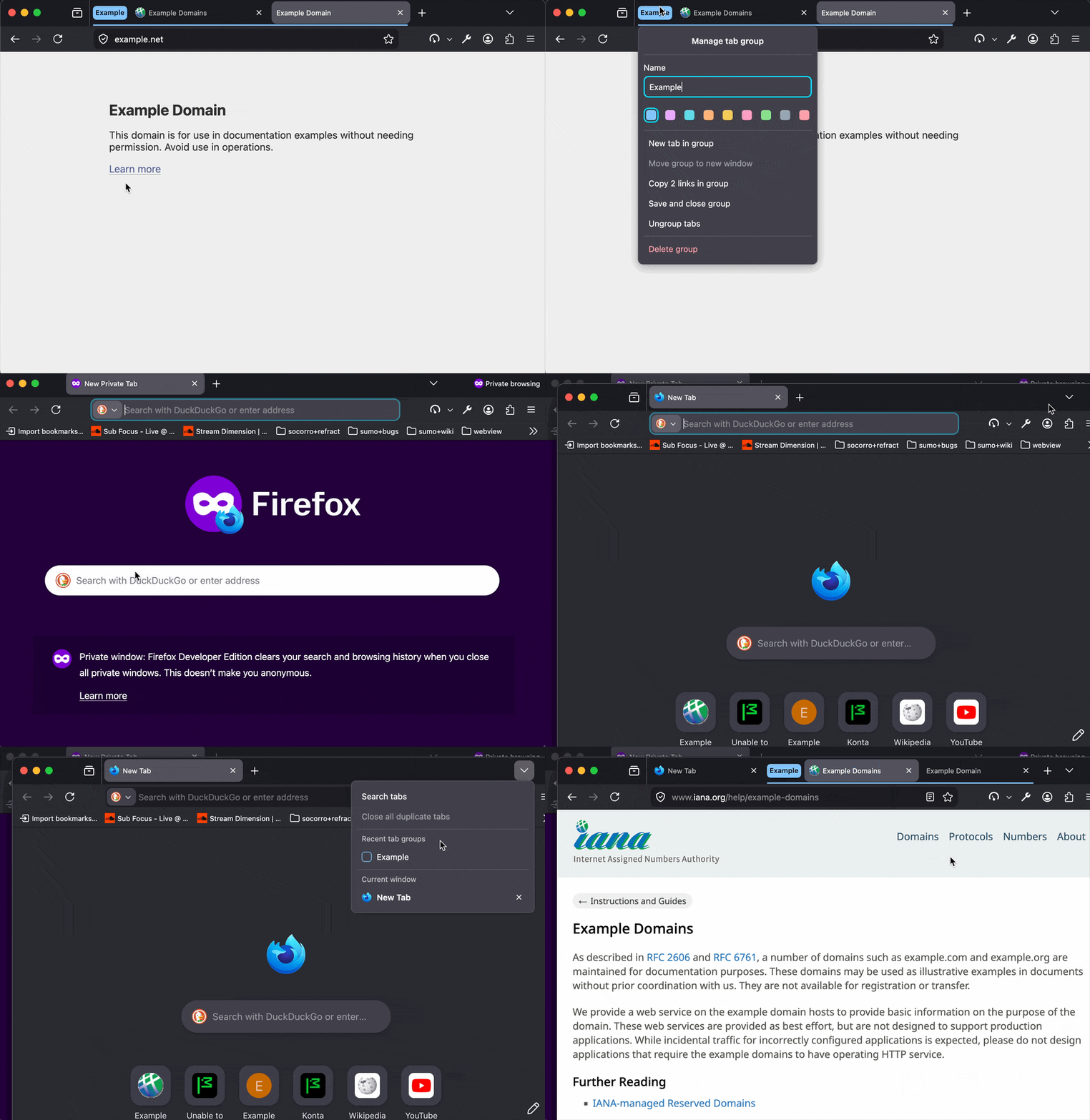
Yes and it is not there at all. Nor in the "customize toolbar" where there are a lot of past-able icons in the menus of firefox".
Выбранное решение
1.) It would be interesting to see if the button's there if you restart into Troubleshoot Mode (from Help menu) or create a new testing profile to check how comes it's missing.
2.) I'm under the impression some of the next versions plan to ship different entry points into the whole functionality to surface it better / more natural in the usual surfaces.
(Yes, moving a tab to a closed tab group adds it there without reopening the group, so for you, yes, effectively hides it.)
3.) If you want to disable the functionality browser.tabs.groups.enabled is probably the pref you're looking for in Configuration Editor for Firefox
In troubleshooting mode, it appeared. I could remove and reopen group of tabs. I noticed how it appears in the "customize firefox" menu and will try to see if I see it too in "normal" mode of firefox. At least my issue is resolved and I hope in next versions, that feature will have more than 1 entry point as you said.
Edit: in "normal" mode, I have not that option in my "customise firefox". In about:config, the variable you gave is well on "true". I don't know nor understand why the option doesn't appear anymore in normal mode.
Изменено Mic

Recent Tab Groups is not appearing for me either in Troubleshooting Mode or when I create a new one in a New Profile. I see a "New Container Tab" - is this meant to replace Tab Groups in some way?
I'm using Firefox 153.0 (64-bit) on Fedora
@scondon1 Perhaps something as bugzilla.mozilla.org/1985710 …? Either if you can add to that bug, or open a new question of your own here to help understand if it's just e.g. UI issue vs. data missing, or if the whole feature is getting disabled somehow. (No, containers have different functionality, and are not meant to replace tab groups. There is an ongoing experiment with simplifying/reorganizing context menus though, so things are moving around slightly, but for the better I'd say.)