


Firefox Color forcing dark mode

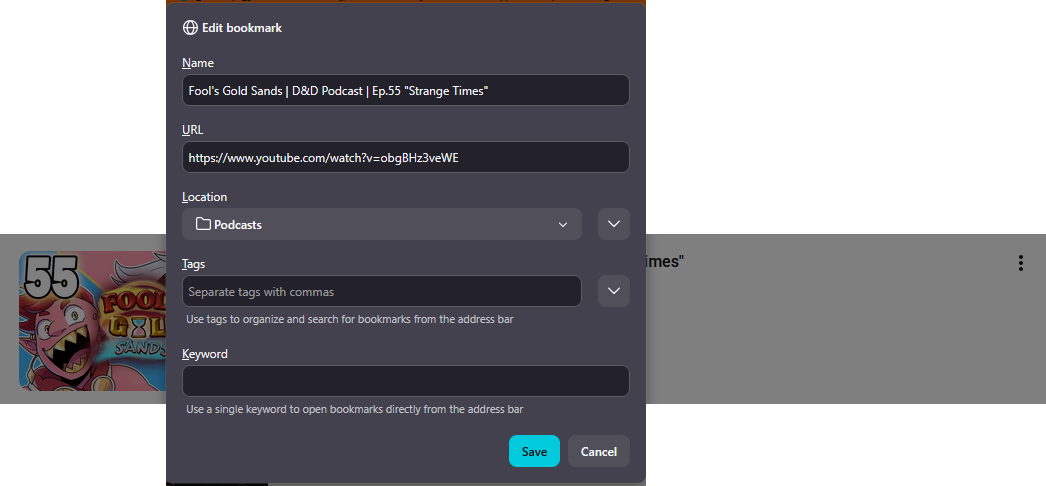
The Firefox Color extension (which says "Official extension built by Mozilla.") has made it so that when I right click a link and select bookmark link, the menu for choosing which folder to place the bookmark is forced to be dark mode. Due to how few sites I use dark mode on, this sudden reversal of colors makes it hard to read. I tried changing every setting to blue but none of them seemed to effect it. I couldn't find anywhere on the extension page to ask about this without leaving a review so I found my way here. How do I fix this, and if I can't, when is it going to be fixed?
Выбранное решение
I figured out the problem. If your background color is considered too dark then the extension will force dark mode, but that threshold sets 2/3 of color selector to dark. I had to make my background color move two pixels upward on the selector to restore light mode.
Прочитайте этот ответ в контексте 👍 0Все ответы (2)
Hello,
Here is how to override the theme to light : 1. Type about:config in the address bar. 2. Accept the risk 3. Search for layout.css.prefers-color-scheme.content-override, and change the value to given : 0 = Force Dark 1 = Force Light 2 = Follow System Setting 3 = Follow Browser theme (most likely the issue) After that, restart Firefox.
Also, If there are other extensions installed that affect the theme, you can also check those to see if it is set to dark mode.
Lastly, you can also explicitly enable the light theme in the extension if needed.
Выбранное решение
I figured out the problem. If your background color is considered too dark then the extension will force dark mode, but that threshold sets 2/3 of color selector to dark. I had to make my background color move two pixels upward on the selector to restore light mode.