some subfolders not visible in thunderbird 140.10

I am using Thunderbird on a Macbook Pro 13-inch mid-2012, in a POP3 account
Thunderbird 140.10 is generally running fine, except that some sub-folders are not visible in my Thunderbird email tool view. I have a hierarchical
I have tried repairing the parent folders, but that had no effect.
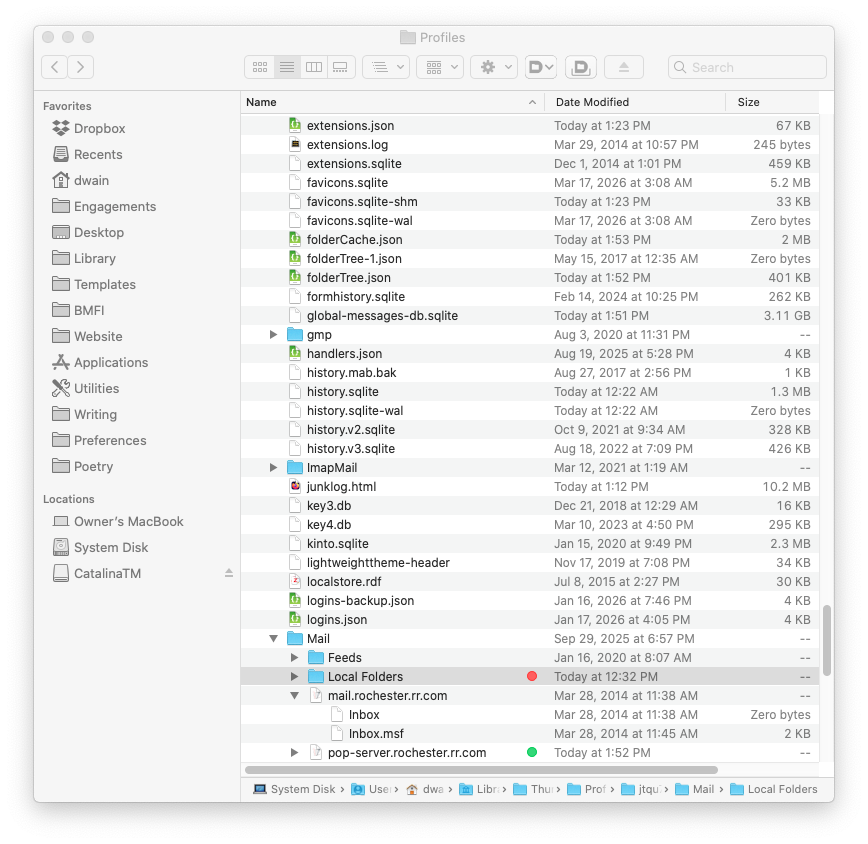
The corresponding .sbd files are clearly visible in ~/<user>/Library>/<profile>/Mail/Local Folders/pop-server.<account> and being backed up in Time Machine backups.
Curiously, there is a much-truncated replica of some .sbd folders in Local Folders named /<folder-name>.sbd, all dated in 2013, yet the folder was created in 2017. I presume these refer to an update of Thunderbird that left some trash, and of no consequence. These are parallel to Archives and Archives.msf files.
Please advise on how to disambiguate this structure and recover views of existing mail folders not being displayed.
Все ответы (3)
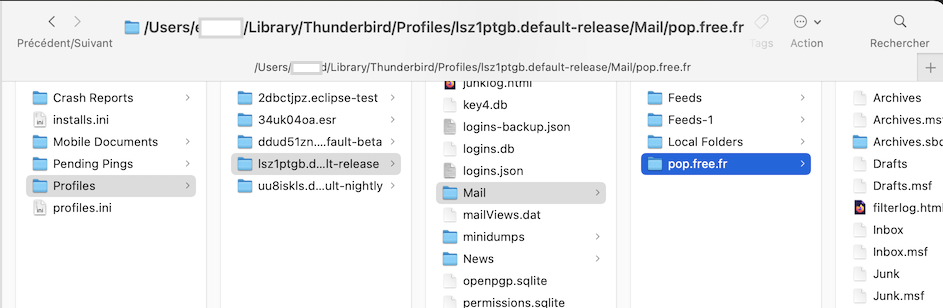
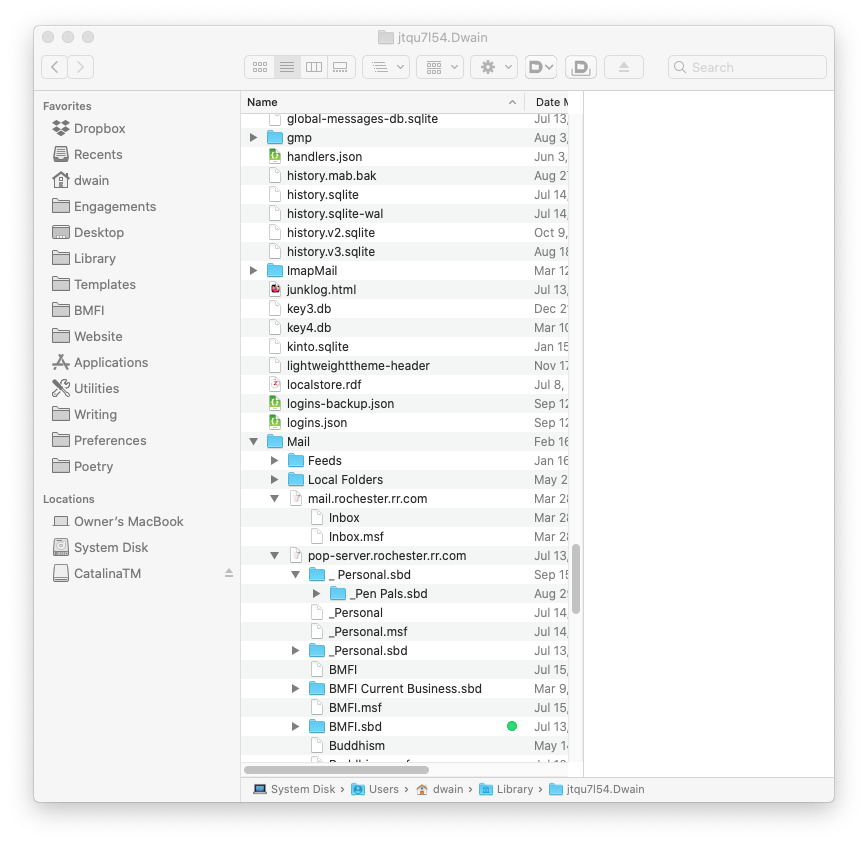
Your first screen shot shows the contents of a POP account folder in the jtqu7154.Dwain profile folder in the correct default location ..../Users/Dwain/Library/Thunderbird/Profiles/jtqu7154.Dwain/Mail/... In your second and third screen shots a profile folder having the same name jtqu7154.Dwain is located directly in ..../Users/Dwain/Library/jtqu7154.Dwain/ Thunderbird doesn't read a profile folder in your user library!
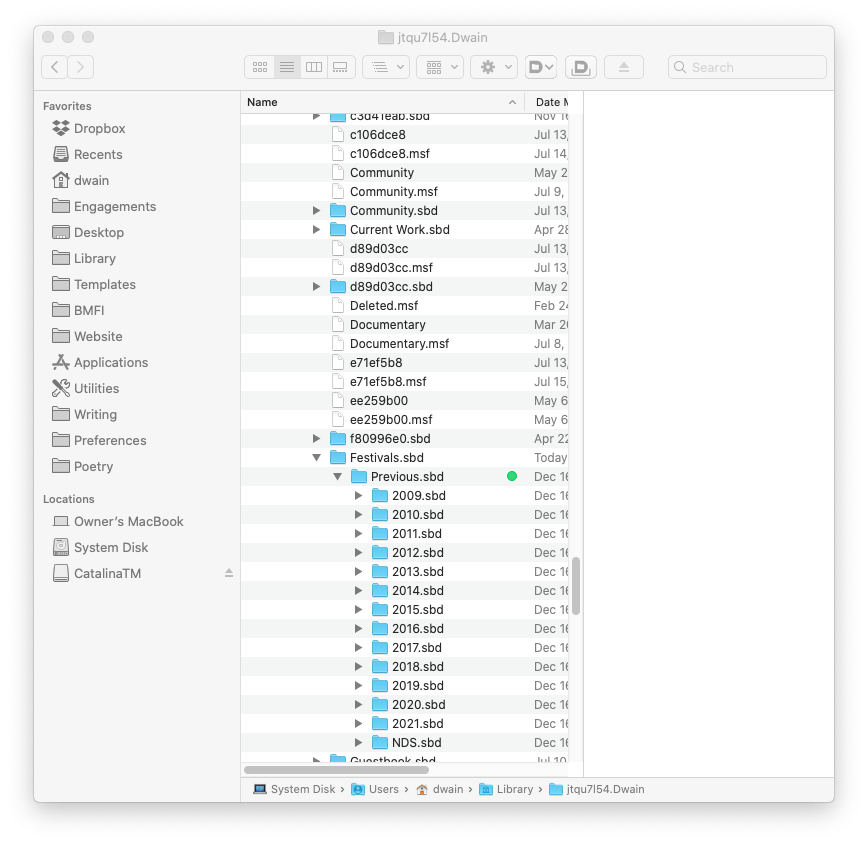
It's up to you to find out in which of the two profiles the missing subfolder files are located. Also remember that in Thunderbird a folder with subfolders is represented in the profile by a "Folder.sbd" file folder and "Folder" mailbox file having the same name, without extension. In your third screen shot several of those mailbox files are missing, e.g. Community, Current Work, Festivals, Previous, 2009, 2010, 2011, ...... etc If in the profile folder an *.sbd file folder is not "accompanied" by a mailbox file having the same name, Thunderbird won't display neither the folder nor its subfolders.
Hi Mapenzi,
Thanks. It looks like I accidentally took the screenshot in a way that collapsed the folder structure citation. I'm attaching a better view.
To repeat, the folder "Previous" and its children are not being displayed . Please let me know if this doesn't clarify the issue.
Dwain
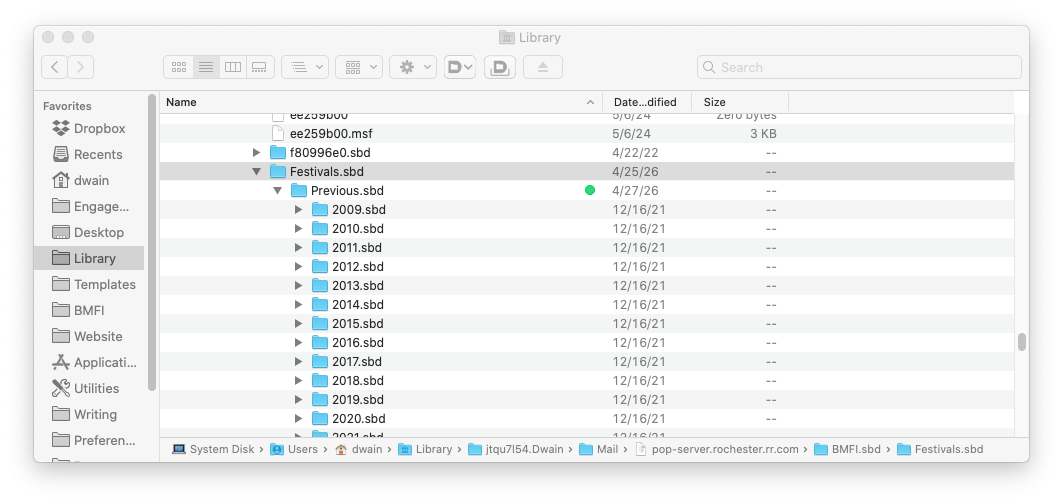
No, what you have done accidentally is to move your jtqu7154.Dwain profile folder also directly in your user library. And your new screen shot again shows contents of the "wrong" profile folder.
You have two jtqu7154.Dwain profile folders: one is present in its default location in System Disk > Users > Dwain > Library > Profiles > jtqu7154.Dwain and the second is located in Disk > Users > Dwain > Library > jtqu7154.Dwain So it's no use to show me again the contents of the same jtqu7154.Dwain profile folder which is not in the right place!
Please return to your very first screen shot and follow the path System Disk > Users > Dwain > Library > Profiles > jtqu7154.Dwain > Mail > and make a screen shot of everything beyond Mail. If possible activate the "Columns" view in your Finder since it will be easier for me verify if certain mailbox files are missing