Use "help" re mailing list and to create it says to select 'File>New but I cannot find 'File' in 'Address Book'

Trying to set up a mailing list for emails. Not sure how to set up a group that I can use to list names and emails. Went to help. Instructions said to > open address book > select file > new > mailing list. I went to address book ok but cannot find 'File' there.
Am after assistance in getting mailing list set up.
Thanks
Выбранное решение
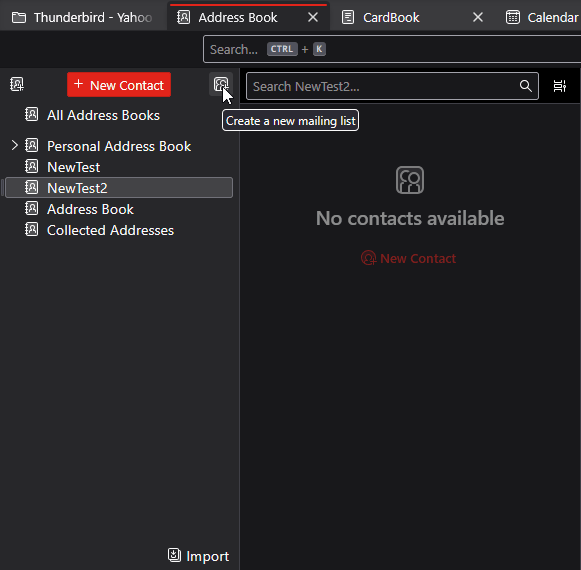
I think there are some outdated instructions floating around out there. Try this:
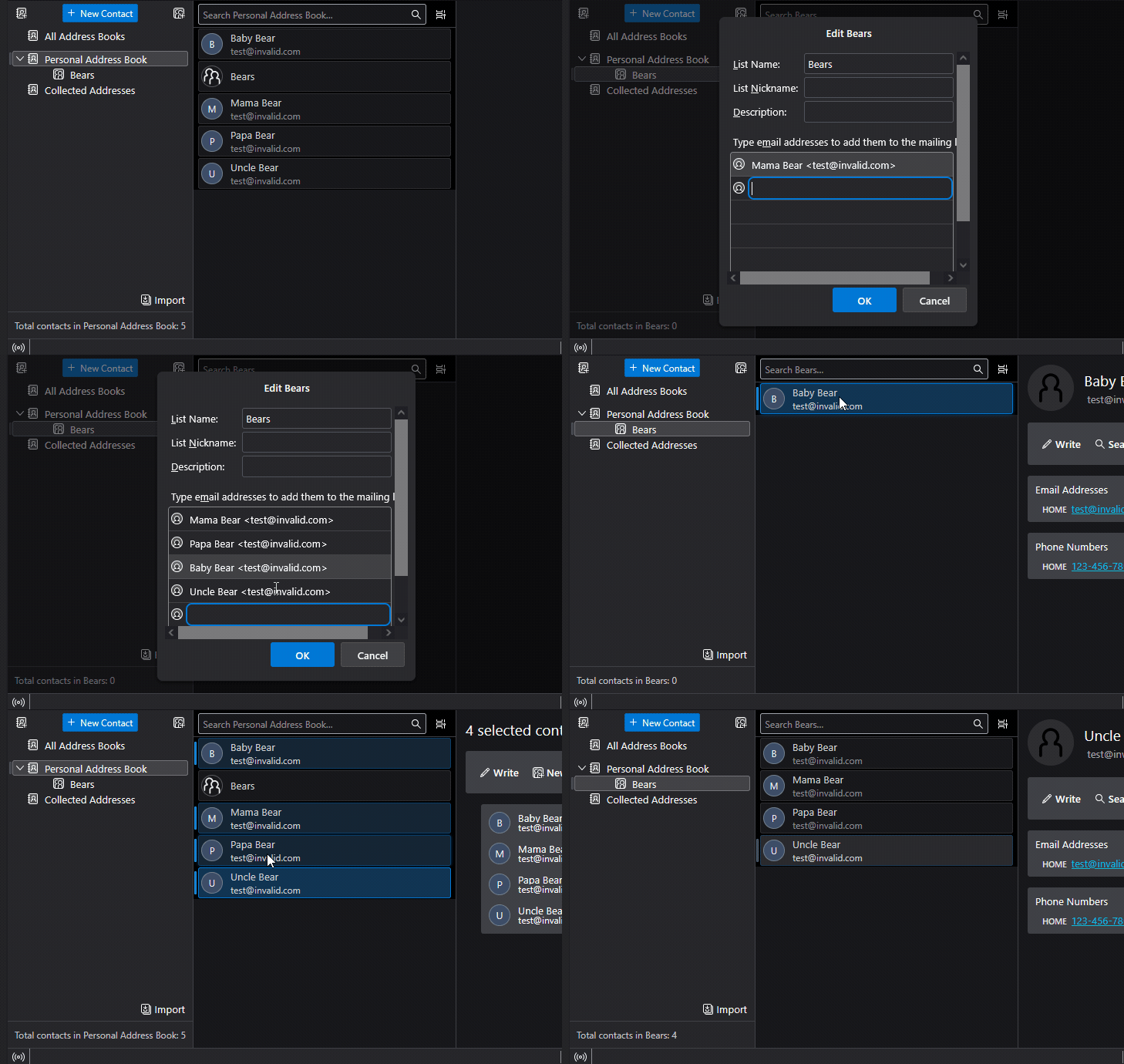
In the Address Book, click the little icon to the right of the New Contact button (see attached image.) Give the new list a name. You are supposed to be able to start typing addresses from your Address book in there, but I find it doesn't always work. What works more reliably is to confirm the Mailing list, then start drag-and-dropping entries from the Address Book onto the new Mailing List. See the attached animation.
Прочитайте этот ответ в контексте 👍 0Все ответы (2)

Выбранное решение
I think there are some outdated instructions floating around out there. Try this:
In the Address Book, click the little icon to the right of the New Contact button (see attached image.) Give the new list a name. You are supposed to be able to start typing addresses from your Address book in there, but I find it doesn't always work. What works more reliably is to confirm the Mailing list, then start drag-and-dropping entries from the Address Book onto the new Mailing List. See the attached animation.