


Windows 10 reached EOS (end of support) on October 14, 2025. If you are on Windows 10, see this article.

Поиск в поддержке

Избегайте мошенников, выдающих себя за службу поддержки. Мы никогда не попросим вас позвонить, отправить текстовое сообщение или поделиться личной информацией. Сообщайте о подозрительной активности, используя функцию «Пожаловаться».

Подробнее

Deleted Profile on MacOS, Firefox not opening

  • 2 ответа
  • 0 имеют эту проблему
  • 54 просмотра
  • Последний ответ от AliceWyman
  • Решено

MacOS 15.5

I accidentally deleted my Firefox profile not knowing its criticality. When trying to open Firefox, I receive "Profile Missing. You're Firefox profile cannot be loaded. It may be missing or inaccessible.".

1. I have uninstalled and reinstalled Firefox to no success 2. In the Library/Application Support directory, there is no Firefox or Mozilla folder 3. In the Library/Caches directory, there is no Firefox or Mozilla folder 4. I have tried opening Firefox by pressing option + click, no change in behaviour
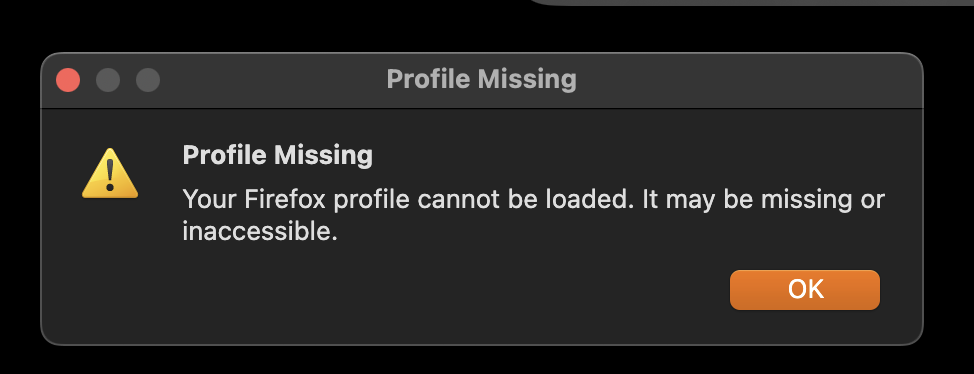
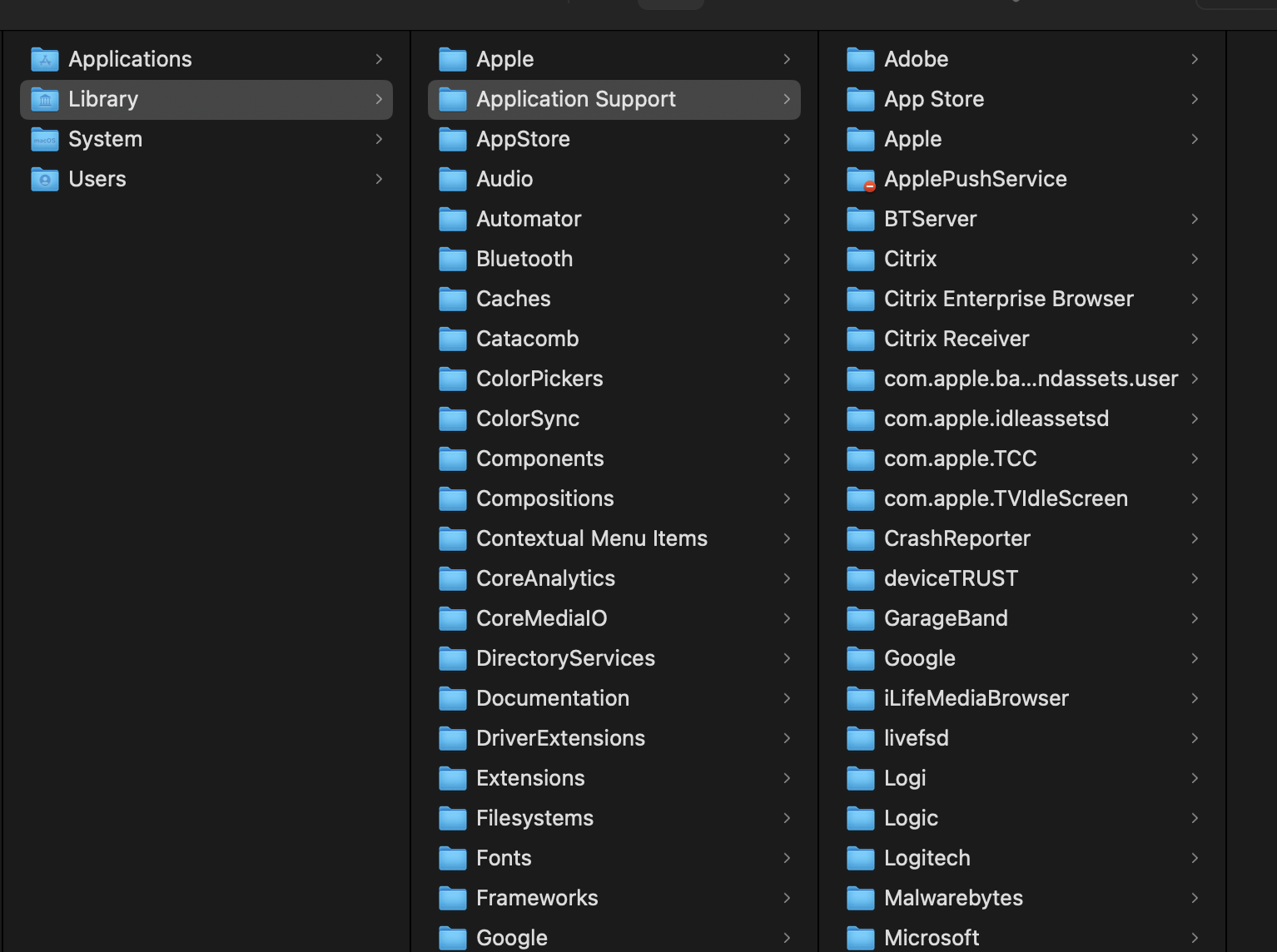
MacOS 15.5 I accidentally deleted my Firefox profile not knowing its criticality. When trying to open Firefox, I receive "Profile Missing. You're Firefox profile cannot be loaded. It may be missing or inaccessible.". 1. I have uninstalled and reinstalled Firefox to no success 2. In the Library/Application Support directory, there is no Firefox or Mozilla folder 3. In the Library/Caches directory, there is no Firefox or Mozilla folder 4. I have tried opening Firefox by pressing option + click, no change in behaviour
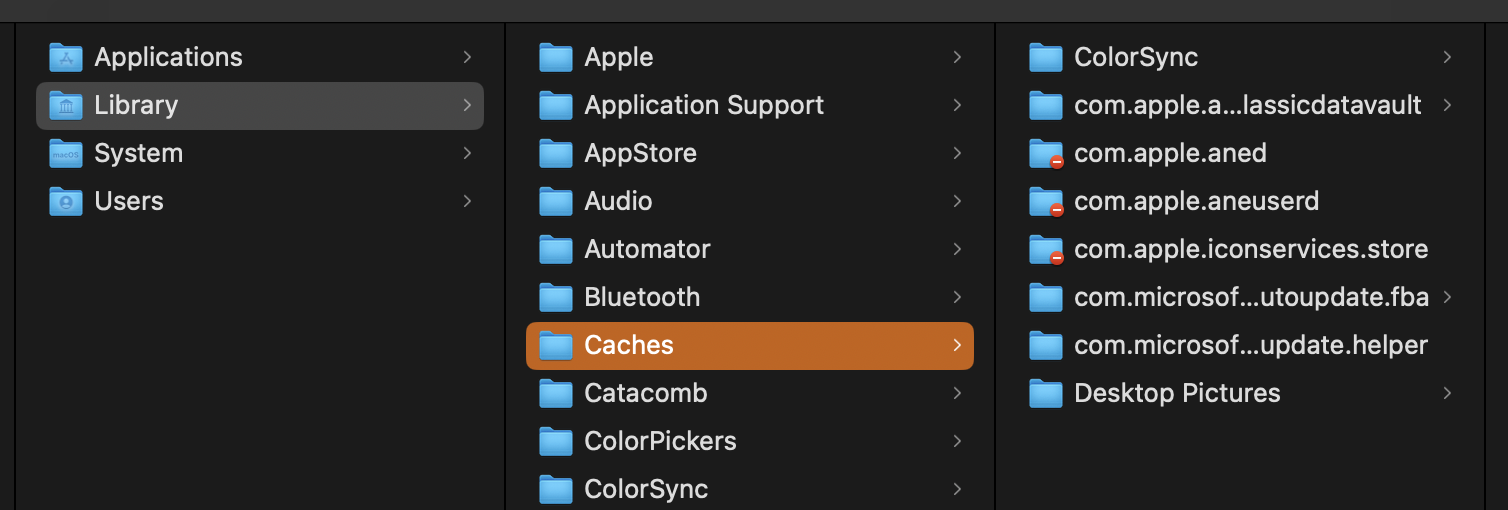
Приложенные скриншоты

Выбранное решение

P.S. on macOS there is a Library folder and a Users "~/Library" folder which contains the Firefox folder. Your screenshot is of the wrong folder. See Profiles - Where Firefox stores your bookmarks, passwords and other user data under this section:

Finding your profile without opening Firefox: 1. Click the Finder icon in the dock. On the menu bar, click the Go menu, hold down the option or alt key and select Library. A window will open containing your Library folder. 2. Open the Application Support folder, then open the Firefox folder, and then the Profiles folder. 3. Your profile folder is within this folder. If you only have one profile, its folder would have "default" in the name.

From https://support.mozilla.org/en-US/questions/1446129#answer-1650375

4/30/24, 1:08 PM Primary location used for the main profile that keeps your personal data (Root Directory on about:profiles).
  • ~/Library/Application Support/Firefox/Profiles/<profile>
In Mac OS X v10.7 and later, the "~/Library" folder in the Home directory is a hidden folder.

See also https://kb.mozillazine.org/Show_hidden_files_and_folders#Mac_OS_X

Прочитайте этот ответ в контексте 👍 0

Все ответы (2)

Выбранное решение

P.S. on macOS there is a Library folder and a Users "~/Library" folder which contains the Firefox folder. Your screenshot is of the wrong folder. See Profiles - Where Firefox stores your bookmarks, passwords and other user data under this section:

Finding your profile without opening Firefox: 1. Click the Finder icon in the dock. On the menu bar, click the Go menu, hold down the option or alt key and select Library. A window will open containing your Library folder. 2. Open the Application Support folder, then open the Firefox folder, and then the Profiles folder. 3. Your profile folder is within this folder. If you only have one profile, its folder would have "default" in the name.

From https://support.mozilla.org/en-US/questions/1446129#answer-1650375

4/30/24, 1:08 PM Primary location used for the main profile that keeps your personal data (Root Directory on about:profiles).
  • ~/Library/Application Support/Firefox/Profiles/<profile>
In Mac OS X v10.7 and later, the "~/Library" folder in the Home directory is a hidden folder.

See also https://kb.mozillazine.org/Show_hidden_files_and_folders#Mac_OS_X

Изменено AliceWyman

Задать вопрос

Для ответа на сообщения вы должны войти в свою учётную запись. Пожалуйста, задайте новый вопрос, если у вас ещё нет учётной записи.