


How to make Firefox remember my last file upload location?
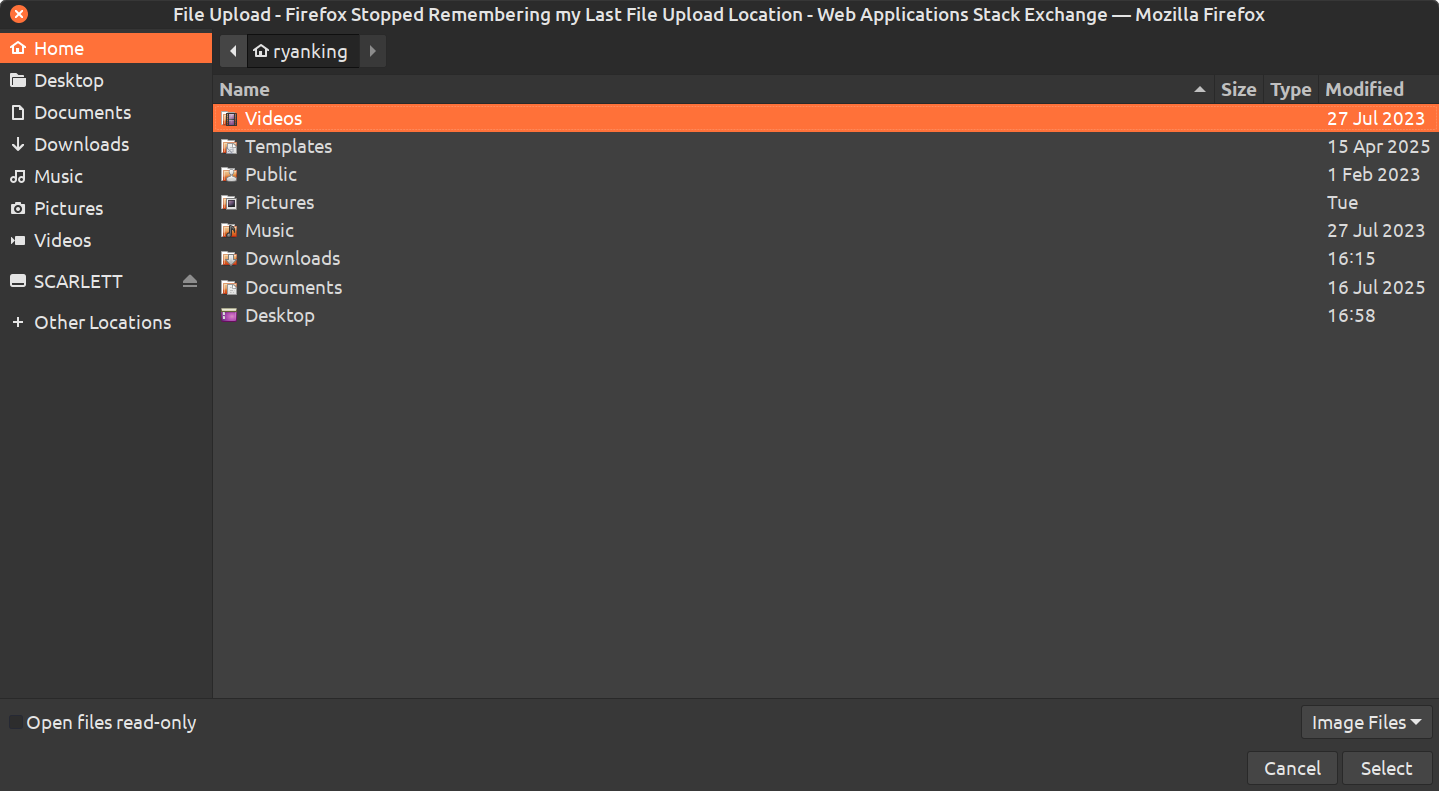
When uploading files with Firefox, I click the upload button, and the file browser window appears to upload files.
For as long as I can remember, it always defaulted to the last folder location that I uploaded a file, but just a few days ago, it stopped working, and always defaults to my home folder.
How can I make the upload window pop up, default to the last uploaded location? My OS is Linux Mint Cinnamon.
Все ответы (7)

Normally Firefox keeps track of the last folder you used for uploads, so it’s odd that it stopped working suddenly. This can sometimes happen after an update or if the profile gets slightly corrupted. A quick test with a new profile might help narrow it down.
@thomaskarker460 Thanks for your comment. I believe it happened after the most recent Firefox update. I will try making a new profile and see what happens. However, even if making a new profile fixes it, I don't want to switch profiles, because I already have tons of addons, bookmarks, and custom settings with my current profile.
Изменено Ryan King Art
@thomaskarker460 I just tried making a new profile, and it didn't fix the problem. Firefox still always defaults to my home folder.
Something else that is strange, is that my laptop works totally fine, and remembers my default upload location, even though I'm using the same Firefox account on my laptop with my settings synced with Firefox Sync. My laptop is also using the new firefox update, and its also using Linux Mint.
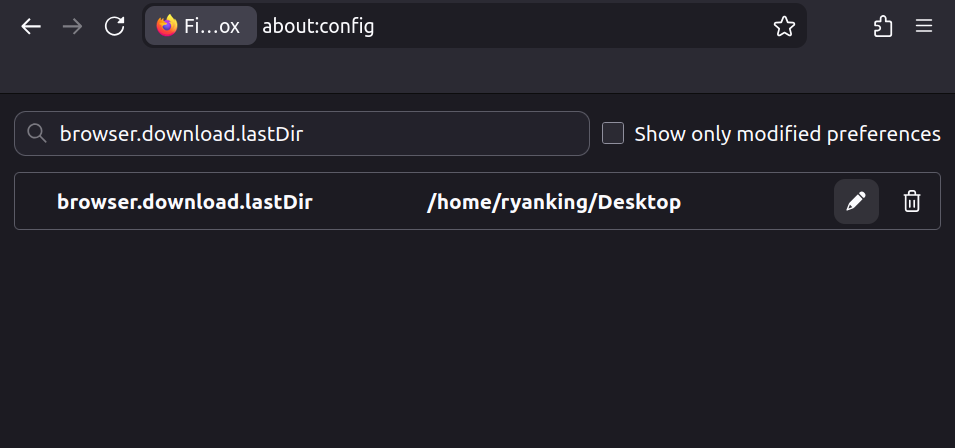
There are browser.download pref like these in about:config that store folder names.
- browser.download.dir
- browser.download.lastDir
@cor-el I went to the about:config and searched for both of those, and it shows that both of them are set to my desktop. Attached is a screenshot. Is there an option to make it remember my last location?
See also the notes in the Firefox Source Code.
@cor-el thanks for your reply. I don't know anything about coding, so I'm not sure what I'm supposed to do with that Firefox Source Code. Can you give me some steps on what to do? Thanks.