How do I stop getting update messages every five minutes?

I'll update the browser when I feel like it.
Все ответы (2)
Hello,
Before you turn off the automatic update function of Firefox please note:
Important: Turning off Firefox automatic updates is not recommended. Only the latest version of Firefox gets regular security updates and will keep you safe on the Internet.
However, if you really need to turn off the automatic update of Firefox, please follow these steps:
- Click the Firefox menu
 button at the top-right corner.
- Select the Settings menu item. The Settings tab will open.
- In the General panel, scroll down to the Firefox Updates section.
- Under Firefox Updates, select Check for updates but let you choose to install them.
- Close the Settings tab. Your new settings will be saved.
Firefox will still check whether an update is available but will offer to download and install the update. Please report back if this helped you.
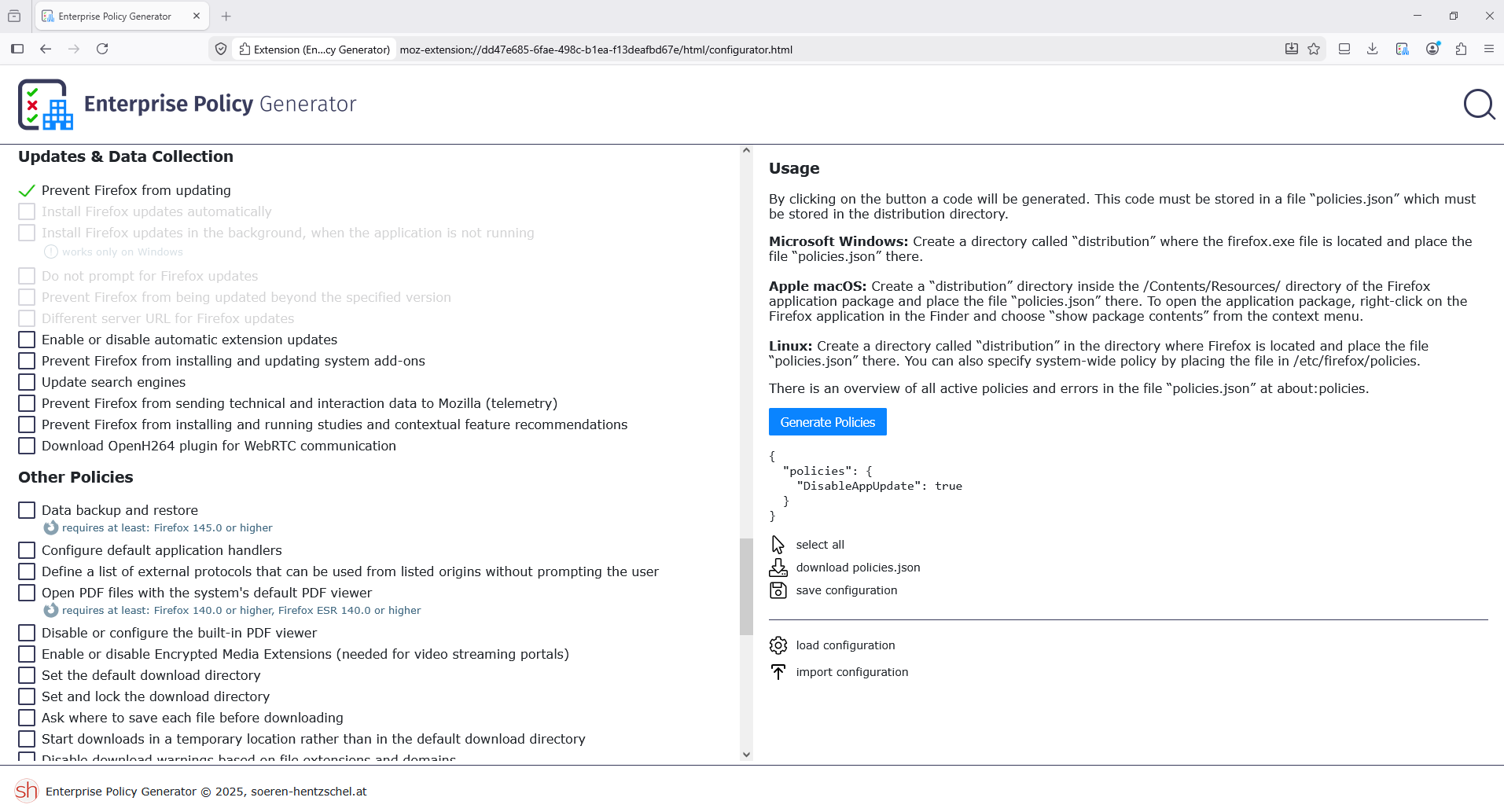
Note: Never check for updates was removed from update preferences in Firefox version 63. The only way to achieve this now is through an enterprise policy, as explained in the release notes.
Hello
For information purposes. The Enterprise Policy Generator help to create the configuration file. https://addons.mozilla.org/firefox/addon/enterprise-policy-generator
By way of illustration, DisableAppUpdate.