I can't bring back a session even though I did all of the steps to bring it back.
I think that this recent update removed all of my tabs and tab windows, it has done this before and I don't understand why, I have the old update session file still (The 11/11/2025 One) and I tried to use that one to bring the tabs back by putting the file in the sessionstore-backup folder with no other file in it, but they didn't come back. I am genuinely confused as to why it doesn't work, I have renamed and deleted sessionstore.jsonzl4 files but it still comes up as a new session.
Выбранное решение
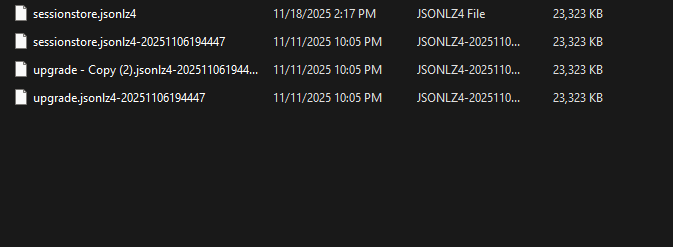
Sure. see screenshot
Прочитайте этот ответ в контексте 👍 1Все ответы (5)
Yes, it does happen a wee bit too often which is why I make a copy of the folder. see old screenshot You also see that new session log folder. Just to confirm, with Firefox closed, you are making a copy of one of the files in your sessionstore-backups folder, renaming it to sessionstore.jsonlz4, and then replacing the current one in you profile folder. Not back into the sessionstore-backups folder.
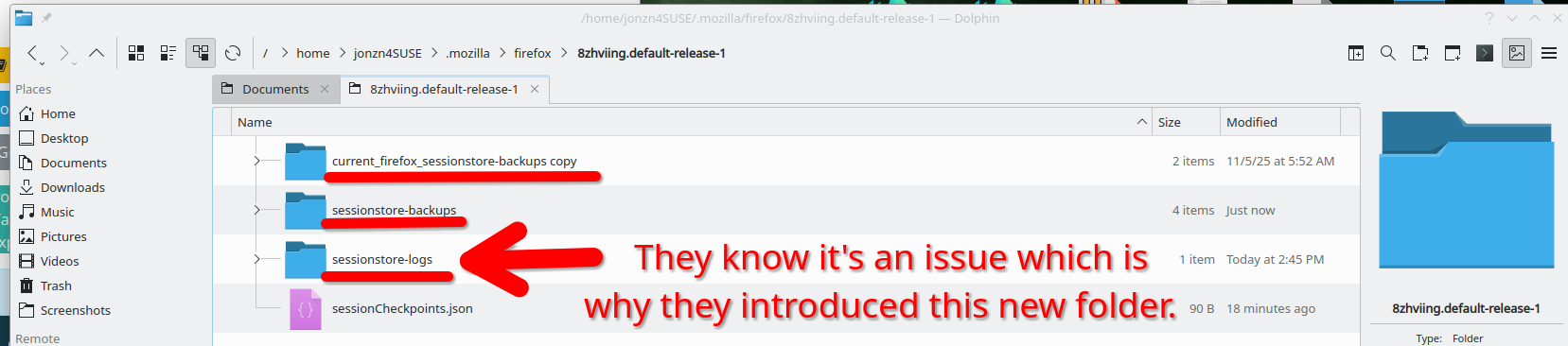
Изменено jonzn4SUSE
jonzn4SUSE said
Yes, it does happen a wee bit too often which is why I make a copy of the folder. see old screenshot You also see that new session log folder. Just to confirm, with Firefox closed, you are making a copy of one of the files in your sessionstore-backups folder, renaming it to sessionstore.jsonlz4, and then replacing the current one in you profile folder. Not back into the sessionstore-backups folder.
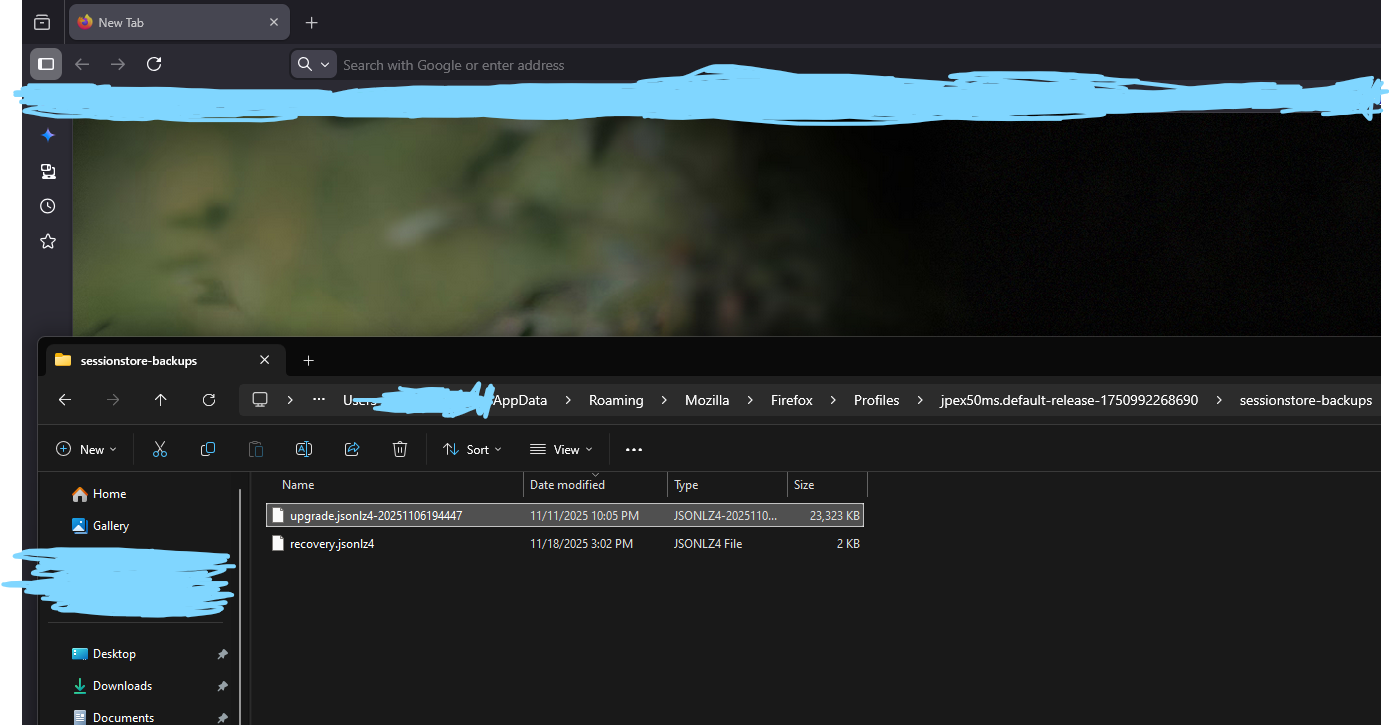
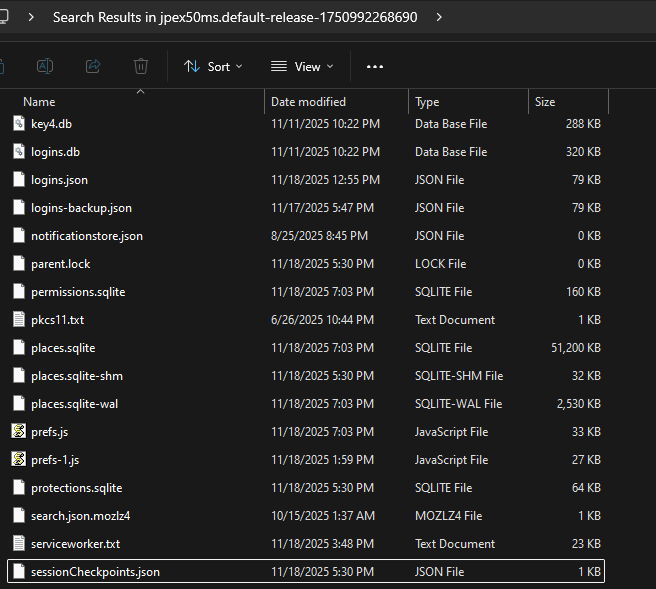
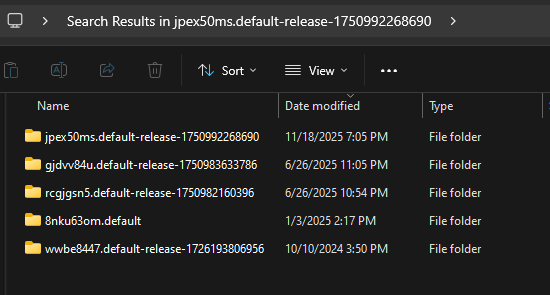
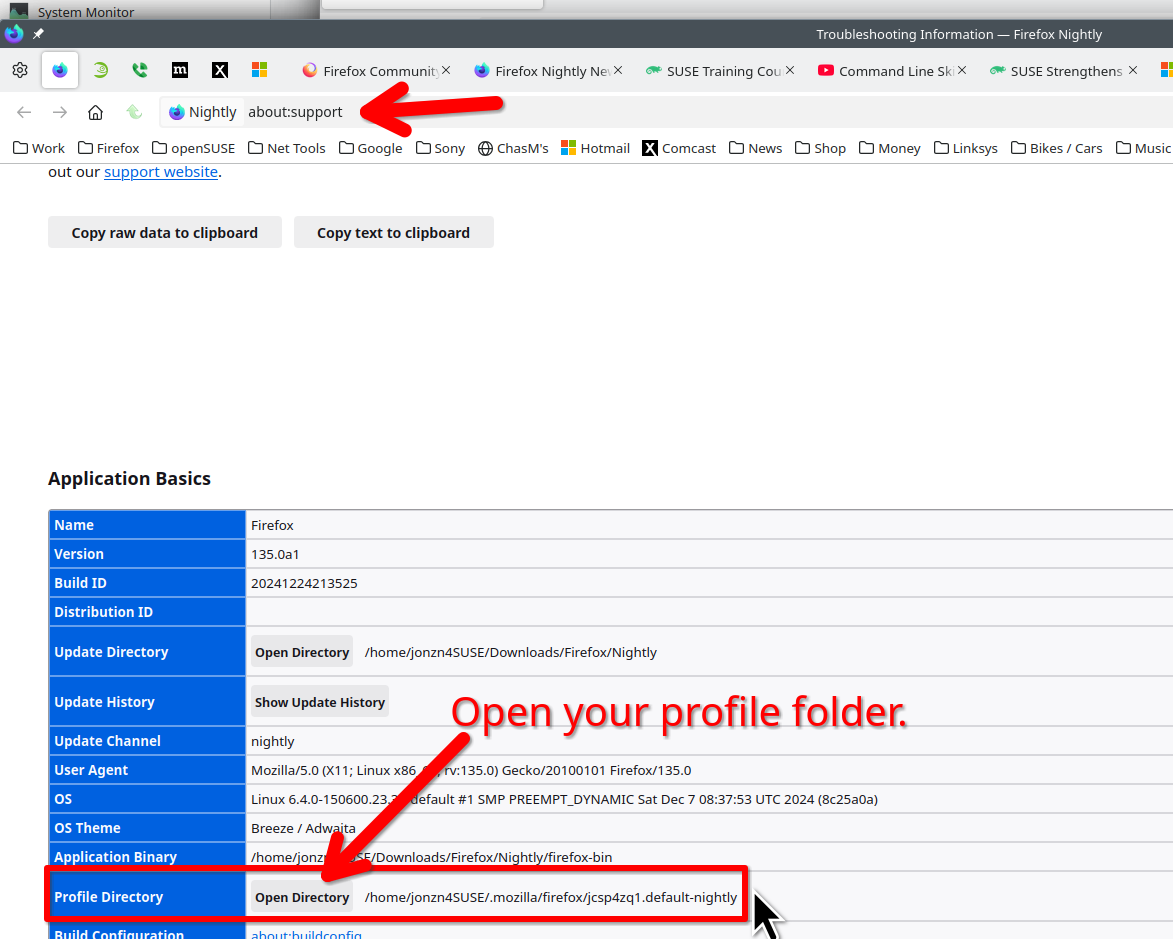
Could you happen to show me where the profile folder is? It doesn't show one when I look it up, unless you mean put it to here, where the releases are (Check second photo). I also don't have a session log folder, Also the SessionCheckpoints.json file isnt in any folder. (It's at the bottom of the image)
Изменено AlignRaye
jonzn4SUSE said
Sure. see screenshot
Oh my goodness it worked thank you so much dude! I completely forgot how to do it before, and I didn't remember that you had to put it IN the profile that is being used and not the backups folder.
Изменено AlignRaye