


Windows 10 reached EOS (end of support) on October 14, 2025. If you are on Windows 10, see this article.

Поиск в поддержке

Избегайте мошенников, выдающих себя за службу поддержки. Мы никогда не попросим вас позвонить, отправить текстовое сообщение или поделиться личной информацией. Сообщайте о подозрительной активности, используя функцию «Пожаловаться».

Подробнее

Shortcuts Unaccessible from Web Address Bar with an Open Tab

  • 2 ответа
  • 10 имеют эту проблему
  • 290 просмотров
  • Последний ответ от jbr
  • Открыта

Hi,

With a browser tab open to any website, I’m no longer able to use a saved shortcut upon tapping into the web address bar.

Tapping the address bar brings up the keyboard and screen as normal, except with a faded background. As soon as you try selecting a saved item it sends you back to the existing open web page.
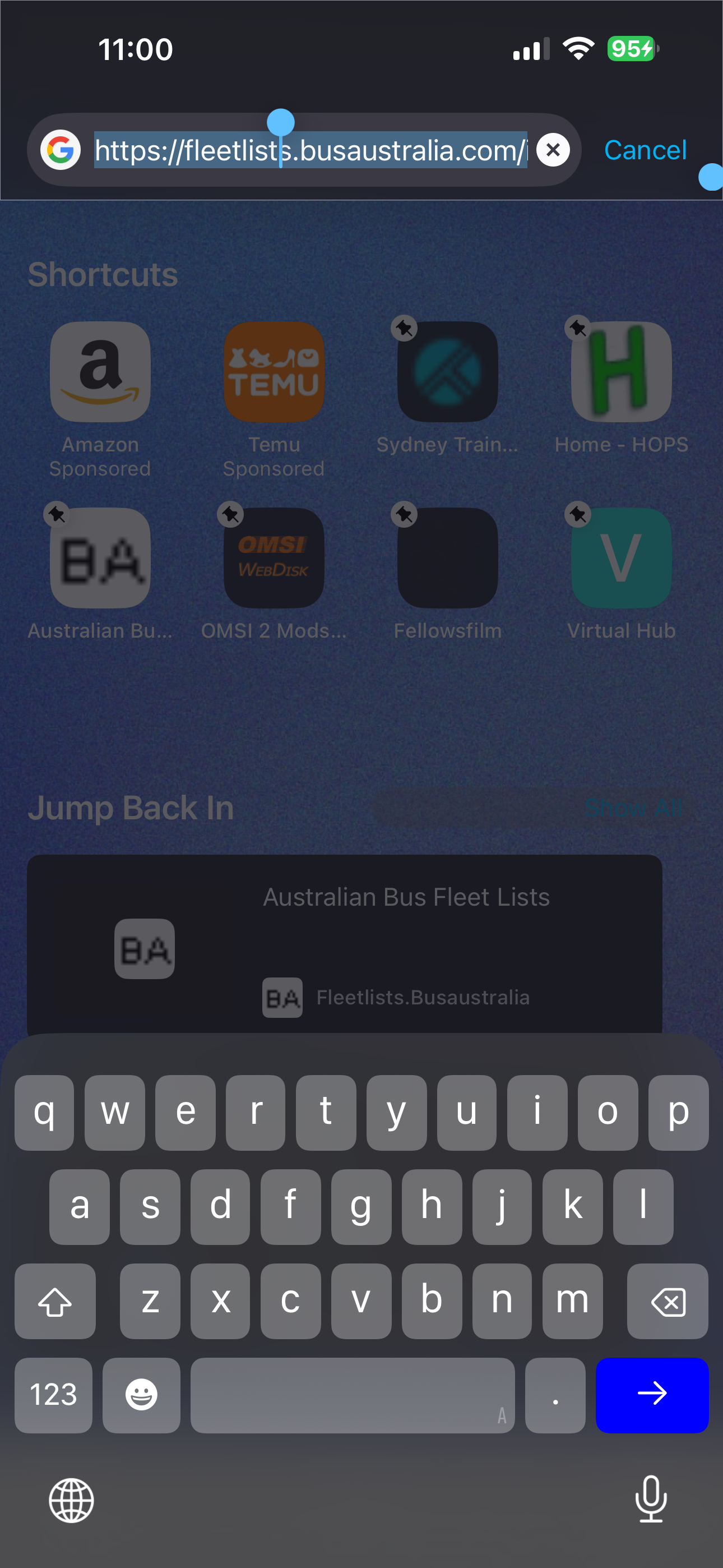
Hi, With a browser tab open to any website, I’m no longer able to use a saved shortcut upon tapping into the web address bar. Tapping the address bar brings up the keyboard and screen as normal, except with a faded background. As soon as you try selecting a saved item it sends you back to the existing open web page.
Приложенные скриншоты

Все ответы (2)

I have found this exact problem also. related trouble report

Изменено Firefox_Fan

In case you have any "custom URL" set as your new tab, there was a bug for such setup preventing tapping the icons, that should have been fixed in this week's v150.1 — if you wanna try updating, to see if it resolves for you?

For some subset of users there was also a feature being rolled out last year that briefly resulted in this overlay causing the icons not being active — but that got resolved hopefully promptly back then, before shipping to more folks, however please do feel free to report back if this issue still persists for you. Thanks!

Задать вопрос

Для ответа на сообщения вы должны войти в свою учётную запись. Пожалуйста, задайте новый вопрос, если у вас ещё нет учётной записи.