


Cannot set the outlook account in Thunderbird.

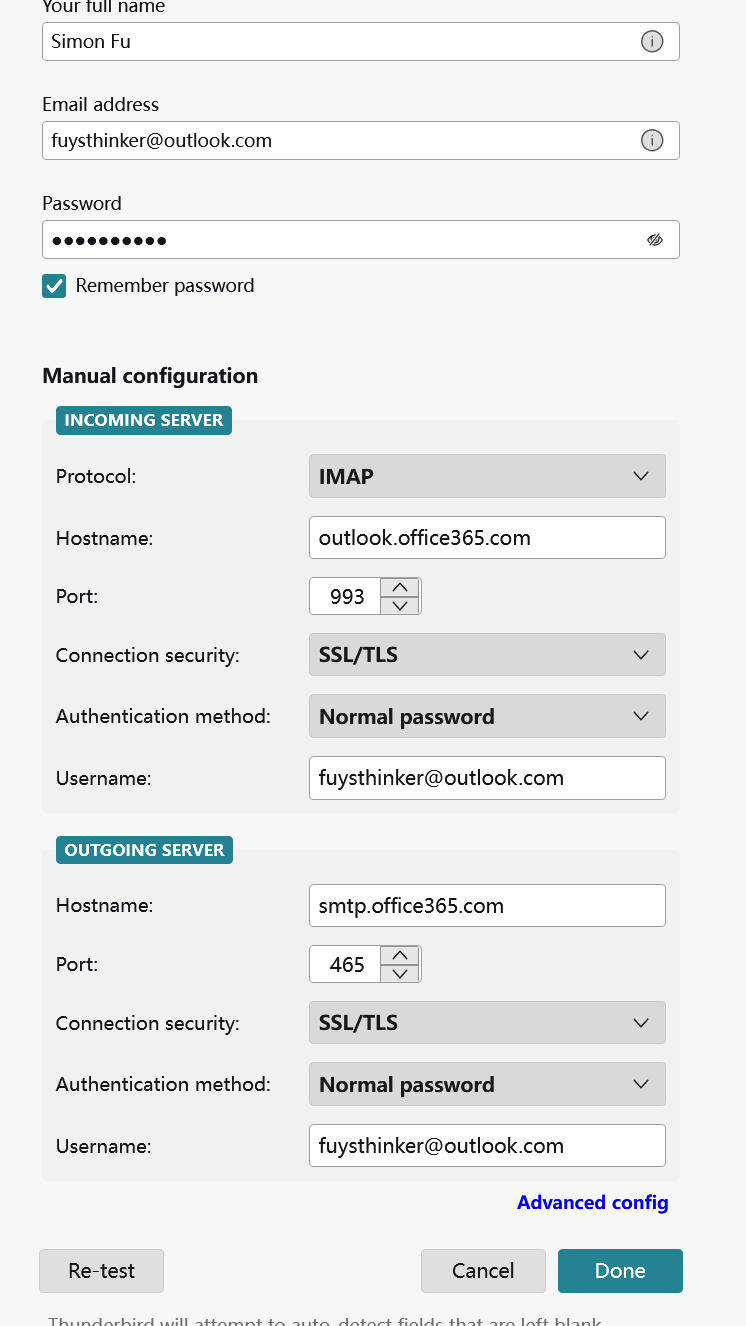
The account configure is shown in the attached figure, but it doesn't work. Who can tell me how to successfully set the outlook account? Thanks!
Выбранное решение
rjfetterman1 said
I'm still not receiving emails. Where do I enable the IMAP? And what needs to be added?
See the attached picture.
Прочитайте этот ответ в контексте 👍 0Все ответы (12)
david said
change authentication to OAUTH2
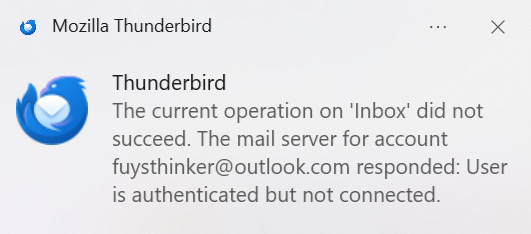
Thanks. I have added my outlook account to Thunderbird, but it still doesn't work. The tips show "User is authenticated but not connected".
sfhowes said
Also, change the outgoing security to STARTTLS on port 587.
Thanks. I have added my outlook account to Thunderbird, but it still doesn't work. The tips show "User is authenticated but not connected".

sfhowes said
Have you enabled IMAP in webmail settings, Mail/Forwarding & IMAP?
Thanks! The problem has been solved.

I'm still not receiving emails. Where do I enable the IMAP? And what needs to be added?
Выбранное решение
rjfetterman1 said
I'm still not receiving emails. Where do I enable the IMAP? And what needs to be added?
See the attached picture.
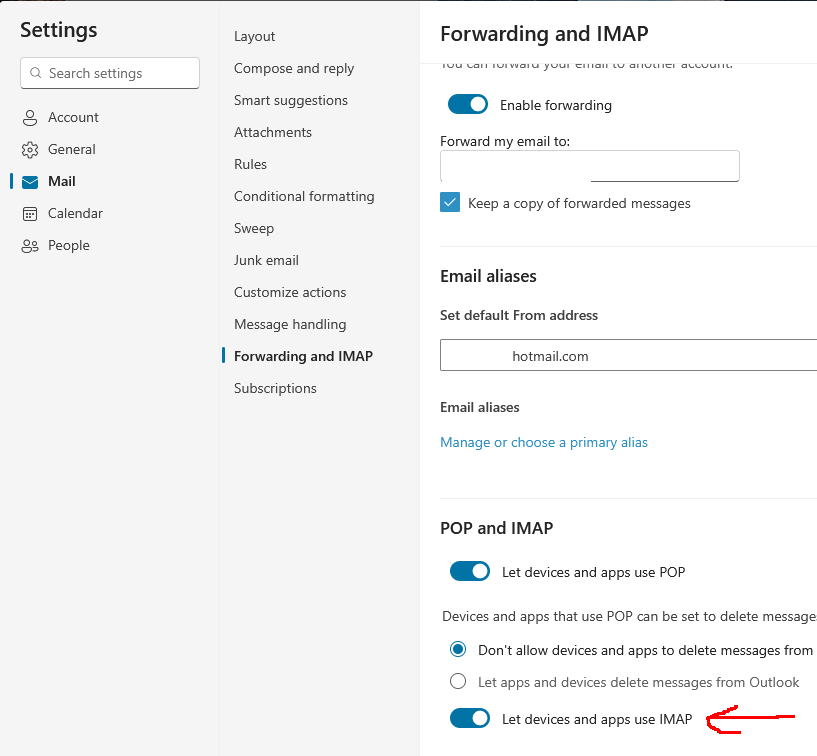
Where do I find the Image Attachment settings? I looked everywhere and did not find. I do already have a hotmail email account that is working OK. But my second one is not.
rjfetterman1 said
Where do I find the Image Attachment settings? I looked everywhere and did not find. I do already have a hotmail email account that is working OK. But my second one is not.
Open the second account through webmail on your browser and click the Settings icon.
I have done all above and I'm no longer getting the message "User is authenticated but not connected", but my emails still are not downloading.
rjfetterman1 said
I have done all above and I'm no longer getting the message "User is authenticated but not connected", but my emails still are not downloading.
If new messages arrive in webmail but don't download to TB, one possibility is a corrupted message: