


Add a gmail account impossible - "unable to connect to server"

I am trying to add my gmail account to Thunderbird, with the normal procedure. It immediately gives the correct settings with OAuth, send me to Google to get the permission when confirming these, then displays «Unable to connect to the server. The configuration, username or password are probably incorrect.», although I have double checked all of these. The same thing happens to a friend I am trying to help (with the latest Thunderbird version available) (140.2.0esr on Ubuntu 24.4.3 in my case). I wonder what happens, as I used to install Thunderbird and add accounts easily, from Google or other services, on a number of people's computer, a few months ago.
Изменено Wayne Mery
Выбранное решение
Make sure the Username field has your full email address, not just your name.
Прочитайте этот ответ в контексте 👍 0Все ответы (4)
Выбранное решение
Make sure the Username field has your full email address, not just your name.
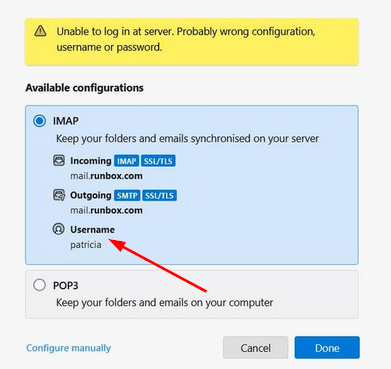
It does not help. Of course, I know how to enter this field (which is named "e-mail address anyhow). Thunderbird then correctly gives the IMAP settings and sends a message to Google to request an authorization. The Google authorization popup windows opens, but when I click on Authorize, Thunderbird says the connexion to the server is impossible... Popup windows has url https://accounts.google.com/signin/oauth/legacy/consent?authuser=0&part=[756 characters] Tried to do it while already connected to my google account, with no success.

Make sure cookies are allowed in Thunderbird. Do not use a VPN while attempting to authenticate to your Google account. Make sure there is no application running on your computer which is blocking local TCP port 80, e.g. like a local web server.
Thanks for your help, this time it worked. I would not have been able to find out without your help
I had xampp active on my machine and using port 80 I did sudo lsof -i -P -n | grep LISTEN | grep 80 to find out I had 8 lines of this kind as a result /opt/lamp 62826 daemon 4u IPv6 19007 0t0 TCP *:80 (LISTEN) I did sudo /opt/lampp/lampp stop to stop the xampp programm (and had no longer any daemon listening to port 80
Then I tried again to add my gmail account and it worked seamlessly.