Эта тема была архивирована.
Если вам нужна помощь, задайте новый вопрос.

Архивировано
How do i permanently disable all AI on firefox

I constantly get pop ups for AI i don't want and the AI makes firefox slower. I don't see a use in AI integration with Firefox and I would like to disable it. How can i do this?
I constantly get pop ups for AI i don't want and the AI makes firefox slower. I don't see a use in AI integration with Firefox and I would like to disable it. How can i do this?
Все ответы (2)
Hi
This support article should help you to turn off the AI chatbot feature in Firefox:
https://support.mozilla.org/en-US/kb/ai-chatbot
This article will help you turn off AI Enhanced Tab Groups:
https://support.mozilla.org/en-US/kb/how-use-ai-enhanced-tab-groups
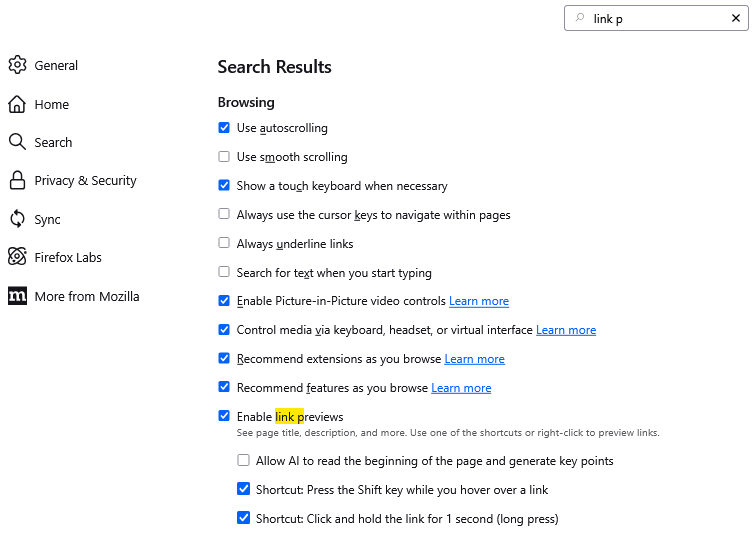
If you are noticing link previews when you mouse over links, you can turn those off on the Settings page, General panel, Browsing section (or use the tiny search box to pull it up as shown in the attached screenshot):