Prevent IMAP Sync at time of Account Connection?

Is there a way to preempt the initial download when connecting an IMAP account initially?
Presuming you plan to make "Keep messages in all folders for this account..." UNchecked, I've found I can only go into settings as soon as possible after connecting the IMAP account to cut off the automatic start of downloads for local email copies. I then search for the email files locally (am configured for maildir) and manually delete.
Not the end of the world, but seems a bit janky. Is there a way you're supposed to be able to set synchronization settings BEFORE Tb starts syncing?
Thanks.
Выбранное решение
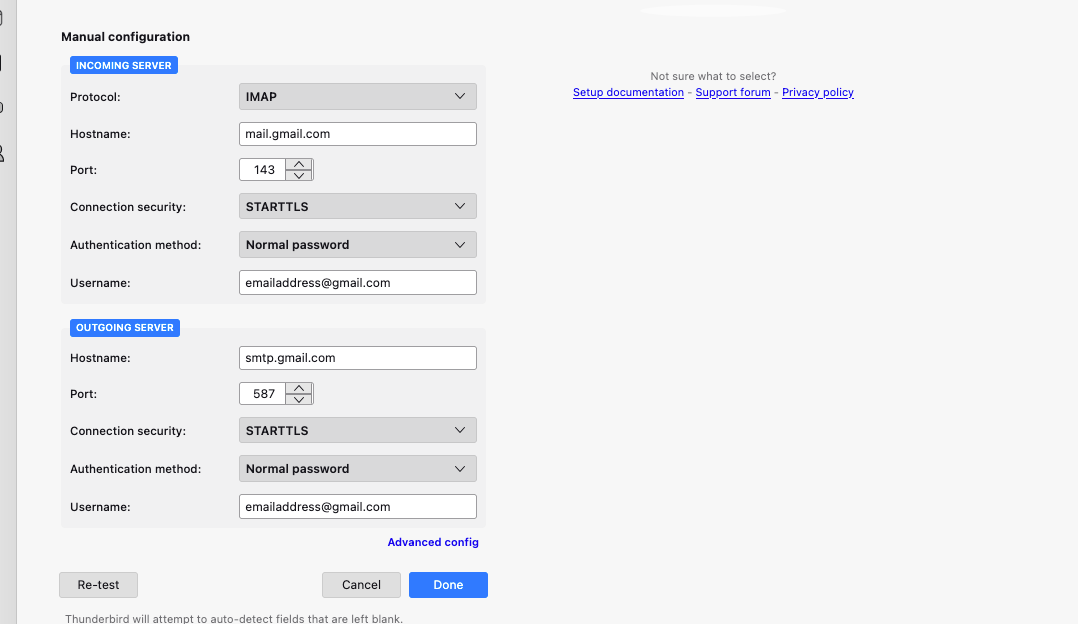
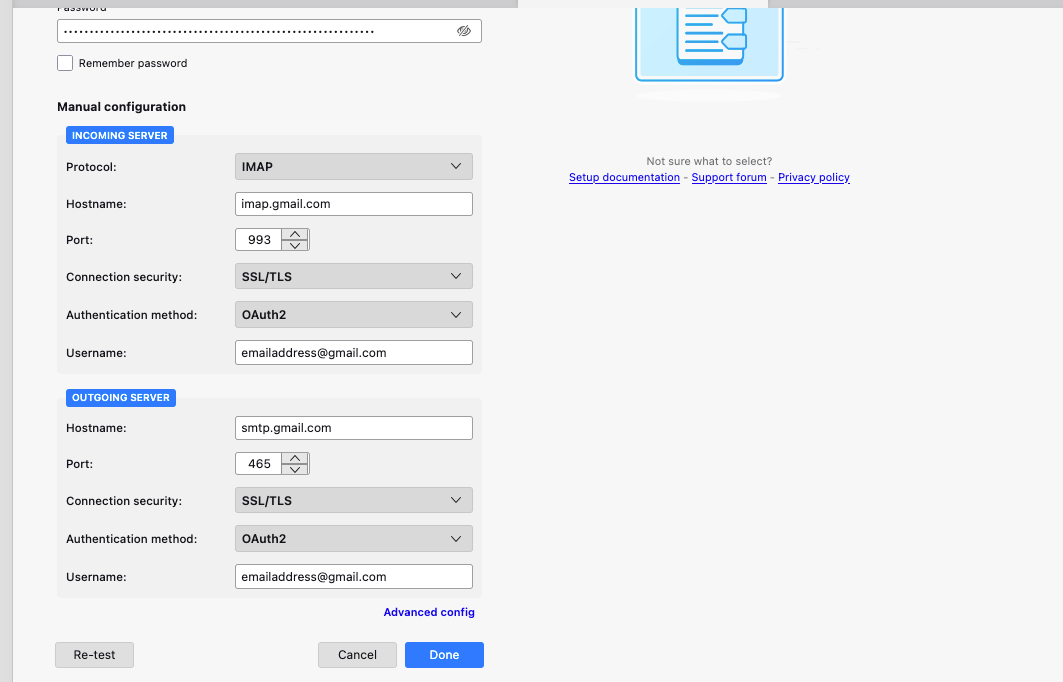
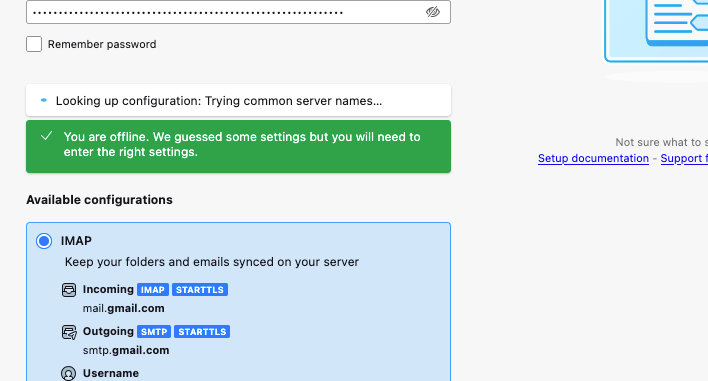
TB guessed wrong. Use imap.gmail.com, 993, SSL/TLS, OAuth2, email address; smtp.gmail.com, 587, STARTTLS (or 465, SSL/TLS), OAuth2, email address.
Прочитайте этот ответ в контексте 👍 1Все ответы (7)
Re: https://support.mozilla.org/en-US/questions/1307887
I am not finding you can complete an IMAP account connection without being in online mode.
The information in the link still applies. Where in the process is it not working for you?
"If you add the account offline...all the settings...can be set in the Advanced config...before going online".
Re: "add the account offline": I don't believe an OAuth flow supports this. I am not finding the account auth can be completed while offline. The authentication flow simply does not proceed.
It works here with gmail accounts with OAuth2. Once all the settings are entered for the account, go back online, and when TB connects to the server (restart TB or select the Inbox), the OAuth window should appear and prompt for the account password.
screenshot

Выбранное решение
TB guessed wrong. Use imap.gmail.com, 993, SSL/TLS, OAuth2, email address; smtp.gmail.com, 587, STARTTLS (or 465, SSL/TLS), OAuth2, email address.
Изменено sfhowes
Got it. That was it. Thanks very much.
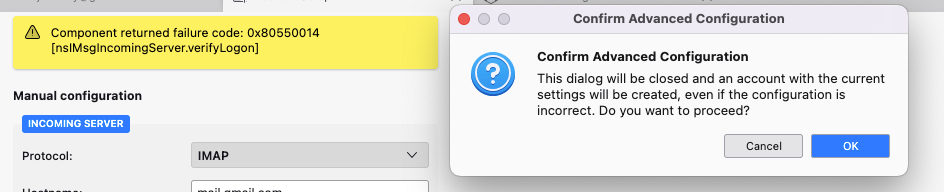
(Hitting Done does keep prompting that component failure message. But then hitting the Advanced Configuration link/button brings a dialog that allows you to proceed saving). OAuth proceeds once back online.
https://developers.google.com/workspace/gmail/imap/imap-smtp