


Firefox not playing mp4 in browser window

Hello people,
Please some help around the following issue, since a few days, Firefox will not play mp4 files directly in the browser. What it does when clicking to open an mp4 from the file server, it saves the file first and then opens a window to play it. Or it directly provides the save dialog window instead of playing it in the browser window directly.
Any ideas, appreciated. I have a lot of files to assess for my students, and this browser behavior makes it very tedious.
Greetings.
Все ответы (1)

Steps to replicate would help us help you. What OS? What version of Firefox? What site are you on?
Hello thanks for the reply, I have the following:
Windows 11 education 24H2 (up to date) Firefox Developer 139.0b2 (up to date)
I work from Sharepoint/onedrive folders, or Googledrive.
What I tried: - I can drag a file directly from windows explorer into the browser window and that plays fine. - Turned off hardware acceleration - checked in about:config standonline player is set to TRUE - reinstalled Firefox completely, removed the folder from the HD - tried safe/troubleshooting mode without extensions
Normally what I do is open an mp4 file in a new tab to play directly online without downloading it first. But now it asks to save the file or choose a application to open it.
For instance when I try to open a file on this https://samplelib.com/sample-mp4.html page, by right clicking on 'Download' and selecting open link in new tab, it will pop-up the download dialog window, instead of playing.
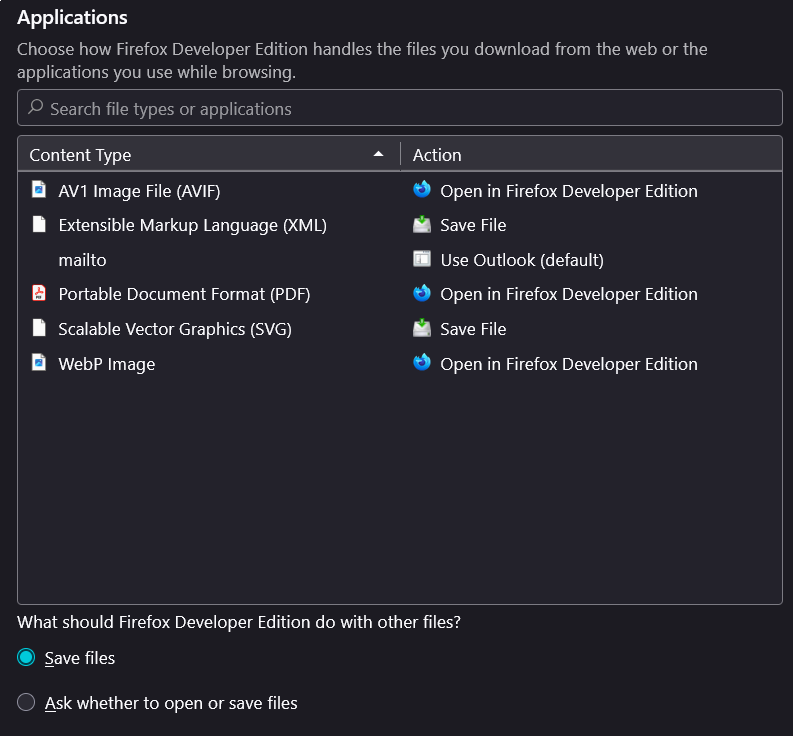
My current direction of thinking is the file handling settings, provided in the image.
Any ideas are welcome.
Изменено Frenchez