


No “Sync and save data” on iPhone?
I’m running Firefox 131.4 (46621) on my iPhone 12.
I’m setting up a new Mac, and I’m trying to sync the freshly installed Firefox (132.0.1 aarch64) with my other FF instances.
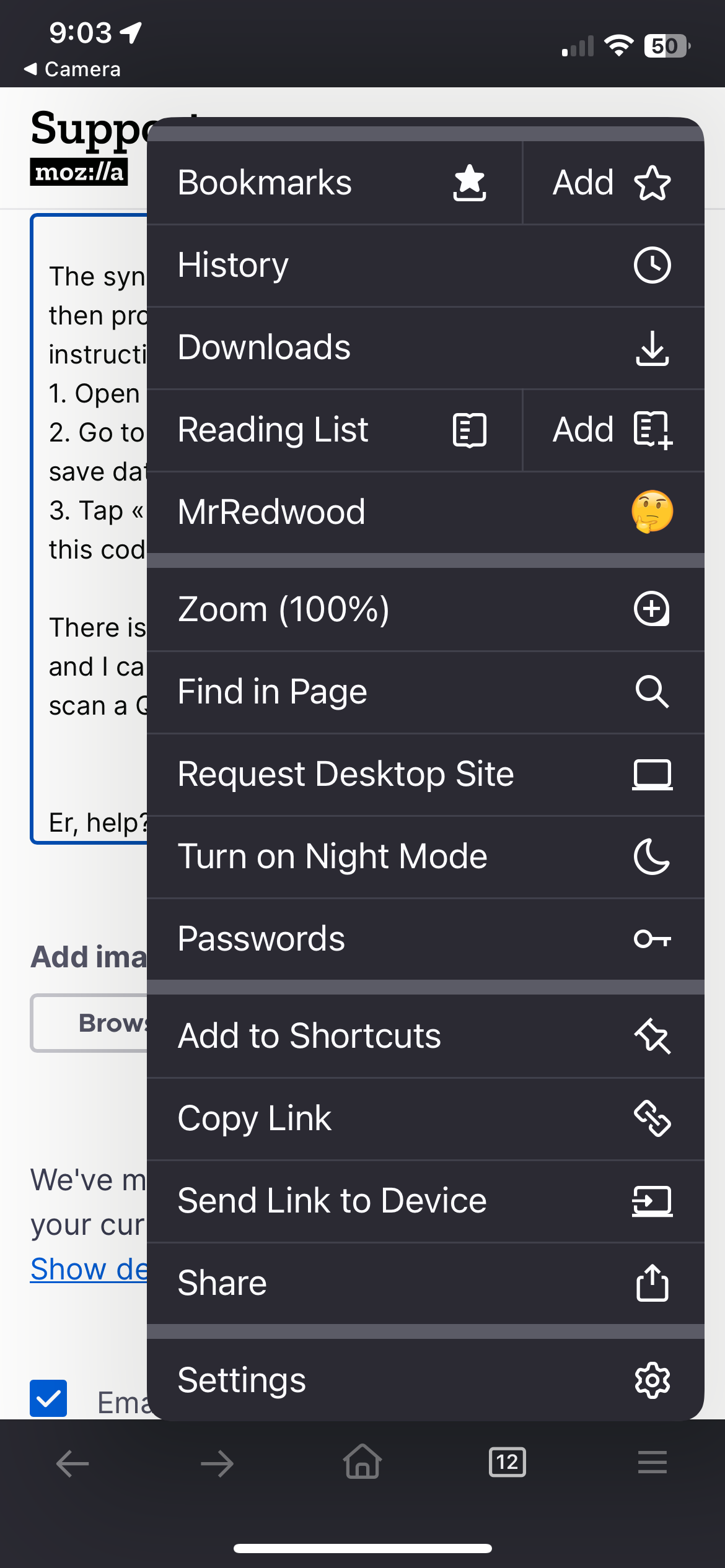
The sync instructions ask if I have FF for mobile, then provide a QR code and give these instructions: 1. Open Firefox on your mobile device. 2. Go to the menu /// on iOS and tap «Sync and save data» 3. Tap «Ready to scan» and hold your phone over this code
There is *no* «Sync and save data» menu item, and I can’t find any other location where I might scan a QR code.
Er, help?
Выбранное решение
Oh, geez. It seems it already is sync'ing. It just didn't have the 'show all tabs' in the same place as on the MacBook.
Sorry to waste anyone's time…
Прочитайте этот ответ в контексте 👍 2Все ответы (3)
I tried this with Firefox on my Android tablet, too.
Perhaps the problem is that those devices are already sync'ing with FF on my MacBook and previous desktop Mac, so don't provide a sync option?
In which case, how can I get the new desktop Mac to join the party?
Выбранное решение
Oh, geez. It seems it already is sync'ing. It just didn't have the 'show all tabs' in the same place as on the MacBook.
Sorry to waste anyone's time…
I cannot find sync and share data on my iPhone